
QuickWindChk
SEUNGSOO YOU
No ratings yetUtilitiesAges 4+
Screenshots




About this app
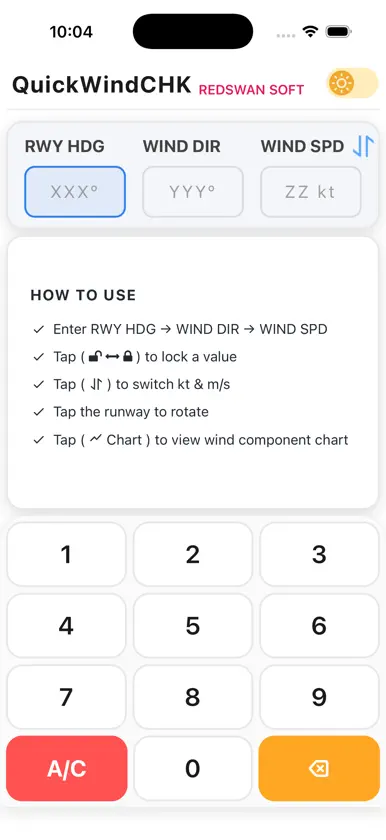
QuickWindChk puts the wind picture you need before a flight decision into one clear, focused view. Enter the runway heading, wind direction, and wind speed to understand the wind at a glance. Wind Envelope — Check your wind margin quickly and clearly. Set crosswind and tailwind limits, then see the remaining margin clearly. Pattern HDG — See the traffic-pattern direction that fits your runway, along with wind-corrected headings for each leg. Choose left- or right-hand traffic, set TAS, and switch the pattern presentation UP or DOWN for the view that is easiest to read. You can also: - See headwind, tailwind, and left or right crosswind components instantly. - Use a clean runway-and-wind diagram to understand the result visually. - Enter data quickly with the purpose-built keypad. - Lock runway or wind-direction values for repeated checks. - Use light or dark appearance on both iPhone and iPad. Important! QuickWindChk is a fast reference tool. Always use current official weather information, aircraft limitations, airport procedures, and approved flight-planning resources when making operational decisions.
What's new
Version 1.0.4 · Sep 1, 2026
- Wind Envelope: Set crosswind and tailwind limits and see your remaining wind margin quickly and clearly. - Pattern HDG: See the runway-appropriate traffic-pattern direction and wind-corrected heading for every leg. - Switch Pattern HDG between UP and DOWN presentations while keeping the entered runway heading unchanged. - Refined traffic-pattern aircraft alignment and overall layout. - Updated the Components tab label, visual details, and About information. - Minor improvements and bug fixes.
More from SEUNGSOO YOU

You might also like
 Crosswind CheckTADEAS KOTYK
 P3 Flight Time CalculatorGregory Boyd
 OverflightAppVirtual-Tec
 My Pool by BlulogicaBlulogica Srl
 AirlineCalcAlex Deutz
 Transits.io Astrology CalendarBackspin Systems
 Log Time Smart CalculatorMinimal Bits Tech Srl
 Car Charge CalculatorBerkay Aksoy
 Simple XwindAlex Deutz
 Aviation Calculator AvCalcFifteen Jugglers Software UG