
Quilmo
Caring Heart Sitters
No ratings yetUtilitiesAges 17+
Screenshots

About this app
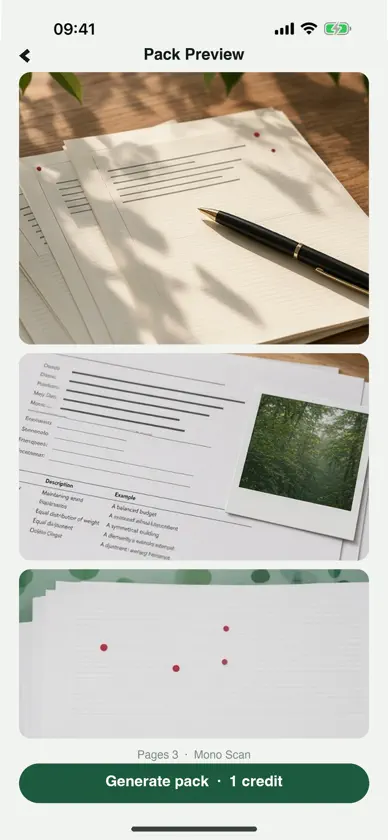
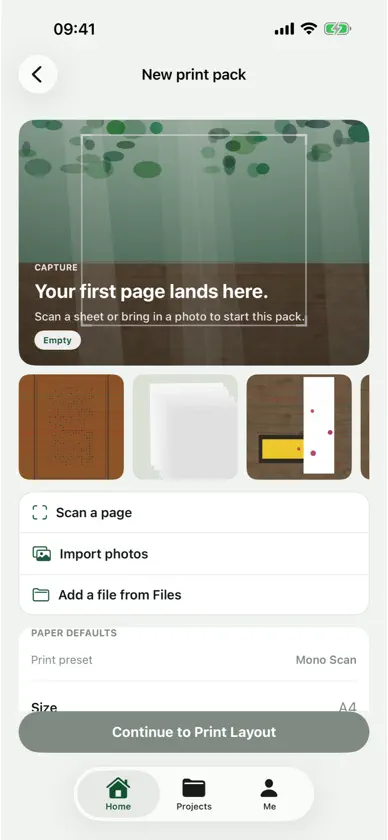
Quilmo turns pages you scan or import into a print-ready PDF pack on this iPhone. Start a pack from Home, then scan a sheet with the camera or import photos. On Print Layout you pick a sheet style, add text, a signature, a highlight, a tag, or a short voice note. Pack Preview shows the composed pages before you write the PDF. One Print Pack Credit writes one pack. Credits stay on this iPhone and are used up when you generate a pack or unlock a paid layout. Finished packs stay in Projects so you can share the PDF or save pages to Photos. Nothing is uploaded. There is no account.
What's new
Version 1.1 · Sep 30, 2026
Reorder pages before you print. On New print pack or Print Layout, hold a page and drag it into the order you want on the sheet. Take a mark off the page. Text, a signature, a highlight, a tag, or a voice note shows up on Print Layout. Tap one and confirm to remove it. Look closer before you spend a credit. Tap a page in Pack Preview, then pinch or double-tap. Close when you are done. Writing the pack still costs one Print Pack Credit. Drop a draft from Projects when you do not want it.
In-app purchases
The most popular purchases on the App Store.
- Print Pack 8Consumable$1,999.00
- Print Pack 7Consumable$999.00
- Print Pack 6Consumable$399.00
- Print Pack 5Consumable$199.00
- Print Pack 4Consumable$99.00
- Print Pack 3Consumable$69.00
- Print Pack 2Consumable$39.00
- Print Pack 1Consumable$19.00


