
Quotator
Robert Murdock
No ratings yetLifestyleAges 4+
Screenshots





About this app
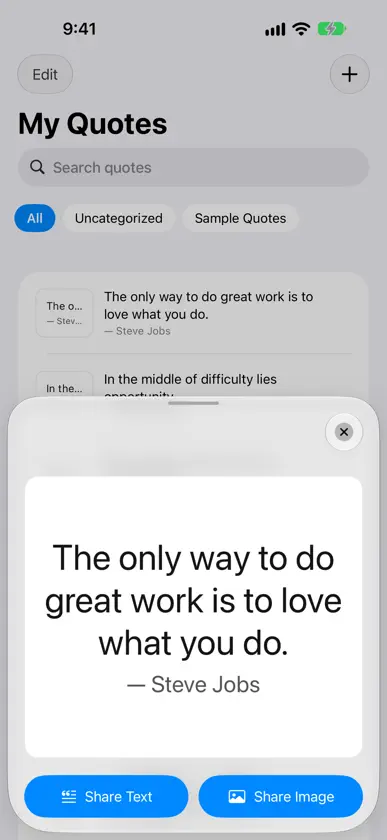
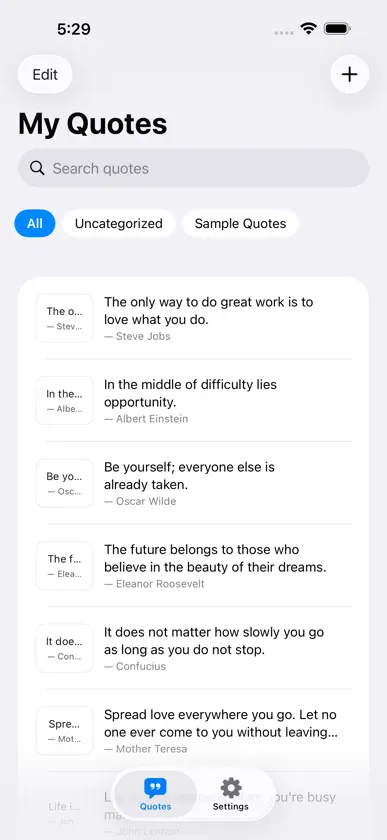
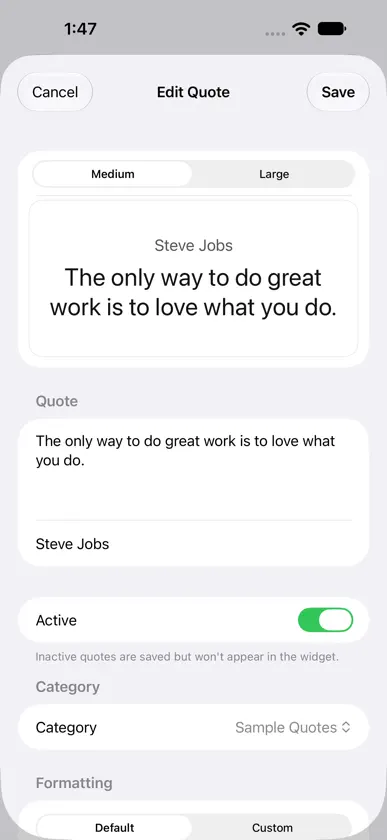
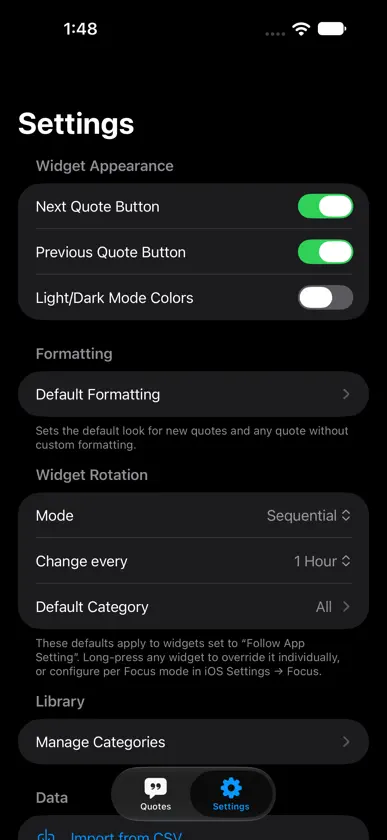
Quotator is a personal quote library that puts your words on your home screen — styled exactly the way you want them, rotating on your schedule. THE ROTATION IS YOURS Most quote apps rotate randomly or once a day. Quotator lets you set the interval: every 10 or 30 minutes, 1 hour, 2, 4, 6, or 12 hours, or once a day. Each widget you add can have its own interval, category, and rotation mode — independently. You decide when your quotes change, and every widget can tell a different story. YOUR STYLE, YOUR QUOTES Style each quote individually — or set a default for your whole library and override it per category or per quote: • 19 fonts — 4 system designs (System, Serif, Monospaced, Rounded) plus 15 curated iOS fonts: Georgia, Palatino, Baskerville, Didot, American Typewriter, Courier New, Futura, Gill Sans, Helvetica Neue, Avenir Next, Optima, Copperplate, Marker Felt, Noteworthy, Snell Roundhand • Custom colors — choose from 19 carefully selected presets, or tap + to open the system color picker and use any color you like • Auto-fit text — quotes scale to fill the widget so short quotes go large and long quotes shrink to fit without truncation • Left, center, or right text alignment • Attribution above or below the quote — set it for your whole library or per category • Live preview — toggle Medium and Large in the edit screen to see exactly how your widget will look before saving PERSONAL LIBRARY • Add any quote with optional author attribution • Organize quotes into categories; filter your library by category • Enable or disable individual quotes — removed from widget rotation but kept in your library • Reorder by dragging to set the sequential rotation order • Search instantly by quote text or author QUOTE SHOW Turn your whole iPhone or iPad screen into a quote display. Play all your quotes or just one category, in order or shuffled, advancing by hand or every 1, 3 or 5 minutes. Every quote appears in its own formatting, with the author above or below. Perfect for presenting a quote to someone, or leaving an iPad on a stand. The screen stays awake while a show runs. TWO WIDGET STYLES Both come in Medium and Large, plus Extra Large: wide on iPad, and tall on iPhone with iOS 27 and later. Rotating Quote — displays a new quote on your chosen schedule. Long-press to configure each widget independently: • Sequential cycles through your library in the order you set • Random picks a different quote each interval, consistently • Manual pins one specific quote until you change it • Filter to one category or a set of categories • Tap Next to advance immediately, or turn on the Previous button to go back — no waiting for the next rotation Specific Quote — always shows one chosen quote. Perfect for a mantra, a goal, or a favourite you want to see every day. SHARE QUOTE COLLECTIONS Export a formatted set of quotes as a single file and share it with anyone. Styles, categories, and all formatting are preserved. Recipients import it with one tap — great for sharing reading lists, team mantras, or themed collections. FOCUS FILTER Set Quotator's category and rotation mode per Focus mode in iOS Settings → Focus → Apps → Quotator. Work Focus shows your professional quotes. Sleep Focus shows something calmer. No manual changes needed. YOUR DATA, YOUR CONTROL • Automatic iCloud backup — Quotator backs up your entire library to iCloud Documents once a day, keeping the last 10 backups automatically • Manual backup and restore — full JSON backup you can store anywhere • Import from CSV — bring in quotes from a spreadsheet or another app • Export to CSV — take your library to any app or spreadsheet No account required. No subscription. No data collected. Just your quotes.
What's new
Version 1.9 · Oct 31, 2026
Quote Show turns your whole screen into a quote display, and each quote can now put its author above or below. • Quote Show. The new Show tab fills the entire iPhone or iPad screen with your quotes, each in its own formatting. Play all quotes, Uncategorized, or one category; Sequential or Random; advance by hand or every 1, 3 or 5 minutes; Loop On or Off. Move with the forward and back buttons, or turn them off and swipe. Tap the middle of the screen to end the show. Great for presenting quotes to someone, or leaving an iPad on a stand. • Quote Show has its own Attribution above quote switch on the Show screen, so a show can put the author above the quote while your quotes and widgets stay as they are. • The screen will not dim or lock while a show is running. If you leave Quotator, the show pauses and the screen can sleep again; come back and it carries on. • Attribution above or below, per quote. When you give a quote Custom formatting, a new Attribution Position choice (Default, Above or Below) lets that one quote differ from its category and from Settings. • Shared quotes keep the sender's attribution position.
More from Robert Murdock


You might also like
 Quotes Widget - Daily WisdomTeleprompter LLC
 Tendr – Widgets & QuotesErik Auranaune
 Flint: Daily Quotes WidgetDmitry Leshchenko
 Motivation Daily - QuotesAlon Cohen
 Happy Quotes Maker - PositiveKarthik raja
 Motivational Widget - QuotesLoud Unicorn
 Quotes - Motivational QuotesPavans Group Techsoft Private Limited
 Citator - Citas para guardarMatthias Gansrigler-Hrad
 Pray By NameTodd Stevens
 DotQuotAbhilash Thekkel