
QwikDim
JAYU SOFTWARE-STUDIO OPC
No ratings yetUtilitiesAges 4+
Screenshots








About this app
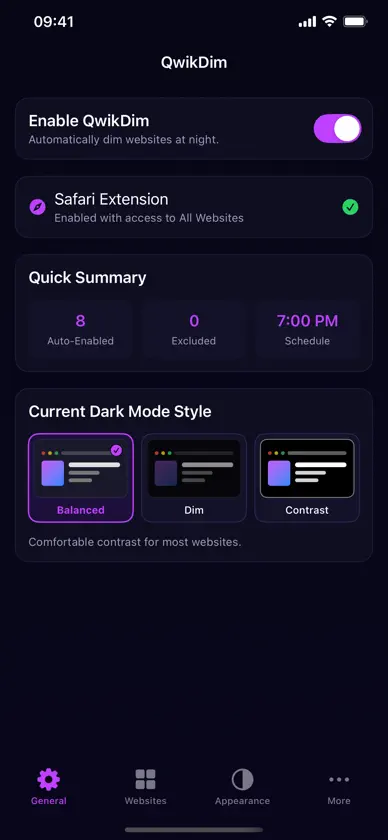
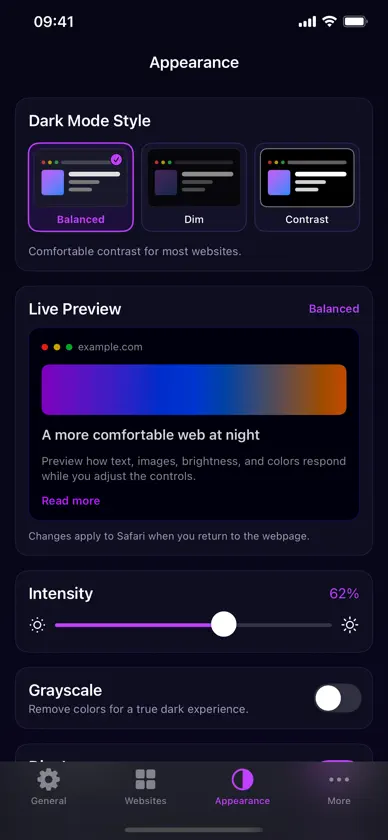
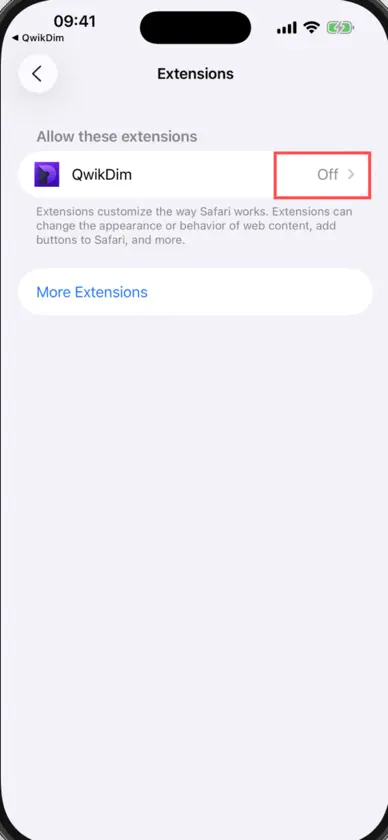
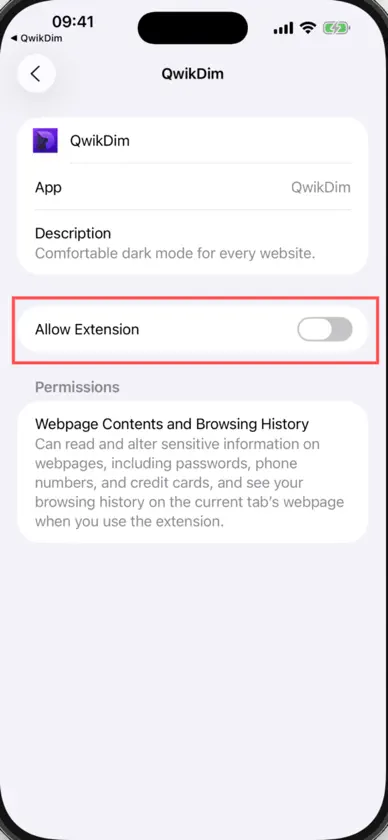
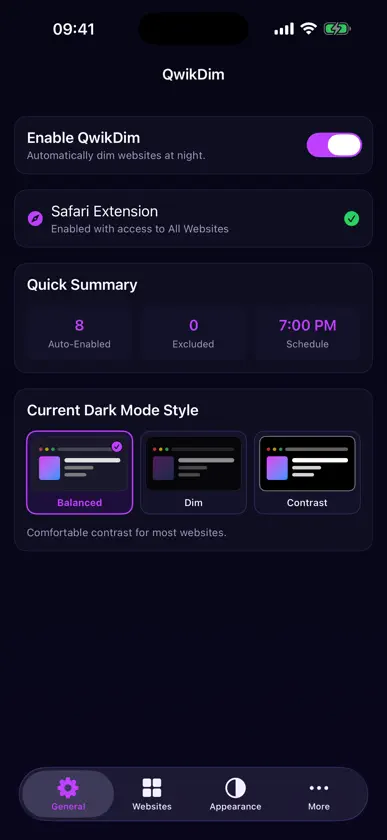
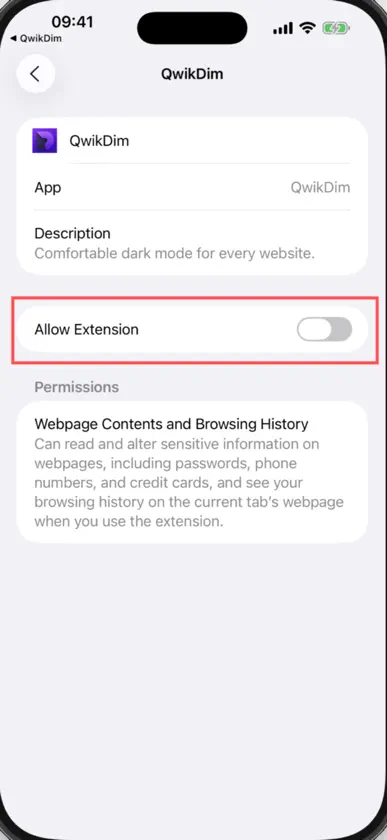
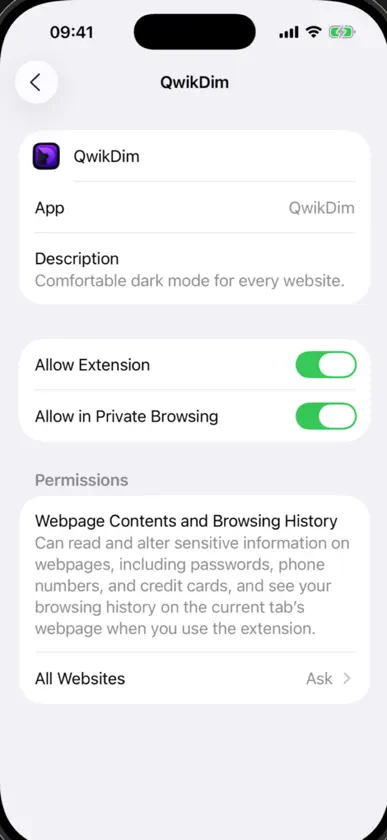
Browse more comfortably at night with QwikDim, a Safari extension that gives websites a consistent, adjustable dark appearance. KEY FEATURES • Turn QwikDim on or off globally • Auto-enable or exclude individual websites • Choose Balanced, Dim, or Contrast styles • Adjust intensity, grayscale, image brightness, and colors • Schedule dark mode by time and day • Follow the system appearance • Apply settings across page frames and respect existing website themes GET STARTED 1. Open QwikDim and tap Safari Extension. 2. Enable QwikDim in Settings → Apps → Safari → Extensions. 3. Allow access to All Websites. 4. Return to Safari and browse normally. PRIVACY QwikDim processes page appearance on your device. It does not create an account or send browsing data to our servers. Some websites may require a refresh after changing extension permissions or settings.
What's new
Version 1.0.2 · Aug 24, 2026
Images now keep their original colors in dark mode. Improved image dimming for photos, app icons, and dynamically loaded graphics.
In-app purchases
The most popular purchases on the App Store.
- Extra SupportConsumable$299.00
- Generous SupportConsumable$199.00
- Coffee SupportConsumable$69.00
- Small SupportConsumable$19.00
More from JAYU SOFTWARE-STUDIO OPC


You might also like
 Moonflower: Dark Mode & ReaderRoman Marchenko
 Onyx - Dark ModeTakaki Takemura
 SoftScreenLitehatch Labs Inc.
 LockbLockbox
 Dark Mode Fix for Safari紫妍 连
 Dark SurfVali Mikayilov
 Darkify - Extensión de SafariMassimiliano Allegretti
 Night Light Reading LampZENBYTE DIJITAL TEKNOLOJILER LIMITED SIRKETI
 Volumor: Amplificador VolumenAppkruti Solutions LLP
 qFocus: El navegador privadoSascha Rhein