
Readplace
Jessika Fayner Brack
No ratings yetProductivityAges 4+
Screenshots


About this app
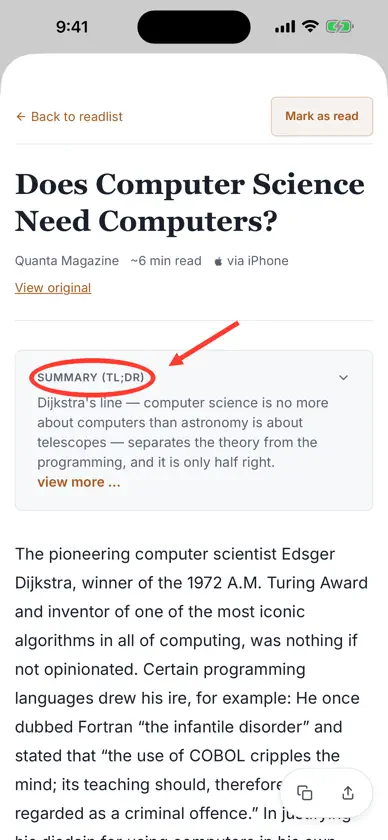
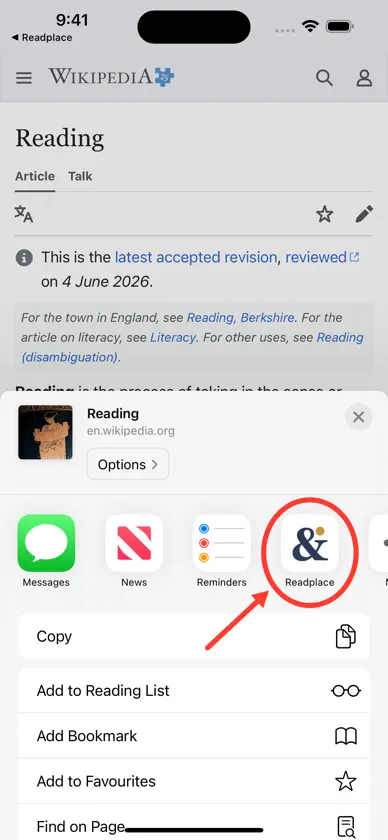
Readplace is a read-it-later app. Save articles from anywhere and read them later in a clean, focused reader — without the clutter, popups, and noise of the open web. SAVE FROM ANY APP Open a web page in Safari (or any app), tap Share, and choose Readplace. The article is captured and added to your reading list — no copy-paste, no tab hoarding. A CALM READING LIST Everything you saved in one place. Tap an article to read it in a distraction-free reader, and get an AI summary so you can decide what is worth your time before you dive in. Swipe to mark things read as you go. ORGANIZE YOUR READING Switch between readlists and choose where articles saved from the share sheet go. Readplace remembers your last open list and keeps unread and finished articles in separate tabs. READ YOUR WAY Choose light, dark, or system appearance. Download an article as an EPUB and use the iOS share sheet to save it or open it in another reading app. BUILT ON A DECADE OF READING Readplace grew out of a personal reading system refined over ten years. It does one thing well: help you actually read the things you meant to read. Your #1 AI-Powered Reading List. A Readplace subscription is required after the free trial.
What's new
Version 1.0.132 · Oct 19, 2026
Read your saved articles offline. When there's no connection, Readplace opens the copy stored on your iPhone and shows your readlists as they last loaded. Download your unread articles ahead of time with the new button at the top of your readlist. Downloaded articles are marked Saved offline, and you can continue a download that was interrupted. When Readplace couldn't load an article from its site, opening it now tries to capture the page from your iPhone automatically, once per article. The app also no longer saves a site's error or CAPTCHA page in place of the article. Swipe all the way left on an article to mark it as read or unread. The reader now shows when you saved each article, and its icons and buttons have a refreshed look. Signing in now shows which account the app will connect to, and tapping Cancel on that page closes it without an error. This update also groups account settings into sections, keeps you signed in if the app is interrupted while renewing your sign-in, leaves the sign-in animation muted when it replays, stops banners covering your readlist, and confirms the save when you share an article you've already read.
You might also like
 YearlyQuestTodd Hertzelle
 Vox: Text to Speech PDF ReaderOrion Software LLC
 TooodoAsterios Digital GmbH
 CargoTuff Load ManagerCargo Tuff LLC
 Focal: RSVP PDF/EPUB ReaderJesse Meissner
 SnappyNotesFirstForm
 Caliu - Notas en MarkdownMarc Torrelles
 Strata for Micro.blogMicro.blog, LLC
 Persodex: Personal CRMAsterios Digital GmbH
 Blaze CalendarFilippo Zanfini