
Retinly
Van Nguyen Dang
No ratings yetPhoto & VideoAges 4+
Screenshots



About this app
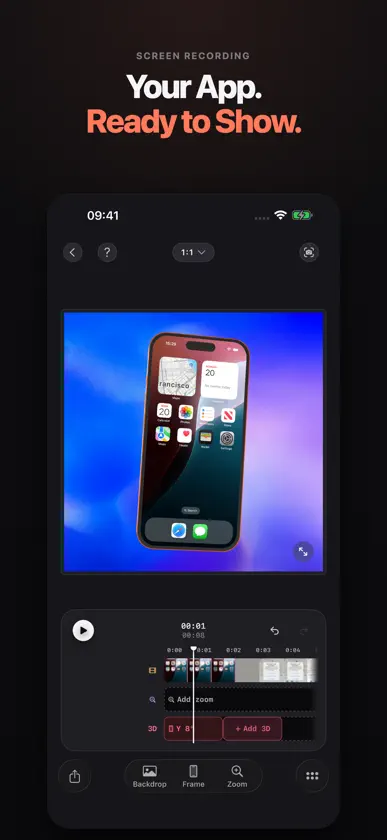
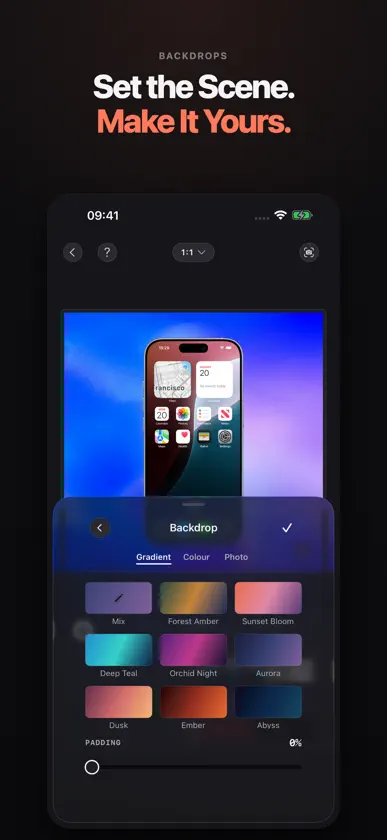
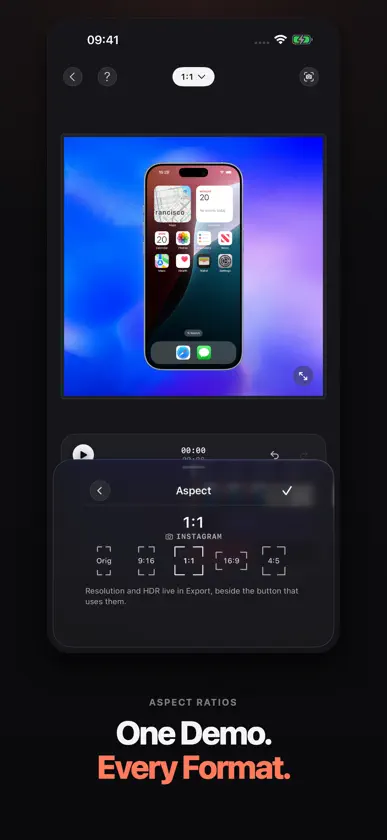
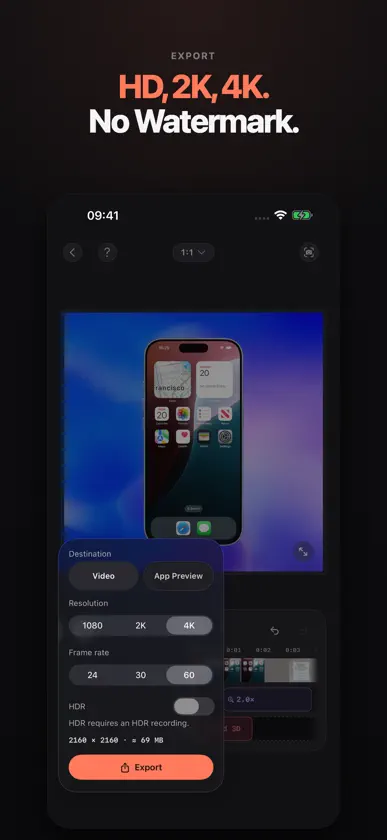
Turn your screen recording into a polished app demo, right on your phone. Retinly gives your recording a device frame, a backdrop and smooth camera movement. Show what your app does, highlight the details, and make videos for your product page, launch or social posts. MAKE YOUR APP THE FOCUS • Choose flat device frames or 3D iPhone models, with colours for iPhone 17, iPhone 17 Pro and iPhone Air. • Tilt and turn a 3D model, then guide the viewer with smooth zoom and multi-point paths. • Pick a Look, gradient, wallpaper or your own photo for the background. • Trim clips, adjust playback speed, and add music. • Create portrait, square and landscape videos. EXPORT AND KEEP CREATING • Export flat-frame videos up to 4K and 3D videos up to 1080p, without a watermark. • Export HDR when your source recording and device support it. • Save still frames and frame sets from your project. • Organize projects in folders and recover deleted projects from Recently Deleted for up to 30 days. • Save one custom Look for free and reuse your styling. RETINLY PRO An optional one-time purchase unlocks additional saved Looks, portrait App Preview export at 886 × 1920, and 3D export with the folding iPhone Duo. No subscription. Retinly Pro bought here also unlocks Pro in Retinly for Mac on the same iCloud account, and Pro you already have in Retinly for Mac works here too. HDR export, all flat device frames and every other iPhone’s 3D export are free. Posing and previewing the Duo are free too. OPTIONAL ICLOUD PROJECT SYNC Choose supported iPhone or iPad screen-recording projects to upload to your private iCloud storage. With compatible Retinly versions and the same iCloud account, download and import editable copies on your other device. Saved edits sync while Retinly is open; iOS background sync is not guaranteed. Some frames, finishes and edits are not supported, and conflicting versions need your review. Retinly Pro also enables sync. Your iCloud storage quota applies. EDIT ON YOUR DEVICE No Retinly account is needed to edit. Video editing and rendering happen on your device. Optional sync sends selected projects to iCloud. When you’re signed in to iCloud, a Retinly Pro purchase is verified through Retinly’s server so Pro can also work in Retinly for Mac. Purchases use RevenueCat, and feedback is sent only when you choose to submit it. Start with a recording. Finish with a demo you can share.
What's new
Version 1.2.4 · Oct 22, 2026
One Retinly Pro, on iPhone and Mac. • Retinly Pro bought on this iPhone also unlocks Pro in Retinly for Mac 0.6.5 or later on the same iCloud account. • Already have Retinly Pro on your Mac? Open More and tap Use It Here. • Restore Purchases now tells you if Pro couldn’t be shared with your Mac, and why. • Bug fixes and improvements.
In-app purchases
The most popular purchases on the App Store.
- Retinly ProConsumable$399.00
You might also like
 DummoEduardo Pinillos
 Foto ID Pasaporte Visa y CVXiamen City Fanyou Network Technology Co., Ltd.
 FeelmCamera - Film CameraJayApp
 PhotoMark: Marcos y EXIF慧鑫 贾
 Panostory Pro: Montaje Fotos锐 王
 Limi Cam - Retro film CameraUzero Technology
 Lively - Photos to GIFTiny Whale Pte. Ltd.
 a1.art:Fun AI Photo GeneratorJISHI DESIGN TECH HK LIMITED
 Gimbal Play章洪 黄
 无锐化相机北北 宋