
Screen Walk
Mehmet Aksel Tulezoglu
No ratings yetHealth & FitnessAges 4+
Screenshots



About this app
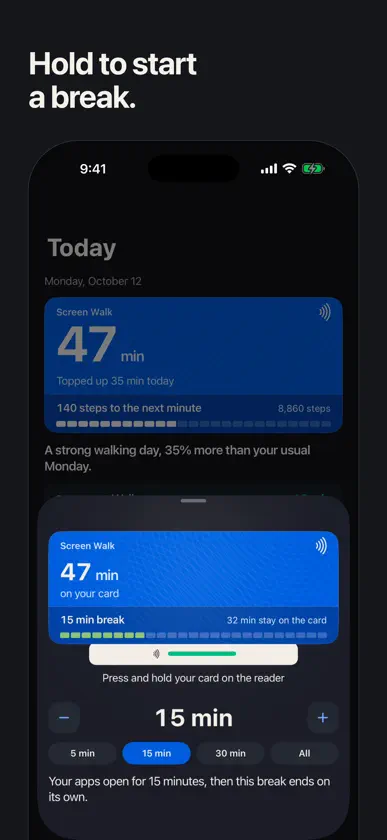
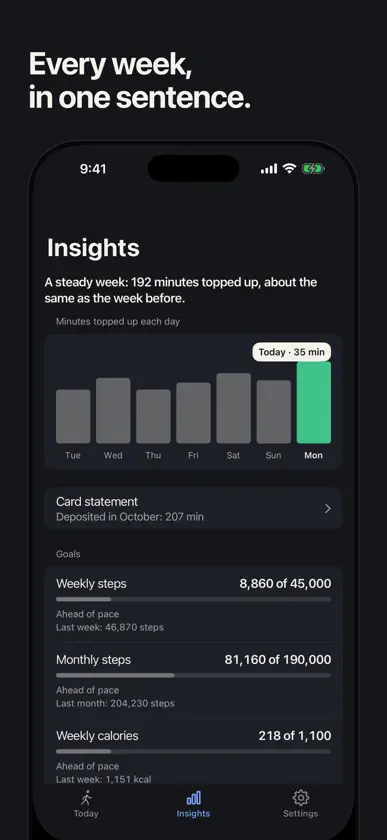
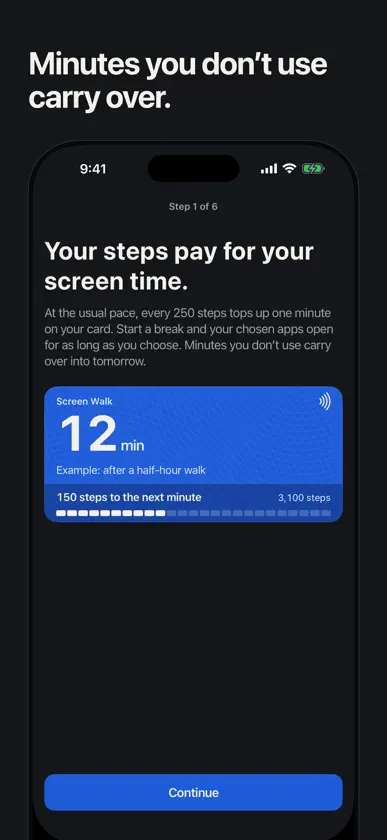
Walk to top up your screen time. Screen Walk turns your steps into minutes. Choose the apps and websites that pull you in, and Screen Walk keeps blocking them until you start a break. Every 250 steps tops up one minute on your card (change the pace anywhere from 100 to 1,000 steps a minute). When you want to scroll, start a break: your apps open for the minutes you choose, then close again on their own. HOW IT WORKS • Choose your apps and websites with Apple's own picker. Which apps and websites you pick never leaves your phone. • Walk. Steps come from Apple Health, so a walk with your phone in your pocket or with your Apple Watch counts. • Start a break whenever you choose. Pick the minutes, hold your card on the reader, and your apps open. When the break ends, blocking comes back by itself, even if Screen Walk is not open. • Minutes you don't use carry over into tomorrow, then drop off the card. Walk today, scroll tomorrow, nothing to stockpile. YOUR DAY, IN ONE PLACE • Today shows your card, a short log of each walk and each break, and one sentence about how the day is going. • Insights gives your week a plain verdict and a simple chart. Step and calorie goals are optional, just for you, and never change your minutes. WHY IT WORKS • Blocking is real: it uses Apple's Screen Time technology, not a timer you can swipe away. • The pace is yours: gentle at 100 steps a minute, strict at 1,000. • No accounts, no ads. Your step counts, Health data and the apps you choose stay on your device. TRY IT, THEN PAY ONCE Start with 7 days free. Nothing is charged to start. When the 7 days are over, topping up minutes and taking breaks stop until you make a one-time payment. It is yours for good, with no subscription and nothing that renews. The price is shown in the app, in your own currency, before you decide. Payment is charged once to your Apple ID account at confirmation of purchase, and Restore purchases is on the paywall and in Settings. Privacy Policy: https://screen-walk.github.io/#privacy Terms of Use: https://www.apple.com/legal/internet-services/itunes/dev/stdeula/ Screen Walk reads your step count from Apple Health and uses Apple's Screen Time framework to block the apps you choose. It is for your own use, not parental control.
What's new
Version 1.3.0 · Oct 31, 2026
• One payment instead of a subscription. Try Screen Walk for 7 days at no charge, then pay once and it is yours for good. Nothing renews. • Setup you can try with your hands. The first screen is a practice card: tap to walk, watch the minutes top up, then hold the card on the reader, the same way a real break starts. • Your own card before you begin. After you connect Apple Health, setup shows the minutes your own steps have already topped up. • A calmer setup. It tells you which step you are on, every choice starts with a sensible one already picked, and emergency breaks are one row on the last screen. • Settings has a new Rate Screen Walk row, plus many small fixes across Today, Insights and Settings.
In-app purchases
The most popular purchases on the App Store.
- 7-day TrialConsumableFree
- Screen Walk Pro — LifetimeConsumable$199.00
More from Mehmet Aksel Tulezoglu


You might also like
 DoseWise: Private Med TrackerArda Sozen
 AdımKazan - Adım At KazanULAS DORUK TEOMAN
 Step Quest - Step Tracking AppHarrison Lievesley
 Pedometer Step Counter TrackerKamalkumar Trapasiya
 Contador de pasos: StepslySrivishnu Ramakrishnan
 PedometerProgress Concepts Limited
 Podómetro .Matrix Software Co.
 Protocol: Health & LongevityBrainstash, Inc
 Podómetro contador de caloríasSDG CODE DOO NIS
 StepCash: Walk & Earn RewardsXingye(Hainan) Technology Co., Ltd