
Scribbl: Notes & PDF Markup
Zade Nassoura
No ratings yetProductivityAges 4+
Screenshots


About this app
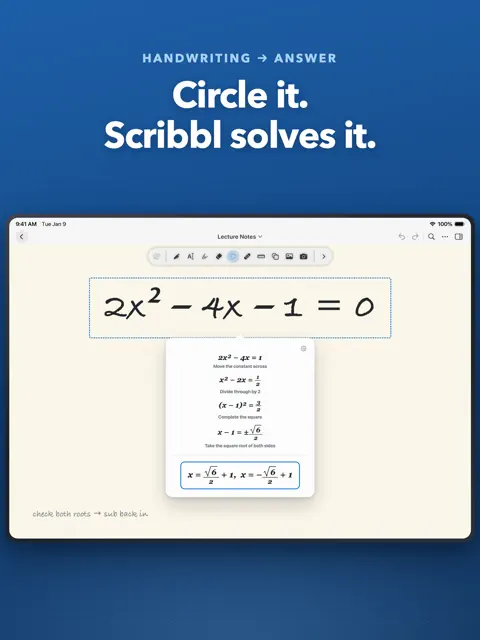
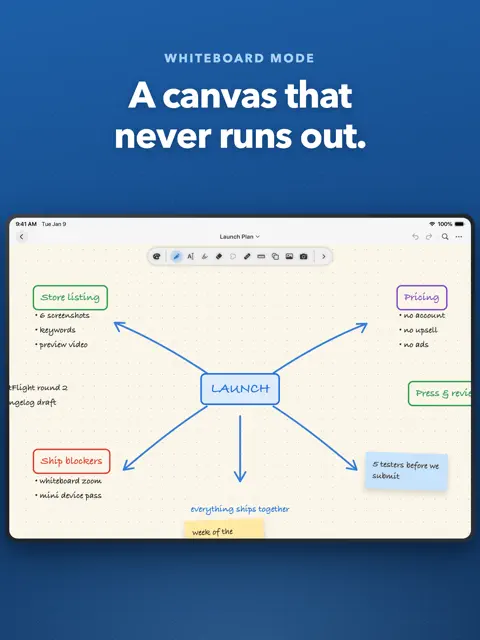
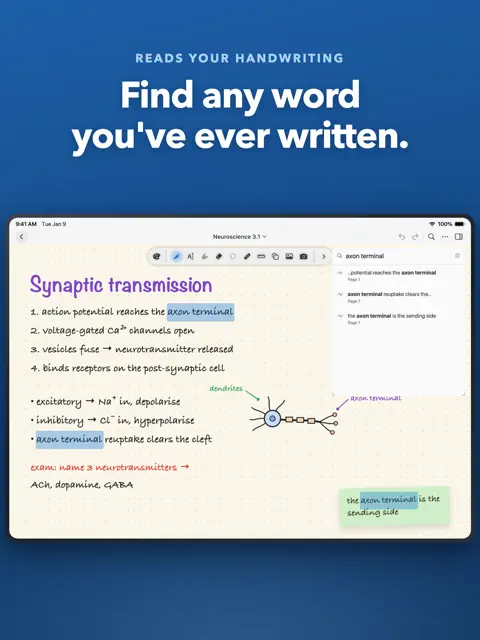
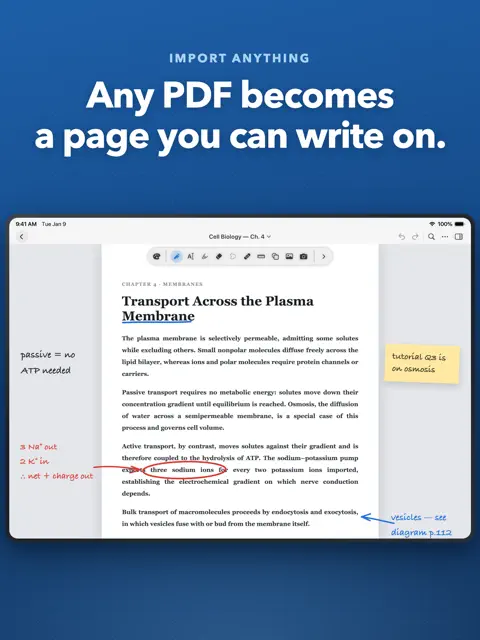
Scribbl: handwriting, math, and markup in one free notebook. Take handwritten notes, mark up PDFs, solve equations, and record lectures - then watch your handwriting turn into typed text as you write, with no mode to switch into and nothing to convert by hand. WRITE, AND KEEP THE TEXT • Your handwriting becomes typed text in place, automatically, as you write. • No text box to tap into first. No lasso-then-convert. Just write. • Handwritten equations become properly typeset math the same way. • Your original writing stays underneath, so every conversion is reversible. • Recognition runs on your iPad in 10+ languages - offline, after a one-time setup. FOR STUDENTS: KEEP UP IN CLASS • Take handwritten notes and annotate lecture slides or textbook PDFs. • Record the lecture while you write - playback follows the page. • Search your handwriting to find anything you wrote all semester. • Solve handwritten equations and see the working, step by step. • Cover answers with tape, then tap to reveal - active recall, built in. • Organize everything into folders, favorites and tags. FOR PROFESSIONALS: MARK UP ANYTHING • Import any PDF and write on it with every tool in the app. • Export back to PDF with your annotations, or as an image. • Present full screen with a laser pointer to guide attention. • Brainstorm on a true infinite canvas that grows with your ideas. • Capture meetings with synced audio and handwritten notes together. BUILT FOR APPLE PENCIL • 3 custom-built pens: ballpoint, fountain pen and watercolor brush. • A fountain pen that thins and swells with the speed of your hand. • 30+ paper templates: ruled, dotted, grid, Cornell, isometric, music staves, storyboard, planner and more. • Choose any page size, portrait or landscape, and rotate or lock any page. • Highlighter, washi tape, ruler, and shapes that snap into place. EDIT WITH YOUR PEN • A precise eraser that takes a clean bite out of a single stroke. • Lasso to move, resize, restyle, duplicate or convert a selection. • Add photos and stickers, layered above or below your writing. • Save any drawing to a reusable sticker library. • Unlimited undo and redo. WORK YOUR WAY • Rearrange or hide any of the 16 tools in the toolbar. • Build pen presets and switch between them instantly. • Choose paper colors, line colors, a theme and an accent color. • Save a whole setup as a profile and export it to share. FREE, AND PRIVATE Scribbl is completely free. No subscription, no in-app purchases, no locked features, and no account to create. Your notes stay on your iPad. There is no server holding your work and no AI service reading it - handwriting recognition and math run entirely on-device. Backing up to your own iCloud is optional and off until you turn it on. Privacy Policy: https://typhoon-dew-06f.notion.site/Privacy-Policy-3c051befa8a5802b94ecc3bf40015023?pvs=74
What's new
Version 1.6.0 · Oct 26, 2026
- Rebuilt the pen to feel better while writing. - More accurate arrow recognition. - More precise eraser. - Less lag on busy pages and whiteboards. - Bug fixes and performance improvements.
You might also like
 Papyrus - ノート, PDFwaraku kobayashi
 Brenda's NoteWitdono Witdono
 Nodebook: PDF Notes & Mind MapKamil Zabiegala
 Pronotes: Notes & PDF2D GEOMETRY, INC.
 Amazing Notes: Apuntes y PDFNardi Haxhija
 Nib - 손글씨 다이어리YONGGYU KIM
 DocHarbor: Document VaultMark Opanasiuk
 DocumanyMustafa YAYLA
 WitNote: IA Markdown y notas渊博 胡
 KeyFeed: Alertas RSS德明 杨