
Seating Plans
JACK LYONS
No ratings yetEducationAges 4+
Screenshots



About this app
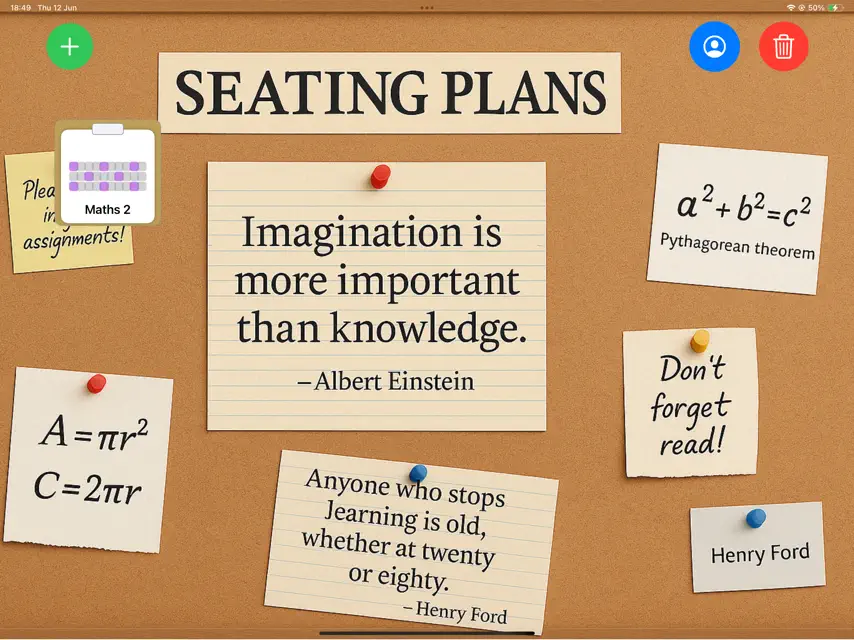
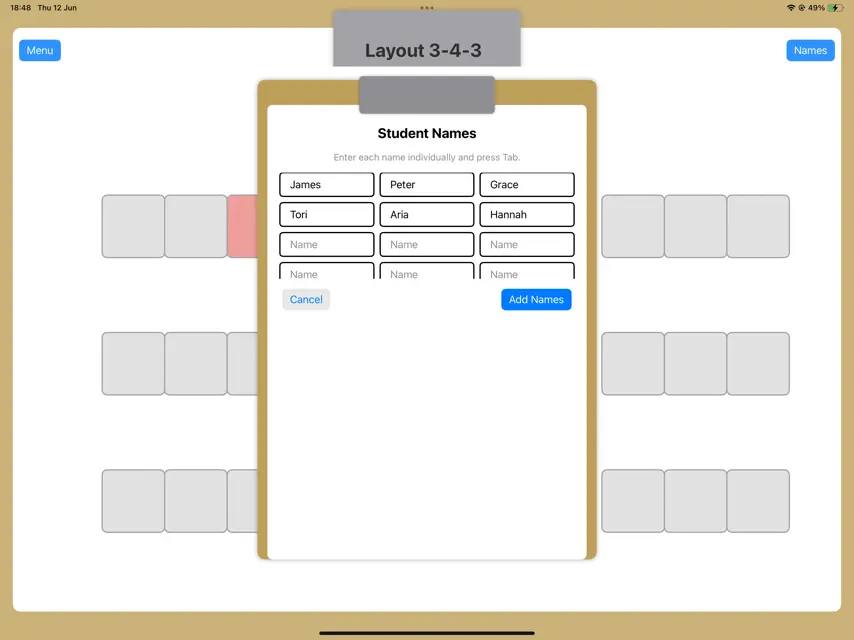
Seating Plans allow teachers to create the layout of their classroom, add students and rearrange them as needed. Existing layouts are available but drag-and-drop allows users to create their own layout. Plans are saved as thumbnails in the main menu. Long pressing a plan allows for renaming, deleting and duplicating. If you have a layout created, and wish to reuse it, simply duplicate it which copies the layout but not the names. Multiple names can be added at a time or one-by-one by double tapping on a table. Tables can be colour coded to highlight key info about students. Swap students positions by tapping one table and then another. These tables will switch places without rearranging your layout. Terms of Use: https://www.apple.com/legal/internet-services/itunes/dev/stdeula/ Privacy Policy: https://docs.google.com/document/d/1zkTF8irOSMwblKGR3PdVRVCwyMBCxGj223ZxpMKQsKE/edit?usp=sharing
What's new
Version Seating Plans 1.3 · Aug 26, 2025
Bug fixes. Delete and rename plans feature restored.
In-app purchases
The most popular purchases on the App Store.
- Seating Plans YearlySubscription$199.00 / year
- Seating Plans MonthlySubscription$19.00 / month
- Seating Plans ProConsumable$1,999.00
You might also like
 Kelebek - Exam Seating Planceyda bulak
 RTA - Real Time AttendanceSatish Regonda
 Business Skool: EstrategiaMir Ghulam Hyder Talpur
 ClassroomPlanerCARSTEN FREITAG
 Asistente SC de Clase ProRobert Wilkens
 Turas 2Educate.ie Ltd.
 Asistente SC de ClaseRobert Wilkens
 Verb WheelsLinguascope.com
 EmergeGroupcall Limited
 Behavior Tracker ABCAmarjit Gill