
Second Stopwatch
Vedant Malhotra
No ratings yetUtilitiesAges 4+
Screenshots


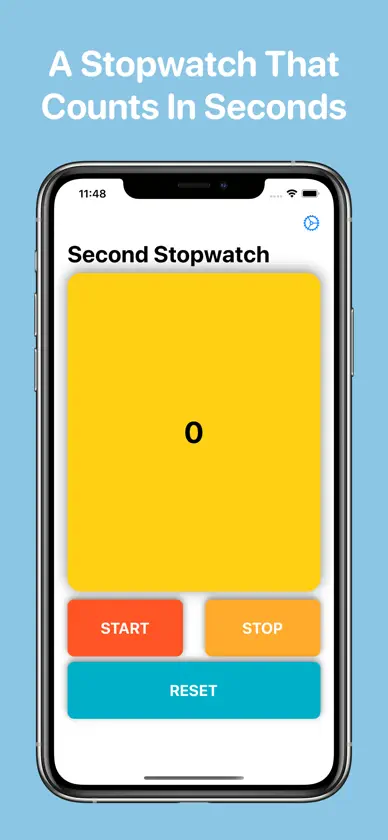
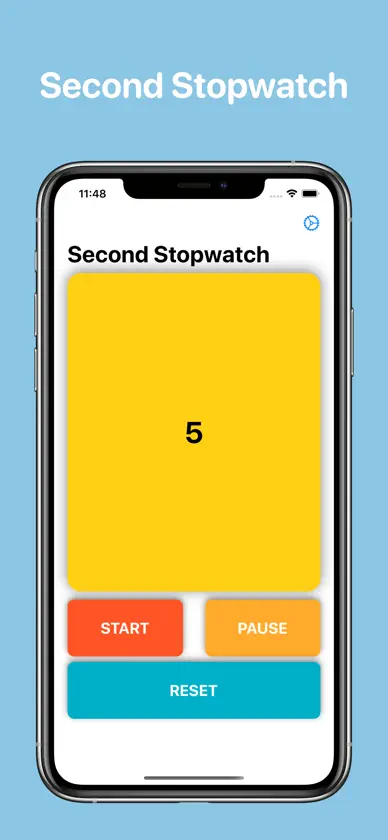


About this app
Second Stopwatch is a precise, customizable, and easy-to-use stopwatch. Customize how your stopwatches display time. Choose from seconds (default), minutes:seconds, or hours:minutes:seconds. You can also choose whether to display milliseconds with any format. Second Stopwatch has memory built-in. If you start a stopwatch, you can come back to it whenever, even if you close the app or restart your device. Live Activities allow you to monitor a stopwatch easily and the dedicated Apple Watch app lets you run a stopwatch right from your wrist. Widgets on the Home Screen let you quickly access controls and see the status of any of your stopwatches. Upgrade to Second Stopwatch+ to create unlimited stopwatches. Purchase once and access it across all your devices. *If you previously purchased “Remove Ads” in an older version of Second Stopwatch, you’ve automatically been converted to Second Stopwatch+ at no additional cost.
What's new
Version 4.0 · Nov 3, 2026
Second Stopwatch 4.0 brings a brand new and ad-free design, the ability to create multiple stopwatches, bug fixes, smoother experiences throughout the entire app, new widgets, and more. New features: - Ready for iOS 27, iPadOS 27, and iPhone Duo with adaptive layouts for whichever device you use. - Second Stopwatch is now ad-free! If you previously purchased "Remove Ads", you’ve automatically been converted to Second Stopwatch+ at no additional cost. - A completely redesigned interface with expandable stopwatch cards and faster app performance. - Introducing Second Stopwatch+. Create unlimited stopwatches that run independently from each other. Purchase once and access across all your devices. - Second Stopwatch now has memory. Your stopwatches will keep track of the time that has passed, even if you close the app or restart your device. - New live activities and widgets allow you to easily control and see the status of any stopwatch. - More time-display options. Choose from the default seconds option, minutes:seconds, and hours:minutes:seconds. Toggle on/off milliseconds for any format. - A new dedicated layout for large screens. Browse stopwatches in the sidebar or scroll through their cards in the detail pane. - Better support for iPad and iPhone Duo multitasking. - An updated Apple Watch experience. Bug Fixes: - Fixes a bug which prevented the stopwatch from accurately running in the background.
In-app purchases
The most popular purchases on the App Store.
- Tip Level 5Consumable$99.00
- Tip Level 4Consumable$89.00
- Tip Level 2Consumable$39.00
- Tip Level 3Consumable$69.00
- Tip Level 1Consumable$19.00
- Second Stopwatch+Consumable$39.00


