
Sendant
VectraSEO LLC
No ratings yetSocial NetworkingAges 17+
Screenshots

About this app
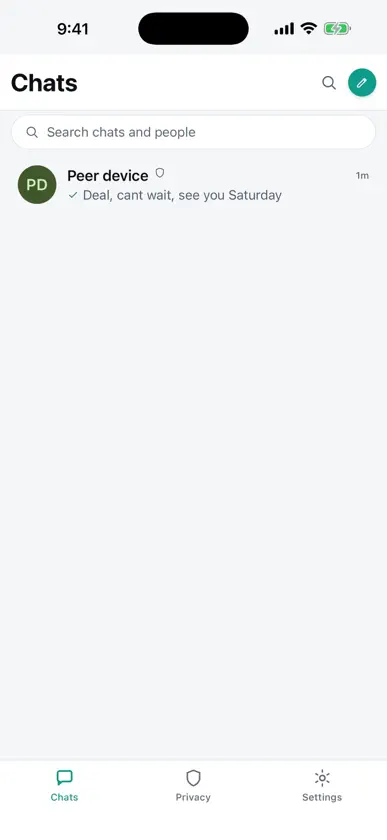
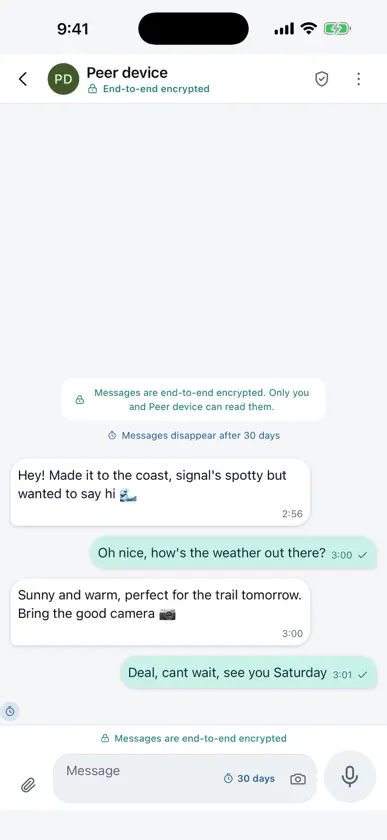
Sendant is a private, encrypted messenger built on a simple promise: your conversations belong to you. Messages are end-to-end encrypted by default, your keys never leave your device, there's no central server quietly logging who you talk to — and no phone number, email, or account required to start. It feels like the messengers you already know — fast chats, groups, attachments, reactions, and disappearing messages — but the trust model underneath is different. WHY SENDANT • End-to-end encrypted by default (X3DH + Double Ratchet). Only you and the people you're talking to can read your messages. • No phone number, email, or account. Your identity lives in cryptographic keys held on your device, not tied to your SIM. • Messages that don't get lost. Your message is sealed on your device and held in a store-and-forward mailbox the servers can't read, so it waits and delivers when your contact reconnects. • Less metadata. We minimize the "who talked to whom, when" trail that centralized apps collect by default. • Verify the people you trust. Confirm a contact with a QR code or safety number, and get a clear, plain-language warning the moment something changes. • No ads, no tracking SDKs. TRUST YOU CAN READ Security here speaks plain English. Sendant shows "Verified," "End-to-end encrypted," and "Safety number changed" — never cryptographic jargon. PRIVACY BY DEFAULT No phone number, email, or account required. Local-first storage on your device. Your keys stay under your control. Private by default. Calm by design.
What's new
Version 1.0.18 · Nov 6, 2026
Voice messages now transcribe reliably on iPhone, including notes you already have, and the offline model no longer needs downloading again after an update. Longer notes finish instead of stopping partway. Disappearing timers now offer 1 hour, 6 hours, 12 hours, 1 day, 7 days, 30 days, 60 days and 90 days, and every picker and chat header says the timer covers the messages you send and starts when you send them. Long-press any message for Message info: when it was sent and exactly when it disappears, in chats and groups. Chat headers, settings, and the new-chat screen are easier to use.


