
SLEKE. Migrate
Konstantin Merenkov
No ratings yetUtilitiesAges 4+
Screenshots


About this app
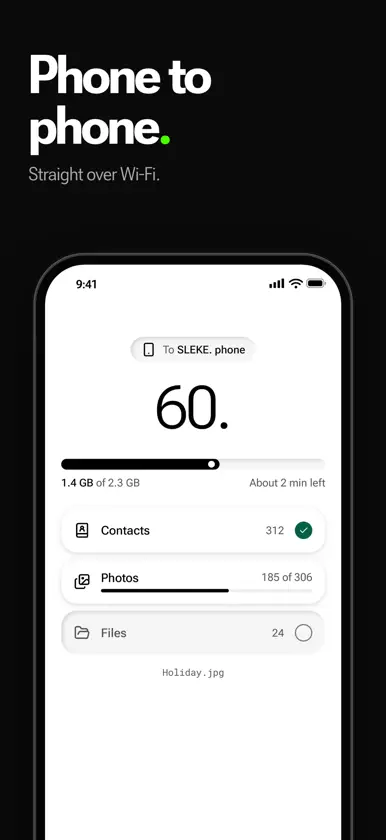
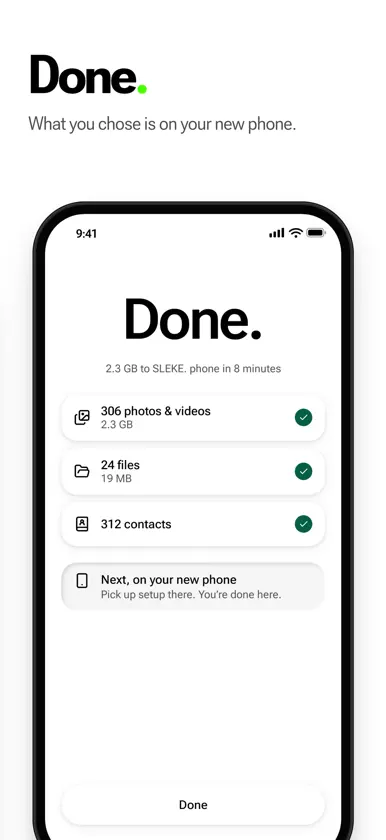
Moving to SLEKE. phone? SLEKE. Migrate helps bring your contacts, photos, videos, and files over from your iPhone or iPad using a direct connection on the same Wi-Fi network. START ON YOUR NEW PHONE During SLEKE. Phone setup, open the SLEKE. transfer screen. Use SLEKE. Migrate to scan the pairing code shown there. CHOOSE WHAT MOVES Pick contacts, photo albums, and file folders. Review your selection before sending. TRANSFER LOCALLY Keep both phones awake and on the same Wi-Fi network. Your selected items move directly to your new phone; the transfer does not use cloud storage. SLEKE. Migrate is designed for the receiving transfer flow on an SLEKE. phone. You need access to that phone's pairing code to start a transfer.
What's new
Version 0.3.1 · Nov 6, 2026
• Photos & videos no longer comes up blank after the first time. • If photo access is off, one tap takes you to Settings. With limited access, Manage lets you add more photos. • Photos & videos tells you when there is nothing to send. • Stopping a transfer and sending the rest right away works reliably. • The screen stays on while Migrate is sending.


