
Screenshots

About this app
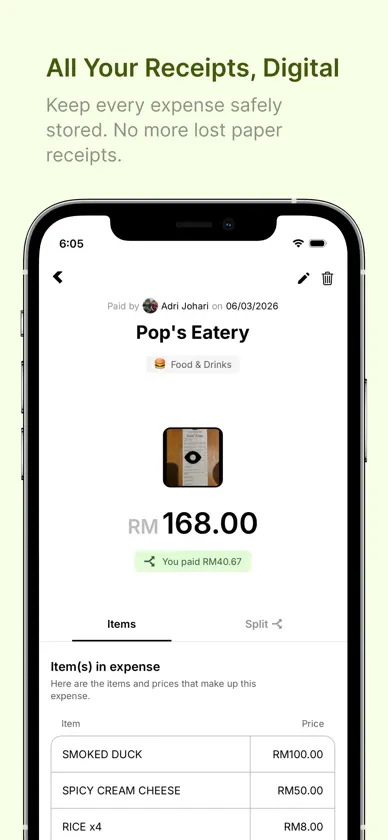
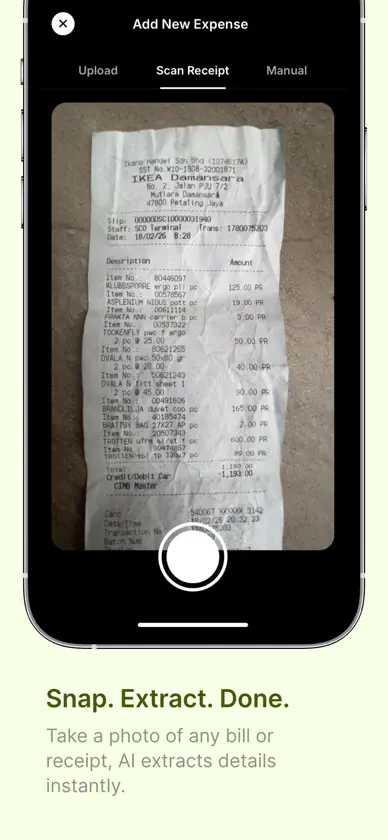
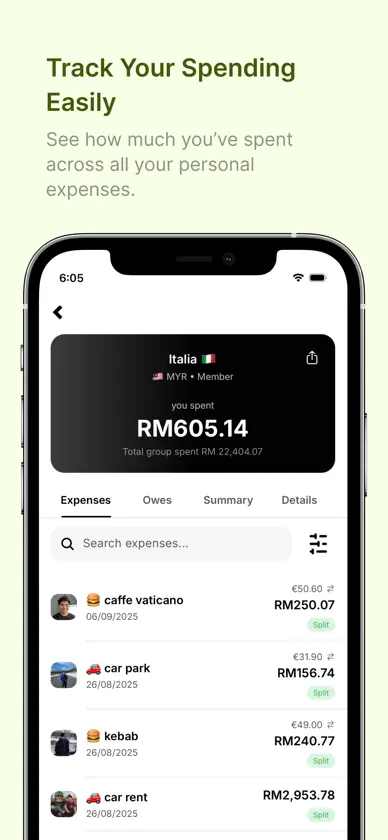
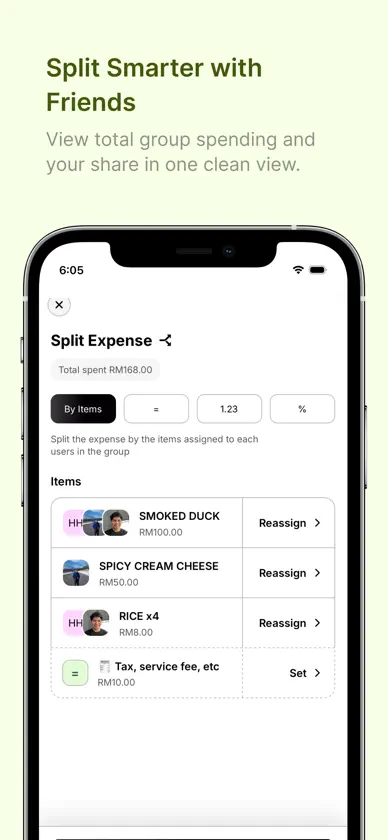
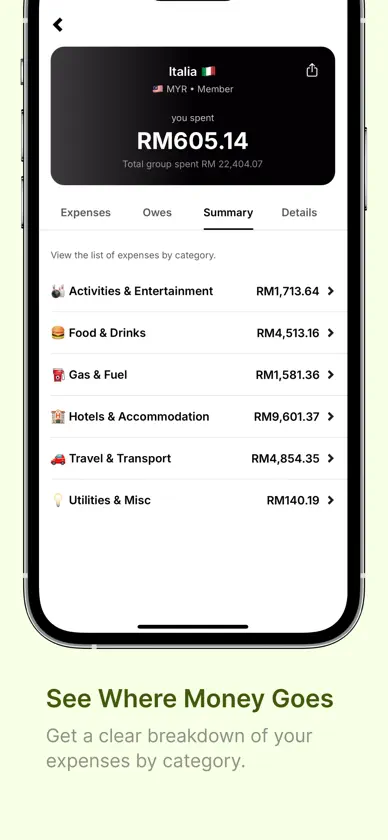
Spnding makes it easy to track personal and shared expenses in one place. Scan receipts with AI, capture payments automatically, track your Malaysian tax relief, split costs with friends or guests, and keep track of who owes what without messy notes or manual calculations. ---- KEY FEATURES ------ • Scan Receipts with AI Take a photo, upload a receipt, or import a supported document and let AI extract details such as merchant, items, prices, date, total, currency, and receipt number. • Track Payments Automatically Capture purchases as you pay with the Apple Pay automation (iOS 17 or later), or let Spnding add payments from your bank and e-wallet notifications (iOS 27 or later). Amount, merchant, and category are filled in for you. • Track Your Tax Relief Turn on Tax Relief Tracking to tag expenses with an LHDN relief type and see how much you've spent towards each limit, year by year. When you scan a receipt or a payment is tracked, AI suggests a relief type for you. Only your own share of shared expenses is counted. • Find Tax Relief You Missed (Premium) AI checks your expenses from this year and last year, including archived groups, for ones that may qualify. You'll be notified when it's done, and nothing is tagged until you review and confirm. Tax relief figures are estimates, not tax advice. Check LHDN's conditions and keep your receipts. • Smarter Expense Categorization Automatically categorize scanned receipts and tracked payments. Create up to 50 custom categories of your own, and Spnding can use them when categorizing expenses. • Track Shared & Personal Expenses Create groups for trips, meals, sports, housemates, monthly spending, personal expenses, or anything else you want to organize. • Split Expenses with Friends or Guests Split costs between group members or add guests who do not have a Spnding account. • Know Who Owes What Spnding automatically calculates balances so you can easily see who paid, who owes whom, and how much is outstanding. • Support for Currencies Around the World Track expenses in different currencies while keeping totals consistent with your group's base currency. Recently used currencies are also easier to access. • Powerful Expense Search & Filters Find expenses quickly using merchant names, amounts, receipt or invoice numbers, dates, payers, and more. Sort and filter your expense list to find exactly what you need. • Keep Receipts, Invoices & Notes with Your Expenses Attach receipts or invoices to manually created or existing expenses, and add notes for extra context. You can replace attachments, rescan supported receipts with AI, or move and copy an expense to another group whenever needed. • Export Expenses to CSV Export your expenses to CSV and receive the file by email for reporting, tracking, or personal records. • Clear Spending Insights View spending summaries by category, for the whole group or one member at a time, and better understand where your money goes. • Multiple Groups for Different Needs Keep expenses separated by trip, event, month, activity, household, or group of friends. • In-App Support Have a problem, question, or idea? Report bugs, request features, ask questions, or send feedback directly from the Support section in Spnding. Whether you are splitting dinner, tracking a holiday, managing housemate expenses, keeping receipts for your records, tracking your tax relief, or simply understanding your own spending, Spnding helps keep everything organized and easy to manage. Terms of Use (EULA): https://www.apple.com/legal/internet-services/itunes/dev/stdeula/ Spnding App Terms of Service & Privacy Policy: https://www.spnding.app/terms-and-privacy
What's new
Version 3.3 · Nov 8, 2026
Track your tax relief Turn on Tax Relief Tracking in Settings to get a new Tax Relief tab. Tag expenses with an LHDN relief type and see how much you've spent towards each limit. When you scan a receipt, AI suggests a type for you. Find tax relief you missed AI checks your expenses from this year and last year, including archived groups, for ones that may qualify. We'll notify you when it's done, and nothing is tagged until you confirm. Find it at the top of the Tax Relief tab. Up to 50 custom categories You can now create up to 50 of your own categories, up from 10. Plus smaller improvements throughout the app.
In-app purchases
The most popular purchases on the App Store.
- Yearly Premium SubscriptionSubscription$799.00 / year
- Monthly Premium SubscriptionSubscription$99.00 / month
- Lifetime Deal & Full AccessConsumable$1,999.00
You might also like
 ding! MerchantProgresif Sendirian Berhad
 BIBD Biznet MobileBIBD
 TAIBVXPerbadanan Tabung Amanah Islam Brunei
 SC Mobile BruneiStandard Chartered Bank
 BigPay – financial servicesBIG PAY PTE. LTD.
 Touch ‘n Go eWalletTNG Digital Sdn Bhd
 Bread: Presupuesto GamificadoBread Money
 Bill Budget Calendar ForecastRainier Paige Dirawatun
 KledNitrility Inc.
 JustMarkets: Trading OnlineJM TECHNOLOGIES LTD