
Spotspeed
Levani Kirkitadze
No ratings yetUtilitiesAges 4+
Screenshots


About this app
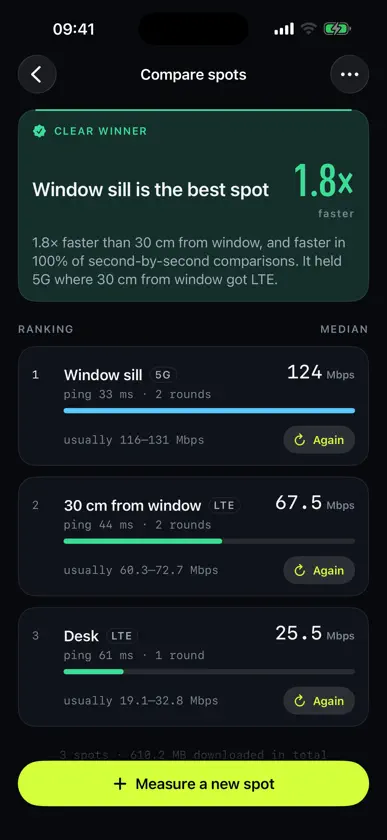
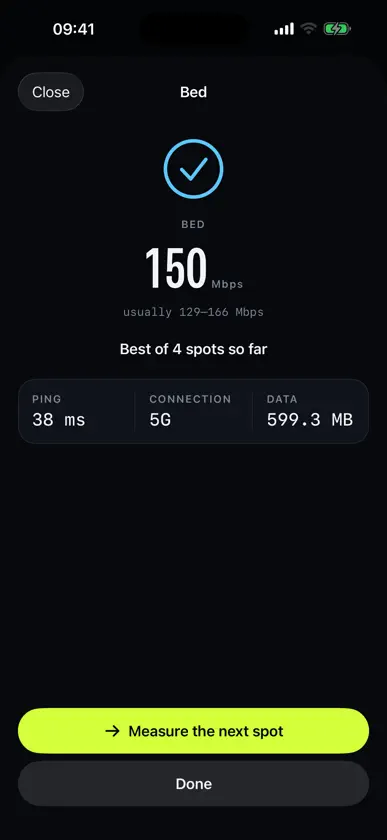
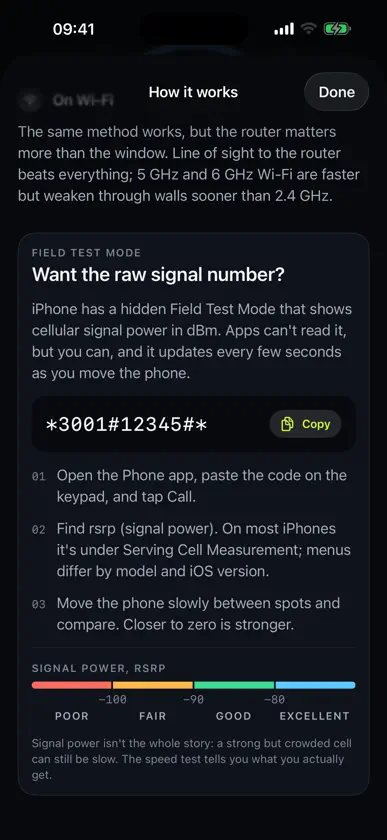
Your phone's internet speed can change a lot within a few centimetres. On the window sill it holds 5G; 30 cm back it drops to LTE. Spotspeed finds the spot where your phone is fastest, and tells you when the difference is real. LIVE METER A calibrated dial shows download speed four times a second over four parallel connections, with a one-minute graph, so moving the phone shows its effect within a second or two. Turn on the speed sound and it beeps faster as the speed rises, like a parking sensor, so you can slide the phone along a sill without watching the screen. A data limit you choose stops the meter on its own. COMPARE SPOTS Measure each spot the same way: a short countdown so you can let go of the phone, a ping, a warm-up that's thrown away, then a timed download. Spotspeed ranks your spots by typical speed and gives a verdict based on hundreds of one-second readings: a clear winner, probably better, or too close to call. Networks get busier and quieter from minute to minute, and the verdict accounts for that, so a lucky moment doesn't pick your spot. HONEST ABOUT WHAT IT MEASURES iOS doesn't let apps read signal strength: no dBm, no bars. So Spotspeed measures what you actually care about, real download speed, and shows the one radio fact iOS shares: whether you're on 5G or LTE. If you want the raw number too, the built-in guide shows you how to open iPhone's hidden Field Test Mode and read signal power yourself. PRIVATE BY DESIGN No account and no tracking. Your spots stay on your phone. Speed tests download test data from Cloudflare's public speed-test servers, which see your IP address like any website you visit. Nothing else leaves your phone. GOOD TO KNOW Speed tests use real data: about 225 MB for a standard spot measurement at 100 Mbps. On a capped plan, use Quick measurements and a low data limit. Works on mobile data and Wi-Fi.


