
Spreadsheet data entry
Ruslan Musagitov
No ratings yetUtilitiesAges 4+
Screenshots



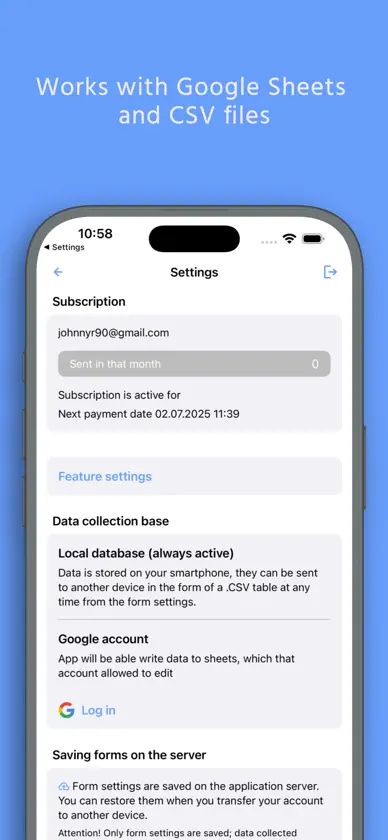
About this app
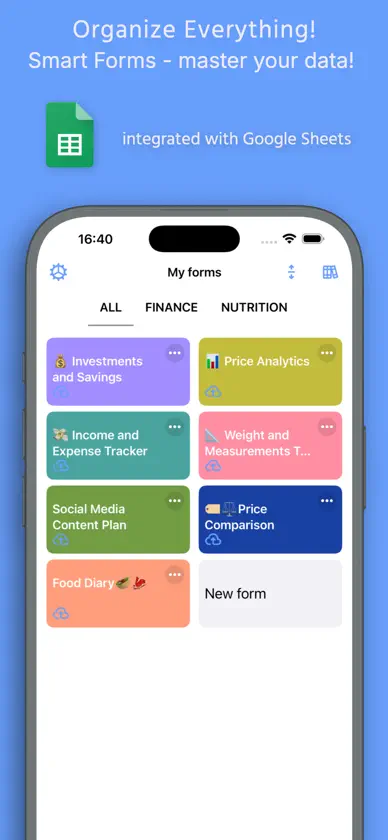
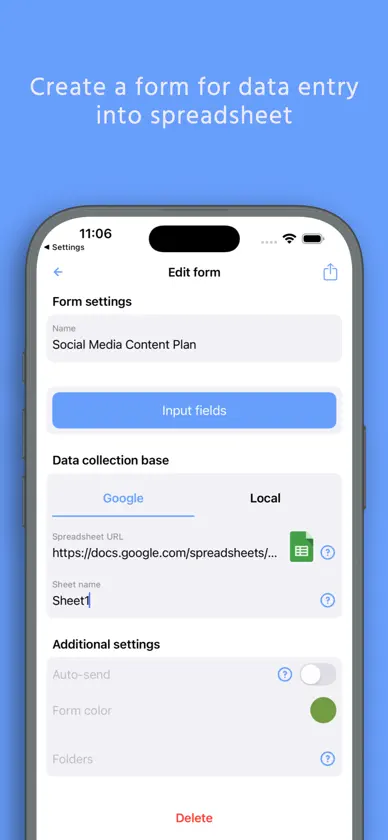
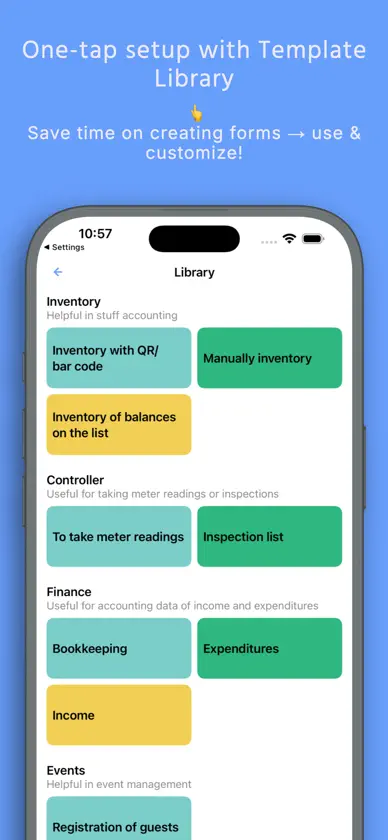
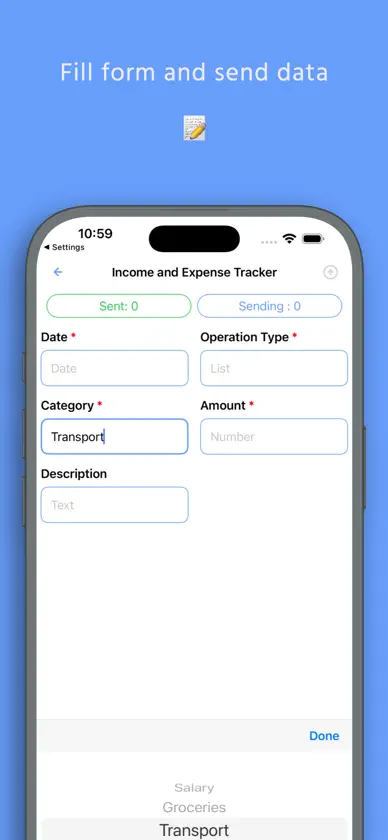
Effortlessly send data from your phone directly to your Google Sheets or CSV file. Perfect for on-the-go data saving and management. This powerful tool is your ultimate companion for accounting, expense tracking as a smart spending tracker, warehouse inventory, and much more. Streamline your workflow by capturing information instantly—whether it's scanning a barcode, saving a location, or creating a new entry in your list maker. Capture & Save Various Data Types: - Scan it: QR and Barcode data directly to your spreadsheet. - Geolocation: Save your current coordinates or pick a point on the map. - Text and Numbers for detailed notes. - Dates & Timestamps: Automatic or custom entries. - Predefined Lists: Select values from a custom list. - Yes/No selectors for quick checks. Seamless Integration with Google Suite The app works flawlessly with Google Sheets, can replace Google Forms, allowing you to convert csv to Excel spreadsheet compatible files with ease. The revolutionary Scan to Sheets technology means data from codes appears in your rows and columns instantly, eliminating manual transcription. How It Works: - Select a form. - Input data (scan, type, or select). - Tap "Send". - Watch as the information appears live in your spreadsheet on Google Drive. Connect Your Google Sheet in Minutes: - Authorize your Google account. - Configure your target spreadsheet URL. What is a Form? A Form defines the structure of your data entry, linking input fields to specific columns in your target spreadsheet. Create them manually for full control or choose a ready-made template from our library. Create a Form Manually: - Create a spreadsheet in your Google Drive. - In the app, create a new form: - Paste the spreadsheet URL and sheet name. - Configure each field: name, data type, and target column. - Save. Use a Predefined Template: - Browse the form library. - Tap "Add to my forms" – a copy of the spreadsheet template is saved to your Drive. Automate your data logging, enhance productivity, and ensure accurate data saving for any project. Download now to transform your phone into a powerful data hub. Terms of Service and Privacy Policy: https://bytepace.com/spreadsheet-data-entry/tos-and-privacy-policy
What's new
Version 4.4 · Oct 28, 2026
Share forms by email — send a saved form to another user from form settings. Copy forms — create copies of your forms. Bug fixes and improvements.
In-app purchases
The most popular purchases on the App Store.
- Unlimited mode for 1 yearSubscription · 7 days free trial$589.00 / year
- Unlimited mode for 3 monthsSubscription$179.00 / 3 months
- Unlimited mode for 1 monthSubscription$69.00 / month
More from Ruslan Musagitov



You might also like
 Table Memo: Spreadsheets MakerArthur Eduardo Skaetta Alvarez Desenvolvimento de Software LTDA.
 Conditions Data CollectionWarshaw Group
 Database : PocketDBLEAP STUDIO
 Base de datos de clienteGeorg Sieber
 Spreadsheet Editor - XLSX EditE-PEPPLO ENTERPRISE
 Tabla SimpleYUKI TANAIKE
 Simple Spreadsheet:view & editWEN WU LI
 Pocket InventoryChengdu Wangqi03 Technology Ltd.
 Planningify: Tiempo de trabajoAlexandre Thil
 Make a List!Filippo Maguolo