
StatusWidgets
Ian Leon
No ratings yetDeveloper ToolsAges 4+
Screenshots




About this app
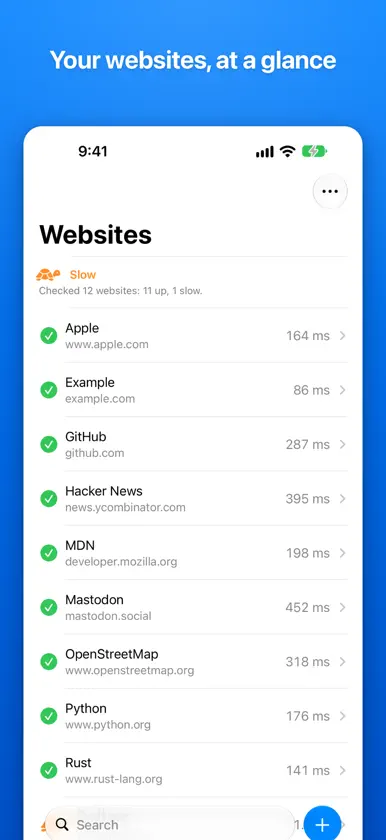
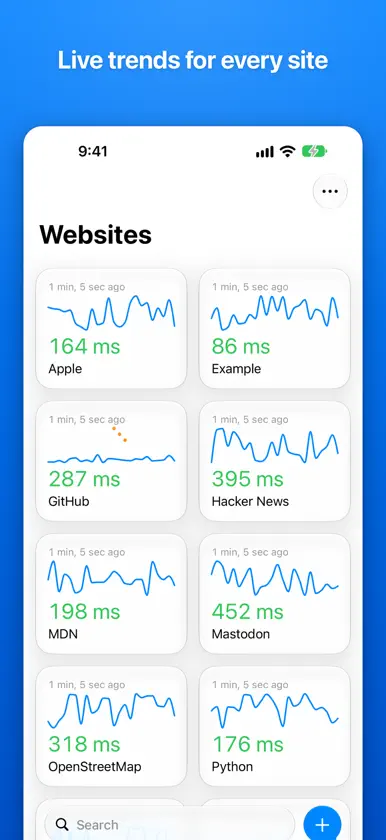
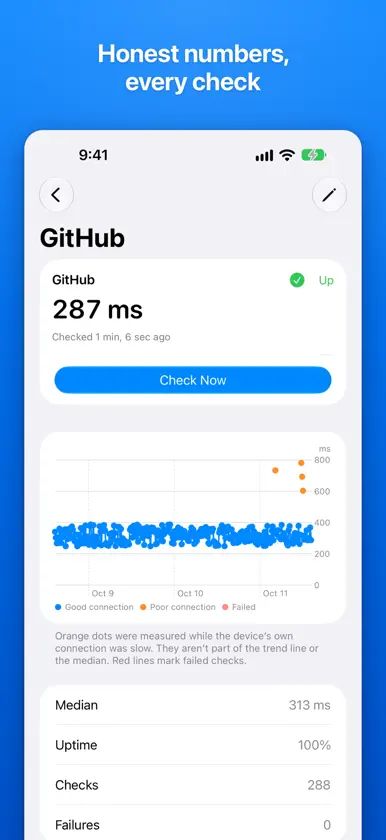
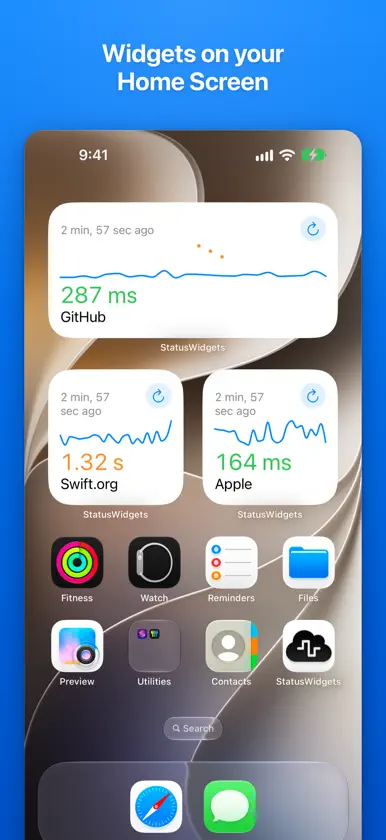
StatusWidgets keeps an eye on the websites you care about and tells you how quickly each one responds, right on your Home Screen. Add your sites, and StatusWidgets checks them on a schedule you choose. Every check is measured carefully: a fresh connection each time, a full timing breakdown, and a quick control request so a slow result caused by your own Wi-Fi or cellular signal isn't mistaken for a slow website. WIDGETS EVERYWHERE • Home Screen widgets show a site's latest response time and recent trend • Tap Check Now right from the widget • Lock Screen widgets in three sizes • Looks right on tinted and clear Home Screens, and in StandBy AT A GLANCE • A green check, an orange turtle or a red stop sign tells you instantly whether each site is up, slow or down • Switch between a list and cards with live sparklines • An overall status that sums up all your sites HONEST NUMBERS • Checks taken while your connection was poor are flagged and left out of trends and medians • A history chart shows every check from the last few days • Median, uptime and failures for each site • Clear reasons when a check fails: timed out, host not found, server error and more APPLE INTELLIGENCE • On supported devices, get a plain-language summary of how each site has been doing, generated privately on device • Name suggestions when you add a site SIRI, SHORTCUTS AND CONTROL CENTER • "Are my websites up in StatusWidgets?" • "How is GitHub doing in StatusWidgets?" • A Check Websites control for Control Center, the Lock Screen and the Action button • Find your sites in Spotlight PRIVATE BY DESIGN StatusWidgets has no account and no tracking. Your websites and their history stay on your devices. Works on iPhone, iPad and Mac.
What's new
Version 1.1 · Nov 1, 2026
A completely rebuilt StatusWidgets. • New widgets for the Home Screen and Lock Screen, with a Check Now button • A Check Websites control for Control Center and the Action button • Ask Siri whether your websites are up • Apple Intelligence summaries of how each site is doing, on supported devices • Card layout with live sparklines • A detailed history chart for every site • More accurate checks: each one records a timing breakdown and is flagged when your own connection was poor • Clear reasons when a check fails • Spotlight search for your sites • A fresh Liquid Glass design Your websites and widgets from the previous version carry over automatically.


