
Thirds Camera
Ben Friedman
No ratings yetPhoto & VideoAges 4+
Screenshots



About this app
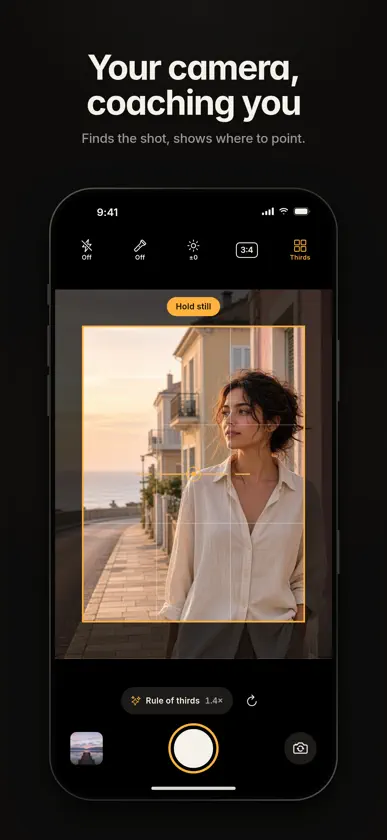
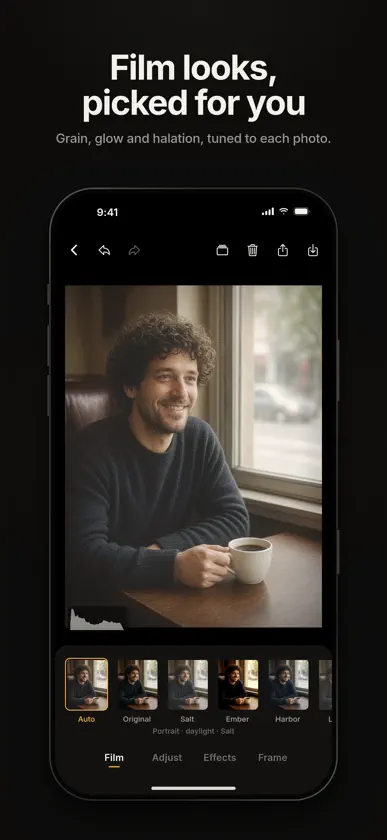
Thirds Camera coaches your framing while you shoot, then finishes the photo in a film-style editor. It's free, with no account, no ads and no tracking. Everything runs on your iPhone. FINDS THE SHOT Tap Auto frame. The camera steps out to 0.5x, reads the scene on your phone and places a guide frame on the strongest composition, using the rule of thirds, the golden ratio, symmetry, leading lines and headroom. SHOWS WHERE TO POINT Arrows and short hints like "Move left, tilt up" lead you to the frame. As you aim, Thirds zooms between 1x and 5x for you, and the shutter ring lights up amber when you're lined up. Then just press the shutter. A LEVEL THAT READS THE SCENE The smart level only asks you to straighten when there's a clear horizon or strong vertical lines. A deliberate tilt over diagonals is left alone. DRAW YOUR OWN FRAME Drag a box on the viewfinder and Thirds aims for it and crops the photo to match. Shoot in 3:4, 4:5, 1:1 or 9:16 with thirds, golden-section or center guides. FILM LOOKS, PICKED FOR YOU Auto edit reads each photo on your phone and picks a film look and settings to suit it. Or choose from eight presets: Plain, Salt, Ember, Harbor, Linen, Grove, Dusk and Ash. Fine-tune exposure, contrast, highlights, shadows, warmth, tint, saturation and fade. FILM EFFECTS Grain, motion, light leak, scratches, halation, dust, glow, fringe and vignette. FRAMES Specs prints your camera, lens, focal length, aperture, shutter speed, ISO and date under the photo. Negative puts your shot on a film strip with sprocket holes and frame numbers. There are also white, black and paper borders and an optional date stamp. WHAT I SAW VS WHAT I TOOK Save the wide 0.5x scan and your framed shot as one photo, side by side or stacked, or save each on its own. AND MORE • Undo and redo, a live histogram, and touch and hold to see the original • Full-resolution export • Share sizes: original, 4:5, 1:1 and 9:16 • Reopen and re-edit any photo from the library • Exposure, flash and torch controls PRIVATE BY DESIGN No account, no analytics, no network code. Your photos stay on your phone unless you save or share them.
What's new
Version 1.2.2 · Nov 10, 2026
Fixes a crash on launch for iPhones running iOS 16 and 17.
More from Ben Friedman

You might also like
All apps like Thirds Camera → Always CamSasan Sadat-Sharifi
 KiraSpark Cámara BrillanteNEURAL CRAFT LIMITED
 Ascua: Selective Color CameraO3 Interfaces (Pvt) Ltd.
 MIKEY 7SMichael Mcgee
 말라뮤트 카메라PassionEx
 On Film - Analog CameraRoman Grachik
 RollEventALVARO FERRER RIZO
 FairyFlash Cam - sparkle cam俊镇 吴
 ArtisAITIME BRANE - FZCO
 xMosaique - Cámara Preset+LUTXudong Qin