
Tiny Web Inspector
chanwool kim
No ratings yetDeveloper ToolsAges 17+
Screenshots


About this app
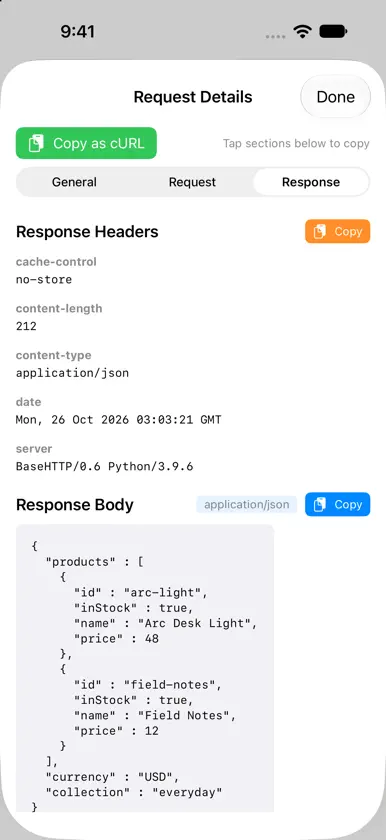
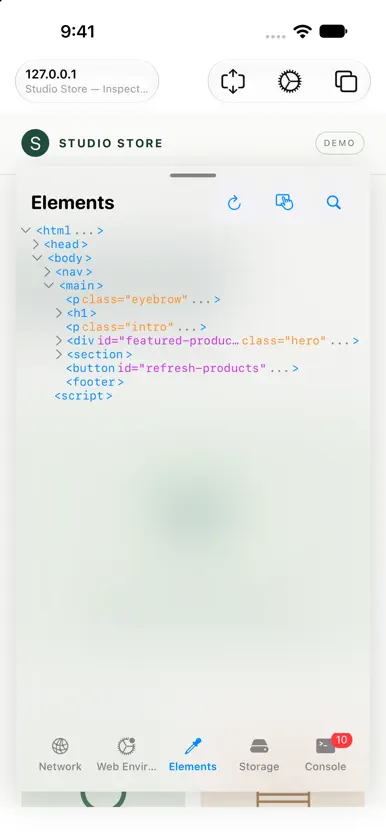
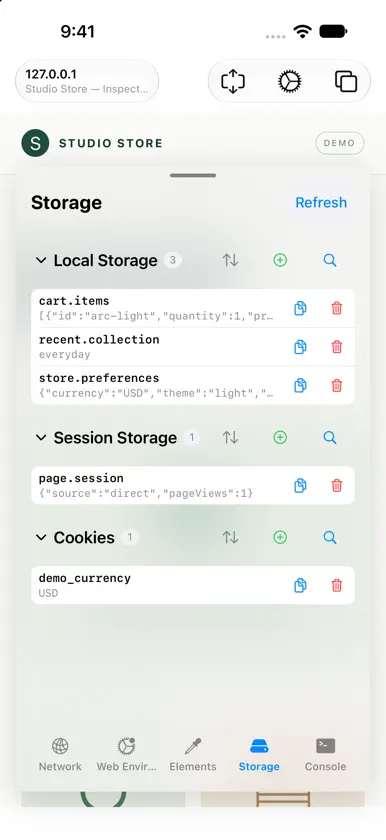
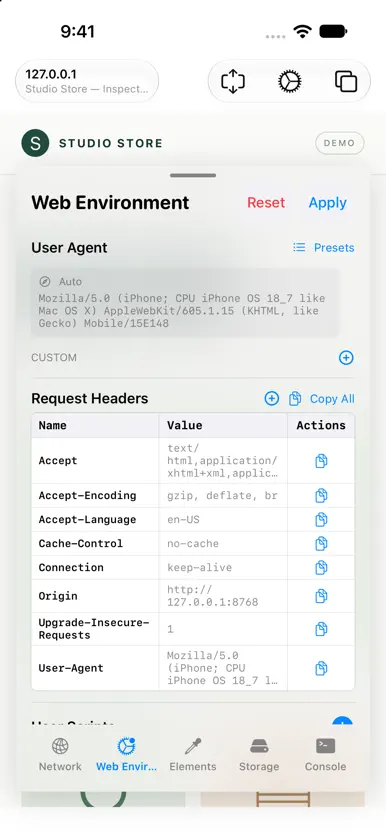
Inspect and debug websites directly on your iPhone and iPad with Tiny Web Inspector. Browse a page and keep your developer tools close at hand. NETWORK Follow page resources, Fetch and XMLHttpRequest activity. Filter requests by resource type, status or host, search captured data, inspect available headers and bodies, and copy requests as cURL. ELEMENTS Browse and search the HTML tree. Use Touch selection to find a visible element, inspect its HTML, and copy its path or source. CONSOLE Read console.log, warnings and errors. Run JavaScript with quick commands and command history to investigate the current page. STORAGE Inspect local storage, session storage and cookies. Search, copy, edit or remove values, and view JSON in a readable format. WEB ENVIRONMENT Try User Agent presets, manage custom headers and inject your own scripts. Keep multiple pages open in separate tabs. ADAPTIVE WORKSPACE Use the inspector on iPhone and iPad, with layouts adapted for iPhone Duo's outer and inner displays. On the expanded Duo layout, browse alongside the inspector. Capture availability depends on WebKit and the resource type. Some browser-managed headers, cross-origin resources, binary payloads and navigation response bodies may not be exposed. Large captured bodies and older logs are limited to keep memory usage bounded.
What's new
Version 1.8 · Oct 26, 2026
• Added an adaptive inspector workspace for iPhone Duo. • Improved Touch element selection and restored normal page interaction when selection ends. • Improved request-body capture and JSON response handling. • Added clearer empty, unavailable and truncated body states. • Improved console quick commands, command history, network filters and storage browsing. • Reduced memory growth and repeated work on the main thread.
More from chanwool kim

You might also like
 Paidly: Invoice MakerCihat Salik
 WebDebug - Web debugging toolShanghai Dazhuo Information Technology Co., Ltd.
 Web Monitor - HTML Inspector杏娣 吴
 Right On Page Devtools泰宁 陆
 Web DevTools+Beautification
 DevInspect BrowserCederic Schmid
 Web Inspector for SafariPierre Stanislas
 Codeye: Web InspectorJust4Work
 Eruda Browser ConsoleAreeb Sayyed
 DevSnoop - Developer BrowserNitin Yadav