
tofa
Tofa Software ehf.
No ratings yetEntertainmentAges 4+
Screenshots


About this app
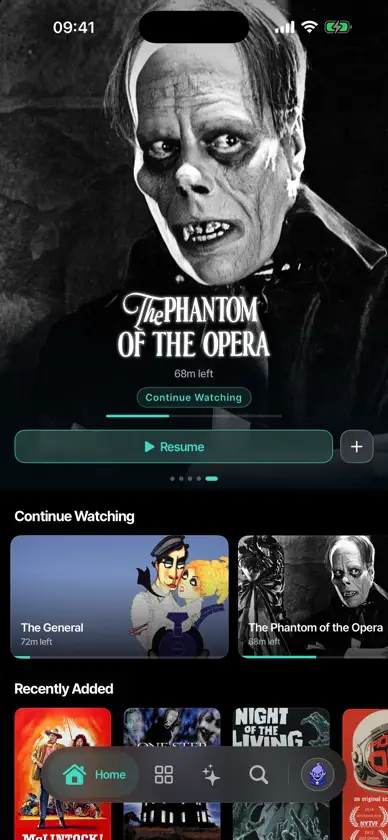
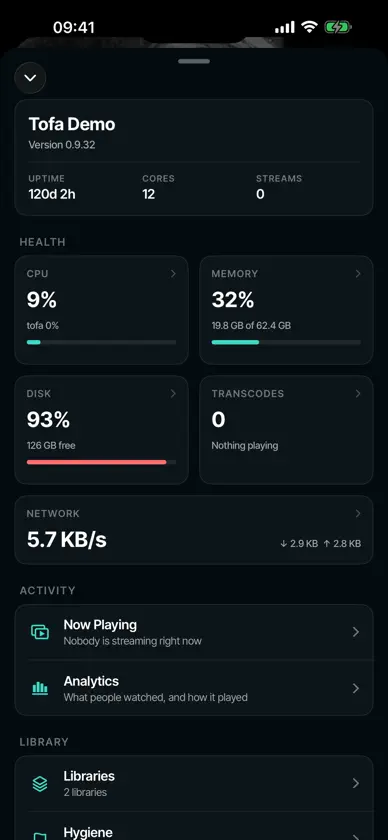
tofa plays the movies and shows you already own. You run a tofa server on a computer at home and point it at your media folders. Sign in to this app with your tofa account and your server is there, with your libraries, your artwork, and your place in every episode. WATCH ON EVERY SCREEN Your progress follows you. Start a film on Apple TV, finish it on your phone on the train. There is nothing to copy across and nothing to sync by hand. BUILT FOR YOUR LIBRARY Movies and shows are organized automatically, with posters, backdrops, descriptions, and cast. Seasons and episodes land in the right order. When something is named unusually, you can correct the match yourself and it stays corrected. PLAYS YOUR FILES AS THEY ARE Most of your library plays exactly as it sits on disk, which means the best picture your device can show. When a file needs converting, your server handles it and playback keeps up. PICTURE AND SOUND Dolby Vision, HDR10, and 4K on the hardware that supports them. Surround audio passes through to your receiver. Pick the audio track and subtitles you want, and tofa remembers the choice. SUBTITLES THAT WORK Text and image subtitles both render, including styled subtitles. Sidecar files sitting next to your media are picked up automatically. SHARE WITH PEOPLE YOU TRUST Give family or friends access to some or all of your libraries. Everyone gets their own profile, their own watch history, and their own place in each show. YOUR MEDIA STAYS YOURS tofa does not host any content. It plays the files on the server you run. We do not track you across apps or websites, we do not serve ads, and we do not sell your data. You need a tofa server to use this app. Setting one up takes about ten minutes.
What's new
Version 2.2.1 · Nov 3, 2026
- Downloaded episodes now play on to the next episode. Online it's the next one in the show, offline the next one you've downloaded. - With Next Up on Auto, the next episode no longer starts before the credits finish, and you won't miss a scene after the credits. - Offline, a downloaded episode opens itself instead of another episode, and the show lists every episode you've downloaded. - The "No connection" banner can be closed, and it now hides by itself after a few seconds. - Some 4K HEVC files that stuttered or drifted out of sync now play smoothly. - Fixes to stability.
You might also like
 Zaply: IPTV y TV en directoGoodfolks
 Spectati: Reproductor IPTVJacob Søndergaard
 NowSeen - IPTV & Media PlayerRicardo Dimmendaal
 Dusk for PlexMarvin von Rappard
 StrimrThomas Vandemeulebroucke
 LiquidFinANDREAS WACKLER
 Trovu: Jellyfin & Plex PlayerBetterSIM
 Plezy: Media Server ClientEdvard Wikhall
 Coax - Surf your Plex ServerOut to Lunch Productions, LLC
 AirTVReceiptIn