
Screenshots


About this app
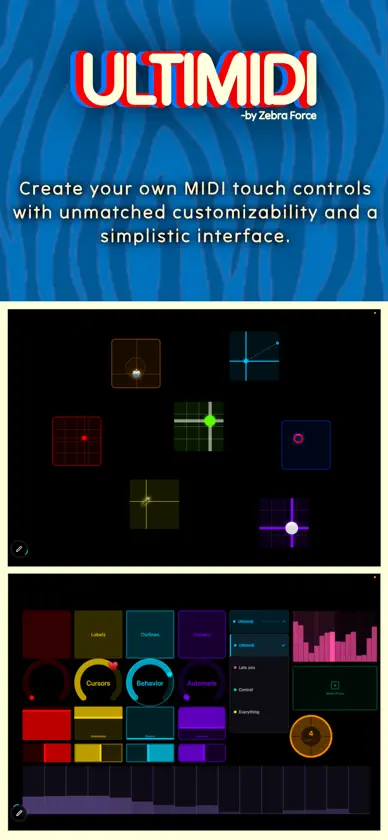
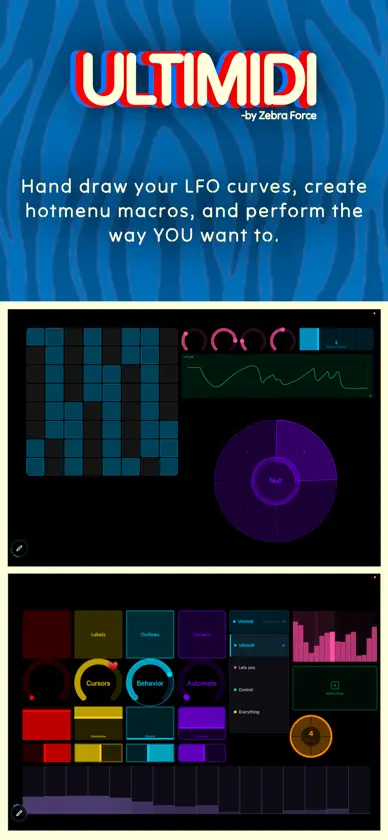
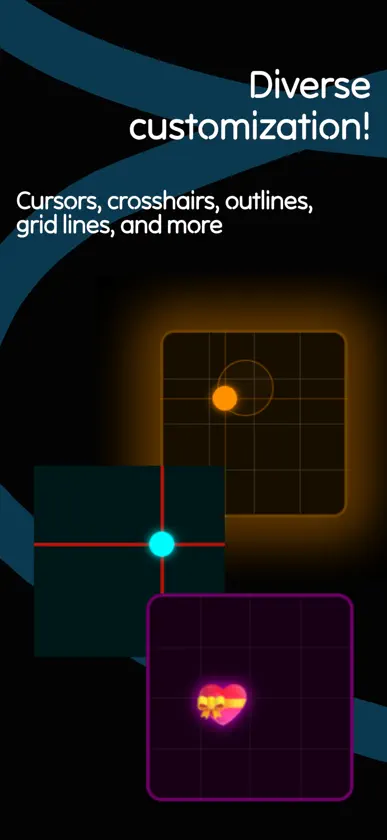
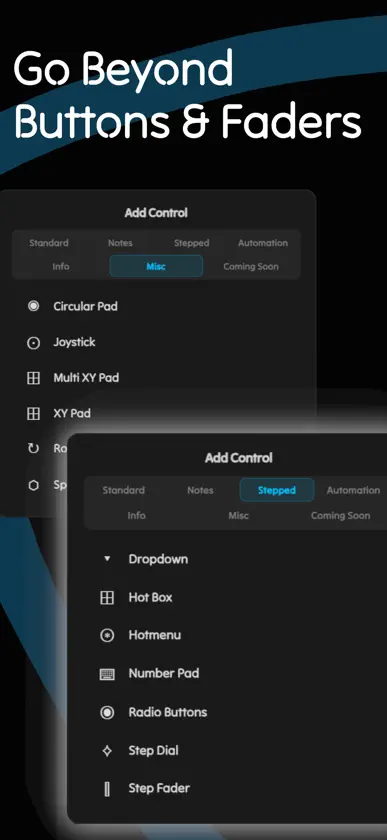
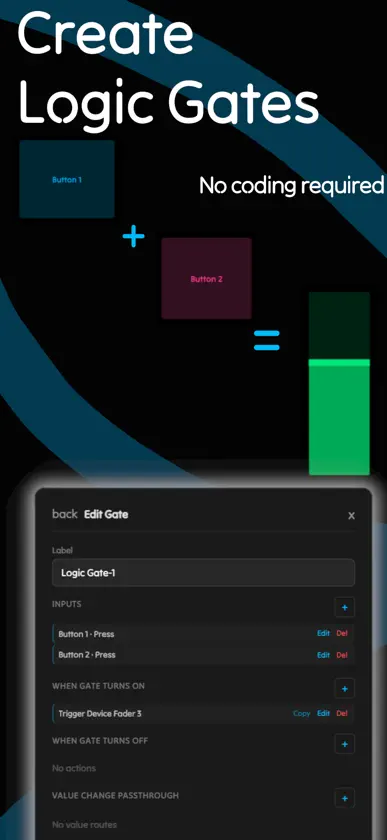
Design custom MIDI touch control surfaces with ease. Assign gesture bindings, physics behaviors, automation, visual design, and more on the fly. ----- Make your instrument feel like YOU. ULTIMIDI lets you build your perfect controller layout on a free-form canvas. Add faders, knobs, XY pads, buttons, joysticks, step sequencers, and MUCH more, then arrange and connect them together exactly how you want. Advanced Connectivity: - Connect to any MIDI-capable app, hardware synth, DAW, or Bluetooth MIDI enabled device. (Network connectivity features coming soon!) Automation Capabilities: - Hand draw your LFO curves or instantly adjust a step sequencer. ULTIMIDI prioritizes ZERO menus when in performance mode. Set up your automation targets ahead of time, and adjust them instantly with your own UI layout. Powerful control logic: - Need that fader to push to 75% only when button A and button B are pressed at the same time? No problem. - Chain actions, build logic gates, bind global gestures, and sync them all with with an internal or external MIDI clock. - Complex routing is made simple with zero coding knowledge required. Other Goodies: - Keep multiple controller layouts locally or save them to the cloud - Cross platform capabilities - Map anything with an external MIDI controller - Loop your control devices - Show photos / video on your canvas - Much more Designed for YOU, the creative musician who wants to connect all of their gear together for ease of use in performance or studio workflows without kneeling down to the manufacturer's idea of a "convenient" layout. ----- ULTIMIDI is a growing platform empowering musicians with simple to use MIDI tools that pack a punch under the hood. Music production can be a highly technical pursuit. For some of us that's part of the enjoyment of the activity, and for others, we just want to play. ULTIMIDI seeks to find a balance between complex routing / logic behaviors, and a no-code, open canvas interface that is fun and enjoyable to use. So whether you just want a few knobs with custom emoji cursors, or you want to create a full control surface brain to connect your entire studio together, ULTIMIDI does it all. Inject your soul and creative eye into your control surface, without abandoning technical complexity. ----- ULTIMIDI is in active development, we are actively adding in new features and control devices. Any future additions to the standard version or the currently available add-on packs will be automatically applied to purchases made today. Join the touch control movement!
What's new
Version 1.0.4 · Nov 2, 2026
Alternative Inputs & Game Controllers - Replaced the Voice Commands window with the Alternative Inputs menu, with navigation for voice commands and game controllers. - Added Xbox One controller support for the native iPad app and supported web browsers, using USB or Bluetooth connections. - Added an Other controller tab for learning and mapping inputs from compatible nonstandard controllers. Iso Grid - Added External Trigger mode, allowing silent pitch selection with notes played by an external trigger. - Added a toggle-style External Trigger mode: press a note to select it, then press it again to deselect it. - Improved touch ownership and native MIDI feedback for instrument surfaces. Media Player - Added audio-file support - Kept each player’s playlist independent while allowing files to be reused from the same account library. - Removed the misleading audio-output device selector. Playback now uses the system’s main audio output. - Added a default Press → Trigger Device → Toggle Play action targeting the player itself. - Fixed Media Player trigger actions when the target player is on another page, including random selection and playing a specific playlist item. - Fixed auto play being triggered by page switching. Navigation now preserves playback state rather than acting as a playback command. Media Library & Management - Added Media Management to the Account tab in Settings. - Organized uploaded files into Images, Video, and Audio categories. - Added thumbnail browsing, uploads, refresh, and account-wide file deletion. Other improvements - Added whole-setup bulk MIDI output switching, with confirmation and saved-routing support. - Improved MIDI output routing persistence across saves, loads, and imports. - Improved handling of unavailable devices and changed MIDI port identities. - Added continuous MIDI mapping support for dynamic input values. - Improved native iOS MIDI clock and transport timing. - Improved Bluetooth MIDI discovery, connection handling, input recovery, and disconnect/reset behavior. - Addressed startup interactions affecting IDAM connections. - Improved first-touch audio wake handling. - Improved Hotbox and Hotmenu pointer handling, cancellation, cleanup, and timing isolation. - Interface & General Fixes - Added Slide Mode to the Radio Button Behavior inspector. - Added stepped adjustment buttons to MIDI action sliders. - Improved dropdown positioning in scaled menus. - Prevented hidden-page controls from displaying floating menus over the active page. - Improved iOS startup recovery behavior. - Added the ability to boot into offline mode without prior settings adjustments - Email or Username persists after failed password login attempts
In-app purchases
The most popular purchases on the App Store.
- Automation PackConsumable$499.00
- Stepped Controls PackConsumable$499.00
- Performance PackConsumable$499.00
- Standard UpgradeConsumable$999.00
You might also like
 WavebayChristophe Todts
 Guanche's DJ BoothDaniel Alberto Martinez Martel
 MusePad: Finger DrummingShenzhen Comus Electronic Technology Co., Ltd
 PSA1000Nembrini Audio
 Deck LiteJoshua Rideout
 Midiboard - Controlador MIDIMAHMUT SAFA BULAT
 MixSurfaceSoulful Music
 DAW ControllerYasuhiro Misawa
 Foundry: Pocket SamplerQuerci
 VinylScratch — DJ Scratch PadIvan Korablin