
Veex
Hoang Phuc Nguyen
No ratings yetFinanceAges 9+
Screenshots






About this app
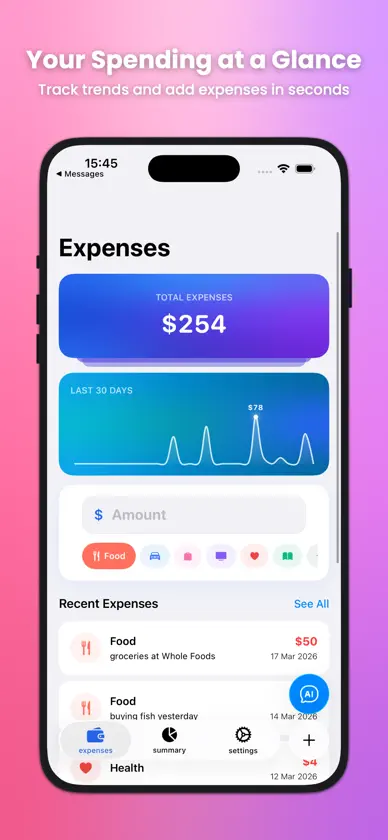
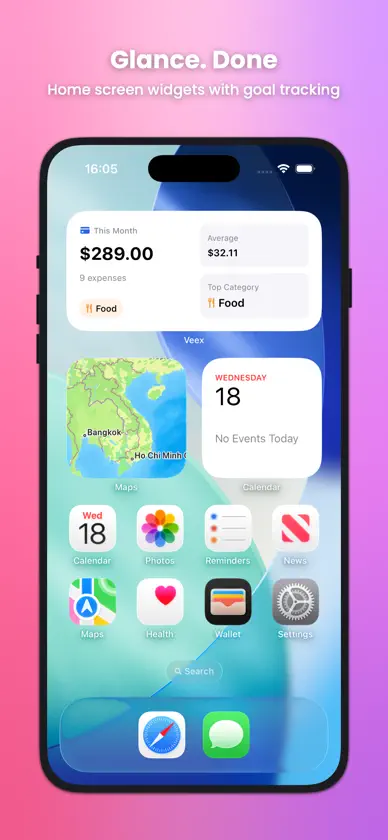
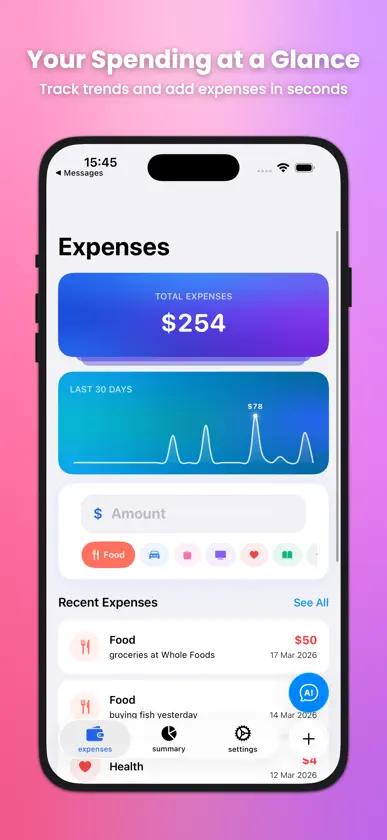
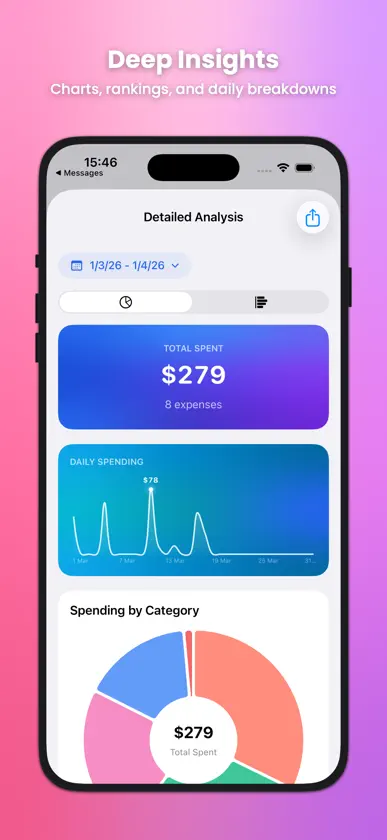
Veex - Minimalist Expense Tracker The only expense tracker that scans your receipts and speaks your language. Take control of your finances with smart technology and beautiful design. SMART EXPENSE MANAGEMENT - Quick expense entry with intuitive amount input - 8 predefined categories with beautiful icons - Edit and delete expenses with simple swipe gestures - Comprehensive expense history POWERFUL ANALYTICS - Monthly spending summaries by category - Visual progress tracking with goal setting - Beautiful charts and insights - Track your financial habits GOAL SETTING - Set monthly spending goals - Track progress with visual indicators - Stay motivated with achievement tracking - Build healthy financial habits SMART RECEIPT SCANNING - Snap a photo of any receipt - AI extracts amounts automatically - Beta technology that learns and improves - Choose from camera or photo library TRULY GLOBAL - 11 major currencies: USD, EUR, GBP, JPY, CAD, AUD, CHF, CNY, INR, KRW, VND - 6 languages: English, Spanish, Japanese, Korean, Vietnamese, Chinese - Localized for international users - Currency formatting respects locale settings SEAMLESS iOS INTEGRATION - Home screen widgets for quick tracking - View recent expenses at a glance - iOS 18+ widget integration - Native iOS design language BEAUTIFUL DESIGN - Minimalist, distraction-free interface - Dark and light mode support - Smooth animations and transitions - Follows iOS Human Interface Guidelines PRIVACY FIRST - All data stored locally on your device - No cloud sync or external servers - Complete privacy and security - No ads or tracking Perfect for students, professionals, and anyone who wants to understand their spending habits better. Veex combines cutting-edge technology with beautiful design to make expense tracking effortless. Download Veex today and start your journey to better financial awareness!
What's new
Version 1.2.0 · Mar 20, 2026
- AI assistant button is now accessible from every tab - Redesigned tab bar for cleaner, simpler navigation - New glass-effect search bar that hides as you scroll - Per-category budget limits - Budget exceeded alerts - Daily spending trend chart - Bug fixes and stability improvements
More from Hoang Phuc Nguyen


You might also like
 Smart SubscriptionPhong Tran
 FinTools: Financial CalculatorNghia Nguyen Phu
 FinrupRanjit Ghimire
 SaivlyAliaksandr Kharkevich
 MoneyWise NepalSummit Pathak
 BudgetKit - Expense TrackerJose Angel Sanchez Castro
 Mokie - AI Expense TrackerDANG KHO VO
 Pipp MoneyHoang Phan
 SPENDI: Anota gastos con IAADTECHNOLOGY TECHNOLOGY JOINT STOCK COMPANY
 Money Manager & Expense: PennyArima Jain