
verspire
GESBRO – Gesellschaft für Boden- und Raumordnung mbH
No ratings yetUtilitiesAges 4+
Screenshots


About this app
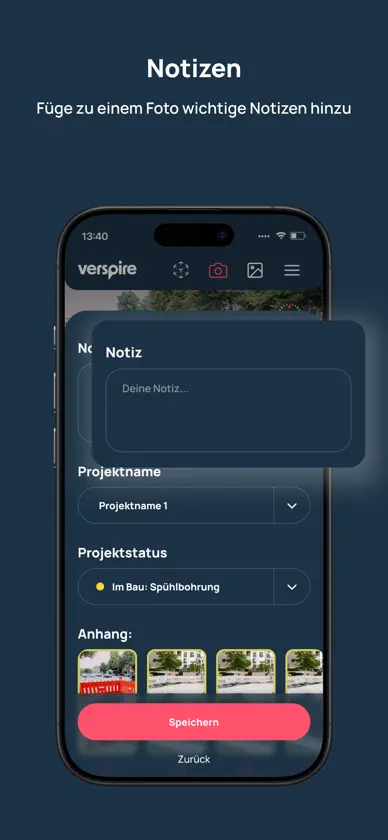
Nachweis des Baufortschritts bei Infrastrukturausbauprojekten – einfach und valide mit verspire! Diese App unterstützt die Bauleitung direkt vor Ort bei der Dokumentation des aktuellen Baufortschritts durch LiDAR-Scans und Fotos: einfach Projekt auswählen, GPS-Signal checken, Daten aufnehmen. Das Besondere: die hochgeladenen Daten werden anhand von statistischen Verfahren, sowie KI-basierten Auswertungsalgorithmen weiterverarbeitet. Wir können dadurch die Breite, Tiefe, Länge und das resultierende Aushubvolumen ermitteln - vollständig automatisiert! verspire übernimmt die Überprüfung der Gültigkeit und Zugriffsberechtigung auf die Projekte und dokumentiert den Baustellenfortschritt auf unserer dazugehörigen Plattform. Eine Internetverbindung ist erforderlich erstmalig bei der Anmeldung sowie je Upload.
What's new
Version 5.4.2 · Nov 6, 2026
Improvements & New Features • New Map View: All scans are now displayed on a map along with their orthophoto outlines—complete with filters, centering on the project area, and smooth zooming. Newly captured scans appear immediately with a locally calculated preliminary outline. • Automatic Post-Processing of Scans: After capture, the mesh is automatically optimized and generated, and a preview image is created. • Orthophoto Outlines in Scan Details: A scan’s outline is now also visible in the scan details and is updated when changes are made. • Automatic Lighting During Scanning: If the surroundings are too dark, the flashlight now turns on automatically. • Overheating warning: If the device is too hot, the app will alert you before scanning. • Project selection after capturing: Once a day, the project selection screen opens immediately after capturing an image so that scans and photos can be assigned to the correct project. • More convenient selection lists: For project, scan status, and photo type, the list now jumps directly to the selected entry. • Saved photo type: The last selected type is now retained and does not need to be selected again. • Various bug fixes


