
VoiceForge Reader
ROMAN SERPER
No ratings yetUtilitiesAges 4+
Screenshots




About this app
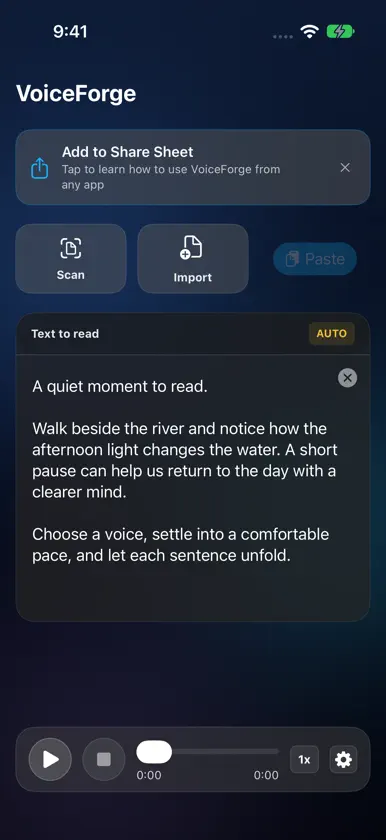
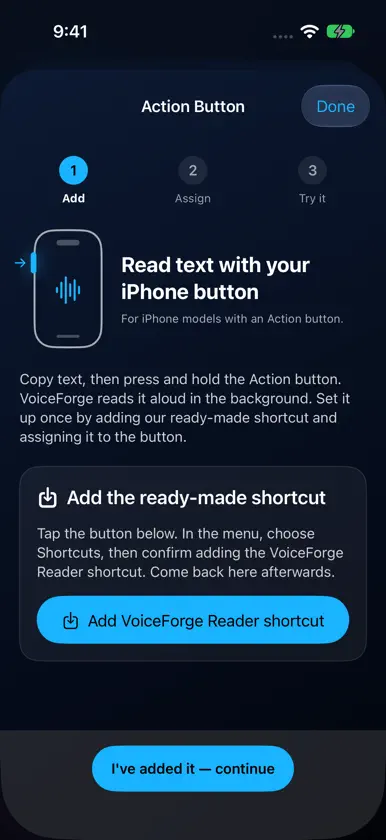
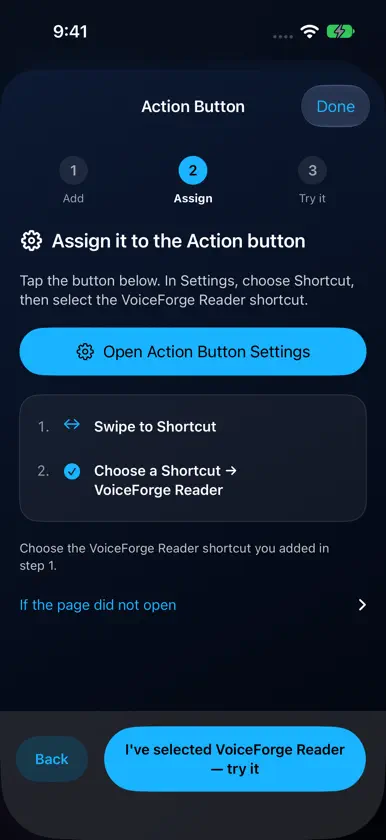
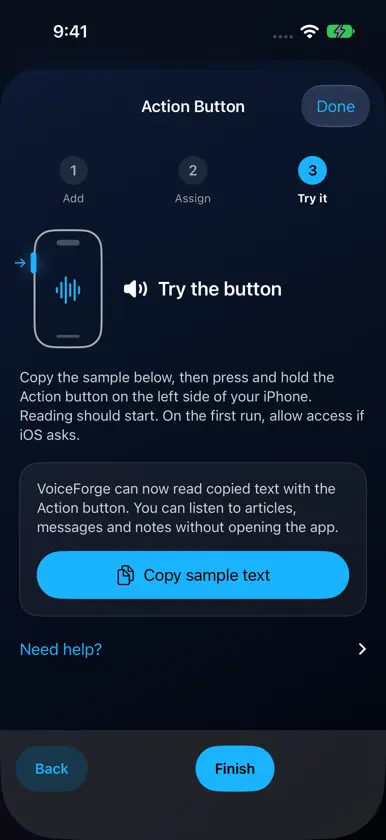
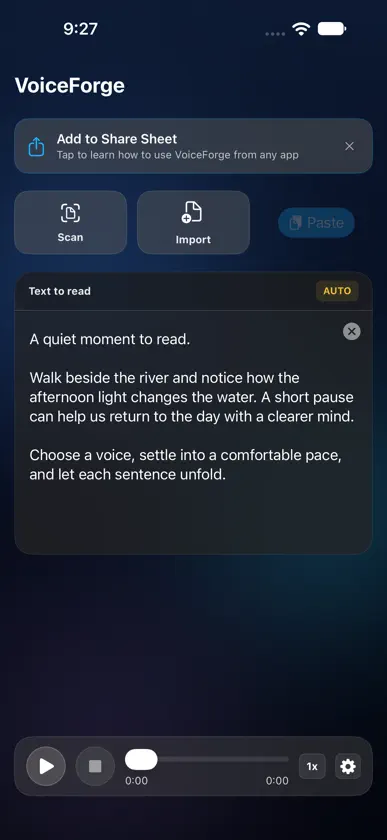
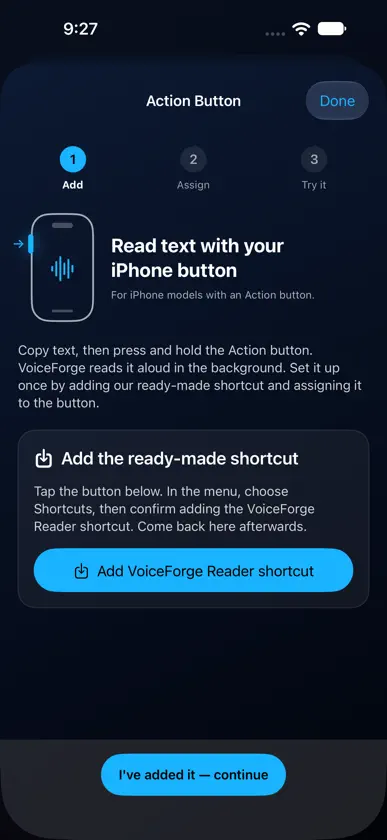
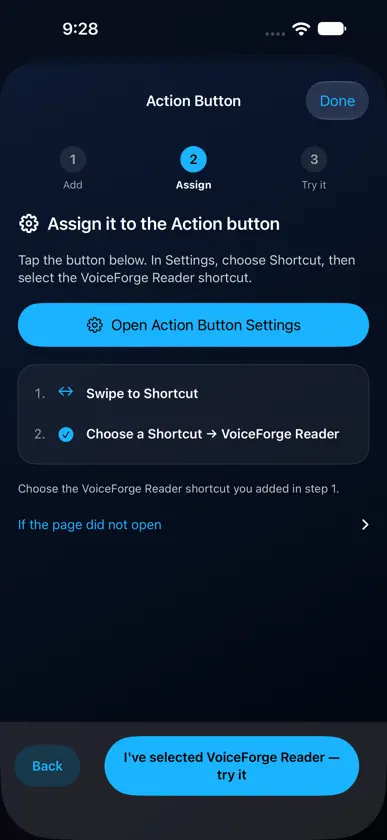
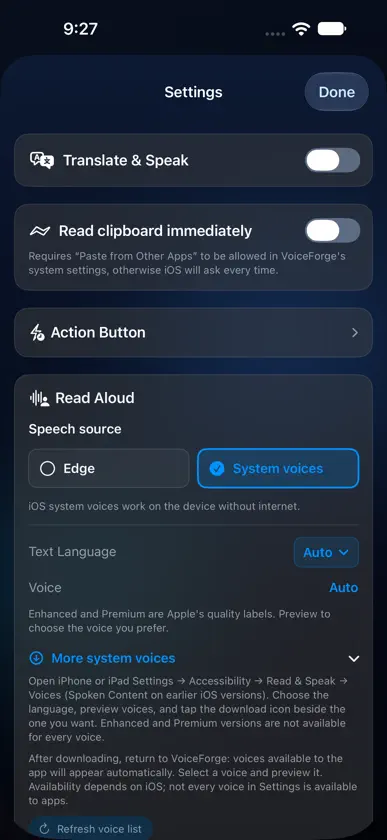
Turn text, printed pages and PDFs into speech. VoiceForge Reader helps you listen to what you choose, follow the words as they are spoken, and read alongside a translation. READ WITH THE ACTION BUTTON On a compatible iPhone, follow the in-app guide to add the VoiceForge Reader shortcut. Tap Open Action Button Settings, choose Shortcut, then select VoiceForge Reader. Copy text, then press and hold the Action Button to begin reading in the background. The step-by-step guide is available in Settings and Help. CHOOSE YOUR VOICE Use Microsoft Edge voices online or installed Apple system voices on your device. Save language and voice choices separately for each source, preview voices, and find guidance for downloading more Apple voices in iOS Settings. BRING YOUR OWN TEXT Paste text, share it from another app, import a PDF or text file, or scan a printed page. Crop, rotate and recognize text locally with the document scanner. TRANSLATE AND FOLLOW ALONG Translate supported language pairs with Apple's on-device translation services. View original and translated text in synchronized panes, follow karaoke highlights, and tap words to move through the reading. Longer documents can translate progressively as reading continues. STAY IN CONTROL Adjust playback from 0.5x to 2.0x, pause, seek and restart. Continue listening in the background, with Lock Screen and Dynamic Island controls on supported devices. The interface is available in English, French, Russian, Ukrainian, Arabic, German, Spanish, Italian, Japanese, Korean, Turkish and Chinese. Speech voices and translation languages have their own availability. Microsoft Edge voices require an internet connection and send the selected text to Microsoft for speech generation. Installed Apple voices render speech on your device. OCR is local. Apple voices and translation resources may need downloading, and supported languages vary. Action Button and Dynamic Island features require compatible hardware and iOS versions. Edge data transfer requires your permission, which you can withdraw in Settings. No account is required. VoiceForge does not include advertising or app analytics SDKs. Open-source notices and LGPL source/relink materials: https://risvoice.github.io/voiceforge-legal/support.html#open-source
What's new
Version 1.1.0 · Oct 21, 2026
• Action Button: set up the background shortcut, then copy text and press and hold the button to start reading without opening VoiceForge. A new step-by-step guide helps you add, assign and try the shortcut. • Follow and control reading from the Lock Screen and Dynamic Island on supported devices. • Choose Microsoft Edge or installed Apple voices, with separate language and voice choices, previews and guidance for downloading more Apple voices. • New privacy controls explain Microsoft speech processing before you allow Edge voices. You can withdraw permission and switch to Apple System voices in Settings. • Fixed Edge voice authentication and improved playback recovery on unreliable connections. • Share PDF and text files directly to VoiceForge, with improved handling for locked and large PDFs. Long documents can begin reading while translation continues. • Improved background playback, karaoke scrolling and speed controls.
You might also like
 IA de Texto a Voz: Voice ForgeHeliogram Labs
 EAS ToolsMason Miller
 Easy Text to Speech ReaderJerome Pullen
 Speak • Speech SynthesizerLoic Verrall
 Speech AI : Voice Clone & TTSShahzaib Ali
 Generador Videos IA +PULENA DOO BEOGRAD
 Fish AudioHanabi AI Inc.
 VoxBox -Text to Speech Toolbox慎 兰
 Voice.ai: Voice ChangerVoice AI Inc.
 Convertidor vídeo -extraer mp3荣 马