
Screenshots


About this app
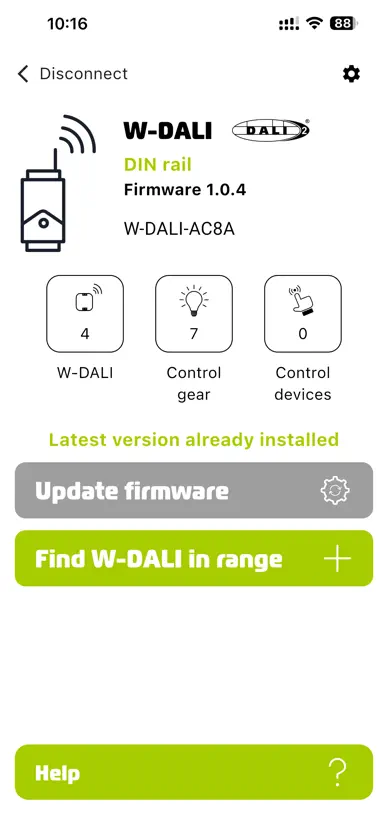
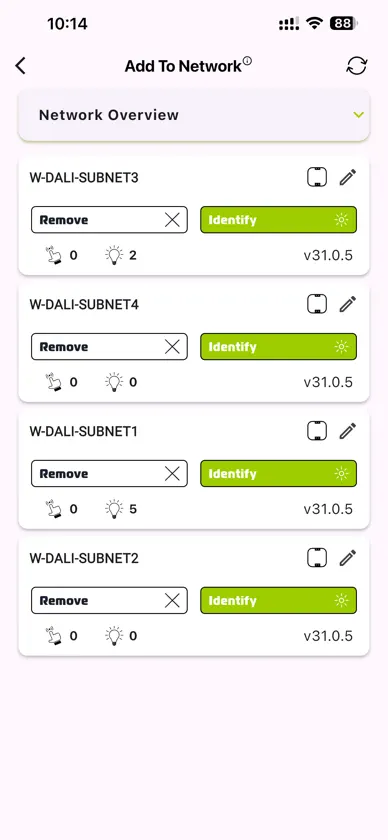
Setting up a complex W-DALI network is now effortless and can be done remotely without physically accessing the W-DALI devices. Simply activate the app mode on the W-DALI DIN rail, press the button on the front to connect to the app, and effortlessly add any available Node to the W-DALI network. In case a W-DALI Node is mistakenly added to a network, it can be easily removed using the app. Multiple W-DALI networks can be set up simultaneously without any interference. Firmware upgrades for both the W-DALI DIN Rail and W-DALI Node can be easily performed through the app.
What's new
Version 1.2.0 · Jun 12, 2026
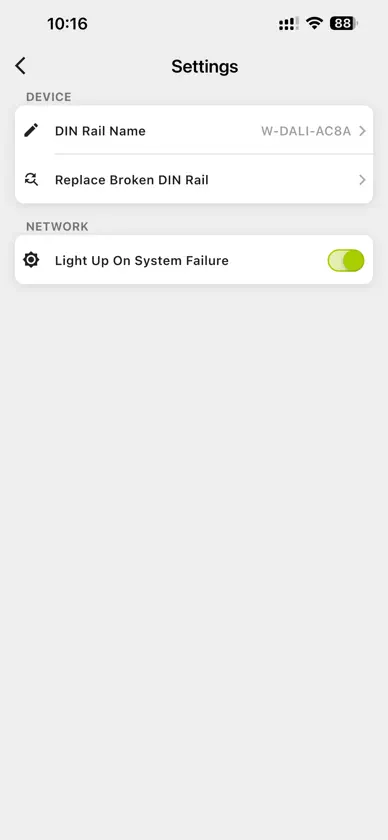
W‑DALI DIN rail rename option has been moved from the Home screen to the Settings screen for easier access. Clearer disconnection messaging: the Home screen now explains what actions are available when the device is disconnected. New setting to enable or disable Light Up On System Failure. Guided procedure added for replacing a broken DIN rail. Refined W‑DALI node list to save space and improve readability. Linked nodes indicator: the icon showing when nodes are linked has been removed.
More from LumenRadio AB


You might also like
 DALI Admin BLEHSI Lighting
 Signify Outdoor 3DJudiva
 Martin CompanionHarman Professional, Inc.
 ARANEO NFCLuminex
 Slyyd Lighting ControlCreamsource North America, Inc.
 PROLED Smart ControlUni-Bright
 MEAN WELLMEAN WELL
 4service NFCTridonic
 FixedOneAlaa Muqattash
 IQnext: Operations Managementsynconext technologies pvt. ltd.