
Console Mini
金攀 虞
No ratings yetDeveloper ToolsAges 4+
Screenshots

About this app
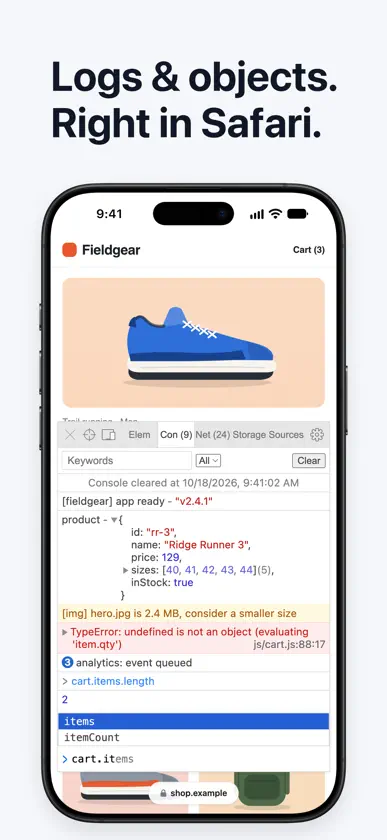
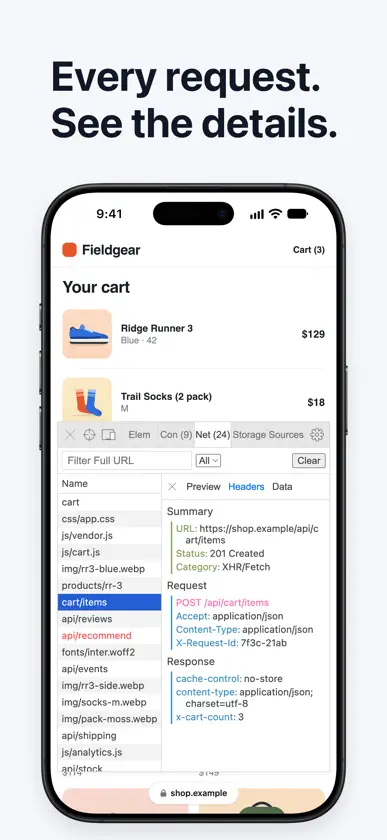
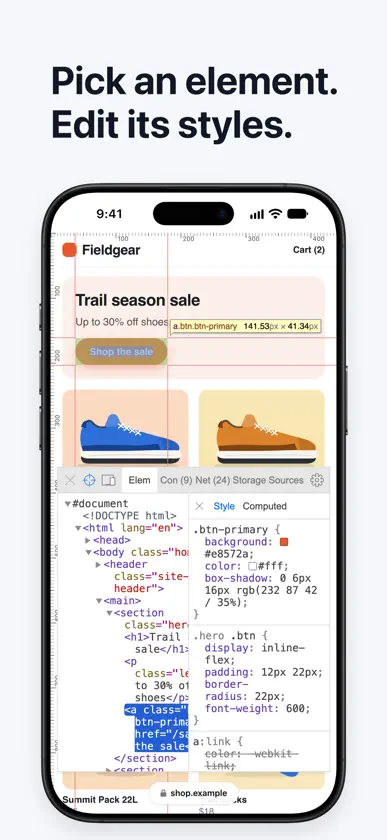
Mini web development tool for macOS/iOS Safari. Main features: - Elements: Display the DOM tree, inspect DOM elements, and edit DOM tree nodes or styles - Console: Display logs and test code, and view or manipulate objects/documents - Requests: Display all requests for the current website, and display multi-category details - Storage: Display local/session/cookie storage, and preview or beautifully process - Source: Display loaded source files and read source code graphs, and display error codes in the form of file/line/column - Simulator: Simulates the screen of an iPhone, iPad, or a custom-sized device Interaction: - Easily enable/disable tools - Move/resize console window in current page
What's new
Version 1.6.0 · Oct 31, 2026
1.6.0 (2026-10-31) Updates - Refreshed popup: a translucent look drawn by Safari, refined options and checkboxes, and Reset and Feedback grouped at the bottom. Tips now appear in Help and in the empty Network panel. - Smoother on busy pages: request and response bodies over 5 MB are skipped and their size is shown instead, long lists are capped, and the Elements tree updates only while its panel is open. - Fixed memory leaks and missed requests during long sessions. - On iPhone and iPad, typing in the console, filters or editable fields no longer zooms the page. - On Mac, the setup window title now matches the setup screen on iPhone and iPad.
More from 金攀 虞


You might also like
 PrettyJsonInBrowserSebastian Bolling
 DOM Lens: Web InspectorCode and DESIGN inc.
 Web Inspector & Dev ToolsVISUAL MOBILE SOFTWARE S.R.L.
 Web Inspector for SafariPierre Stanislas
 LogDog - Logging simplifiedMax Wesel
 LogShow - Log Viewer & ParserWilson Munoz
 Right On Page Devtools泰宁 陆
 Text Editor - Document EditorSupagarn Pattananuchart
 DraftCode for PHP IDESolesignal Limited
 Simple Server: HTTP ServerBitsbaker LLC.