
Screenshots




About this app
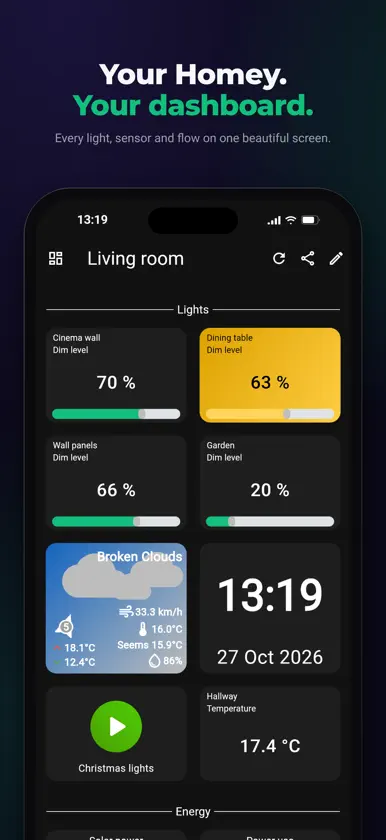
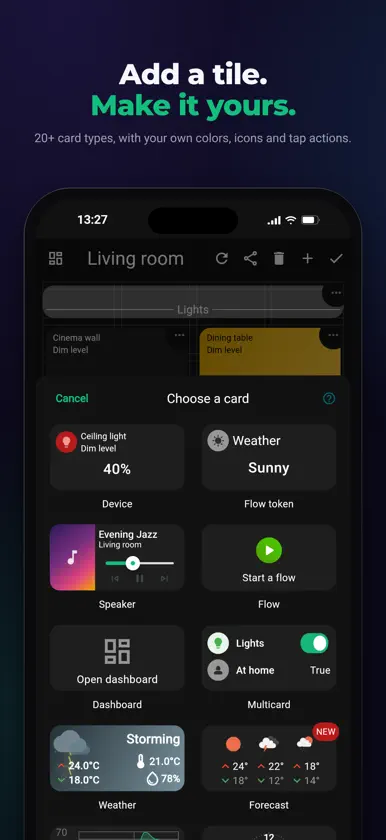
HDashboards turns your Homey into a beautiful dashboard that's entirely yours. Control your lights, keep an eye on your energy use, check the weather and start flows, all from one screen on your iPhone, your iPad, a tablet on the wall or any web browser. YOUR LAYOUT, YOUR WAY • Drag, drop and resize every tile • Choose from 20+ card types: devices, flows, speakers, weather and forecasts, gauges, Insights graphs, clocks, titles and more • Give each card your own colors, icons and tap actions • Make a dashboard for every room, every screen and every person MADE FOR HOMEY FLOW • Start any flow with a single tap • Run flows when someone presses a card • With the HDashboards companion app for Homey, your flows can send notifications to your dashboards, recolor cards and open dashboards A LOGIN FOR EVERYONE • Give everyone in your home their own login • Choose per dashboard who can view, use, edit or share it • Give the kids the lights, not the front door MISSING A CARD? BUILD YOUR OWN The webview card shows any web page, or a few lines of your own HTML. Add a chart, a camera stream or anything else you can build for the web. JUST DESCRIBE IT Connect HDashboards to Claude, ChatGPT or any other AI assistant that supports MCP. Describe the dashboard you want, and watch it build itself on your screen. WORKS ON ALMOST EVERY SCREEN • iPhone and iPad • Any web browser • Wall-mounted tablets, with the top bar hidden for a clean, full-screen display • Smart displays, through a secure sign-in link More than four years in development, and we're only getting started. New features arrive regularly, many of them suggested by people who use HDashboards every day. HDashboards requires a Homey. HDashboards is an independent app and is not affiliated with Athom B.V., the maker of Homey.
What's new
Version v2.1.1 · Nov 11, 2026
New in 2.1.1 • Homey cameras: a new Video card lets you pick a camera you added to Homey, with no address or password to type. It plays over WebRTC, so it also works away from home. Needs Homey Pro (2023 or later), Homey Pro mini or Self-Hosted Server on 12.12.0 or newer. You can still play any stream by URL. • Zone card: one card per room or floor. Choose Lights to see how many are on and tap to switch the whole zone, Energy for its current power use, or Climate for temperature, humidity and target temperature buttons. • Sync cards: give cards of the same type the same identifier and switch on Sync under Advanced > Companion app. Change one and the others follow on every dashboard. • Switch off "Colour the card by its state" to keep a device card's normal colour. • Companion app flows can give a card a transparent colour. • Saving a card applies your changes straight away. • Tap an enlarged picture to close it. • The companion app's Refresh dashboard action reloads every card again.


