
CodeShell
Amit Rathiesh
No ratings yetDeveloper ToolsAges 4+
Screenshots



About this app
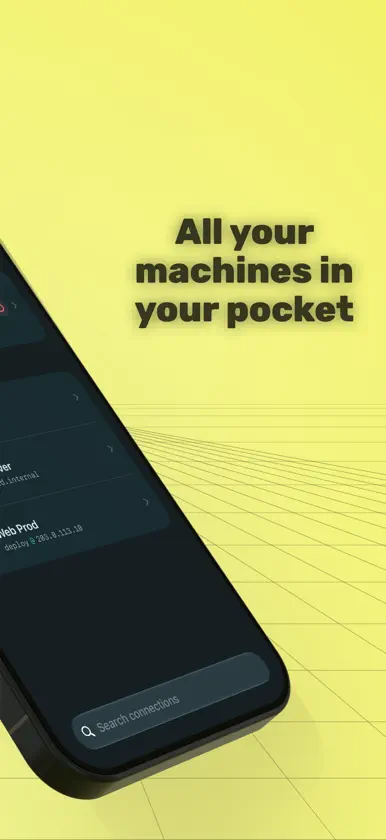
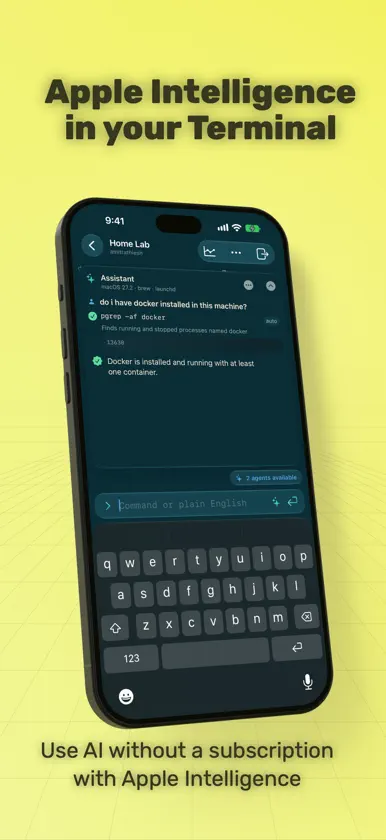
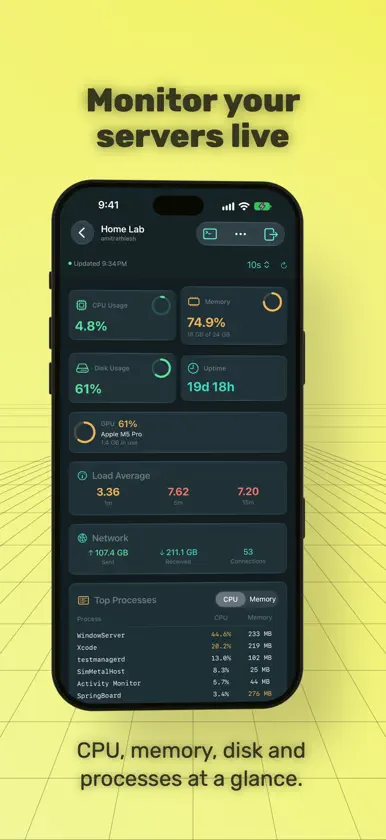
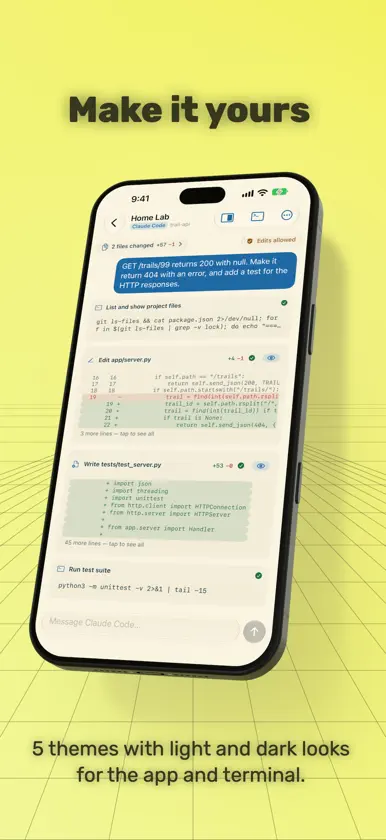
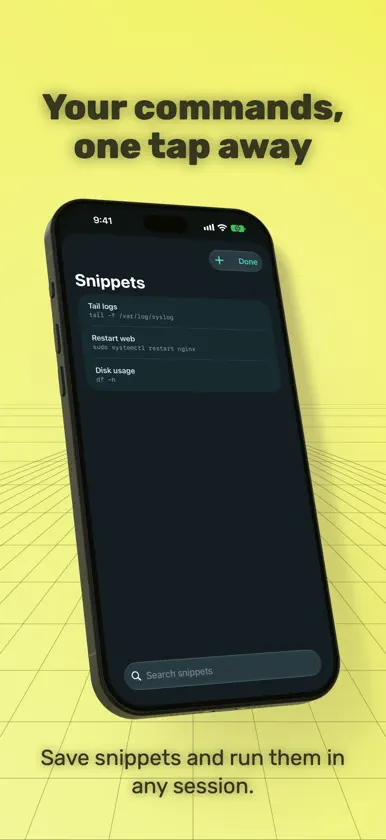
CodeShell is a fast, modern SSH client for iPhone, iPad and Mac, built for people who look after their own servers — home labs, NAS boxes, cloud VMs and everything in between. APPLE INTELLIGENCE, BUILT INTO THE TERMINAL Ask in plain English — "update this server", "why won't this container start?" — and the built-in assistant works out the right commands for that machine, runs them, reads the results and tries again when something fails. • Runs entirely on your device with Apple Intelligence. Your requests, commands and server output are never sent to a cloud AI service for processing. • Free for everyone — no account, no API key and no extra cost. • Commands that only read information run straight away; anything that changes your server waits for your approval. • Adapts to the machine it's connected to — Linux, macOS or Windows, whichever package manager and services it uses. WORKSPACES: USE THE AGENTS ALREADY ON YOUR SERVER (PRO) Open a workspace on any server and CodeShell finds the AI coding agents already installed there — Claude Code, Codex, opencode and Antigravity — and lets you work with them from your phone or Mac. Try it with 5 free messages before upgrading. Pick a project folder, choose a model, and follow each step the agent takes. Agents run on your server with your existing account or API key, and they can use models served by LM Studio on that machine. If an agent isn't installed yet, CodeShell can set it up for you. When an agent starts a dev server, preview the site live right next to the chat. WORKS WITH API MANAGER Keep your servers in API Manager, our private vault for API keys and servers, and open them in CodeShell in a moment, password or key included. Or save a server from CodeShell to API Manager. Details pass between the two apps on your device only. A REAL TERMINAL, EVERYWHERE • Full-featured terminal with colour, mouse support and clickable links • Password and key sign-in with Ed25519, RSA and ECDSA keys, including passphrase-protected and PEM keys • Create an Ed25519 key in the app, and switch a server from password to key sign-in in one tap • Lock CodeShell with Face ID or Touch ID; your sessions keep running while it's locked • Host keys are checked on every connection, so you know you're talking to the right machine • Works with Linux, macOS and Windows (OpenSSH) servers • Third-party keyboards supported, plus quick access to the keys a terminal needs • Save the commands you use often as snippets and run them with a tap • Themes that colour the whole app, not just the terminal — Midnight Tide, Dracula, Solarized, Monokai and Default — each in light and dark, following your device or kept as you pick • On Mac, every connected machine gets its own tab (⌘1–9) KEEPS WORKING WHEN YOU LEAVE Longer tasks keep going when you switch apps, and a Live Activity tells you when they finish or need you. CODESHELL PRO • Workspaces — the AI agents on your servers, from your phone or Mac • Persistent Sessions — keep sessions alive and pick them up on another device • Server Dashboard — live CPU, RAM, GPU and disk usage for Linux and macOS servers • Snippet Sync — your saved commands on all your devices through iCloud • Port Forwarding — open web apps and services running on your server as localhost • Passwords and keys sync through iCloud Keychain, so a connection you set up on one device signs in on the others CodeShell Pro is available as a yearly subscription with a 2-week free trial, or as a one-time Lifetime purchase. Both can be shared with Family Sharing. Payment is charged to your Apple Account at confirmation of purchase. Subscriptions renew automatically unless cancelled at least 24 hours before the end of the current period. Manage or cancel in your Apple Account settings. The built-in assistant requires a device that supports Apple Intelligence. Privacy Policy: https://codeshell.webzler.com/privacy/ Terms of Use: https://www.apple.com/legal/internet-services/itunes/dev/stdeula/
What's new
Version 1.5 · Nov 10, 2026
CodeShell now works with API Manager, a private vault for your API keys and servers. • Open the servers you keep in API Manager straight in CodeShell, with the password or key included. • Save any server from CodeShell to API Manager from its edit screen. • Server details pass between the two apps on your device only, never through a link or a server. • A short introduction shows you how, once. Needs API Manager 1.5 or later. The assistant now tucks away into a little face. • Minimize the assistant and it becomes a small speech bubble you can drag anywhere over the terminal, so it never covers what you're reading. Tap it to bring the conversation back. • Its face shows what it's up to: glancing about while it works, wide-eyed when it needs your OK, happy when it's done. • It takes your theme's colours, in light and dark. • On iPhone Duo, folded, the assistant opens from the top of the screen to give it more room. Try workspaces free for 3 days. • Without Pro, you get 3 days of unlimited messages to the AI agents in your workspaces, starting with your first message. • Already used your 5 free messages? You get the 3 days too. • The workspace shows how much time you have left. The assistant tells you when it's in Basic mode. • On devices without Apple Intelligence, or where it's turned off or still downloading, the assistant shows "Assistant: Basic". • Tap ⓘ to see why, and what it still does on its own: disk space, memory, processes, services, restarts and health checks. On iPhone Duo, folded, typing uses Apple's keyboard with just the keys and no suggestion bar, so the cover screen has more room.
In-app purchases
The most popular purchases on the App Store.
- CodeShell Pro LifetimeConsumable499,00 kr
- CodeShell Pro YearlySubscription · 14 days free trial199,00 kr / year


