
Remote Mouse: Deck Pointer
Ministry Of Good Vibes LLC
No ratings yetUtilitiesAges 12+
Screenshots



About this app
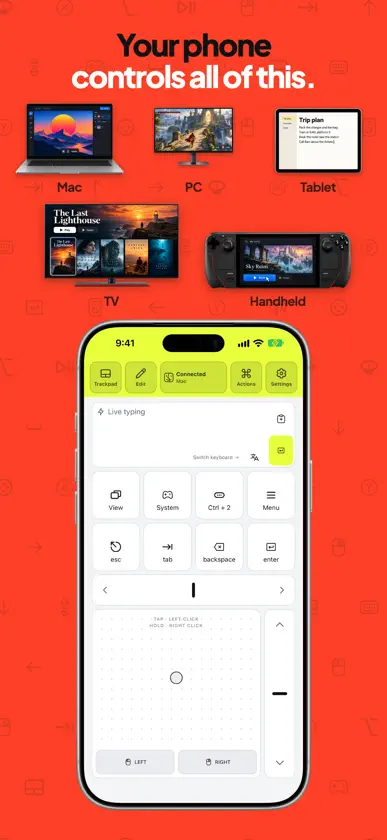
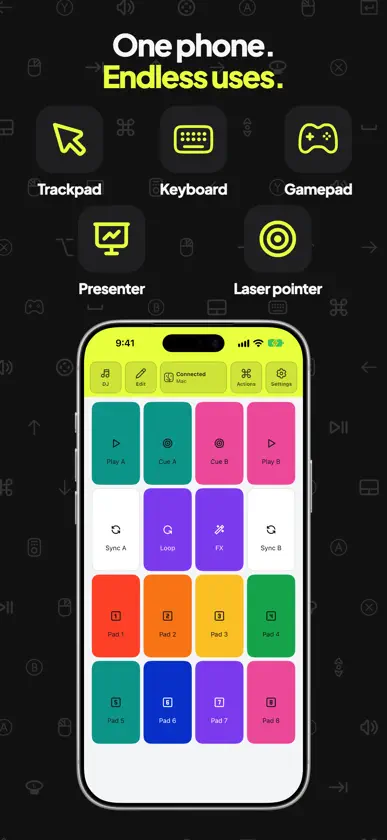
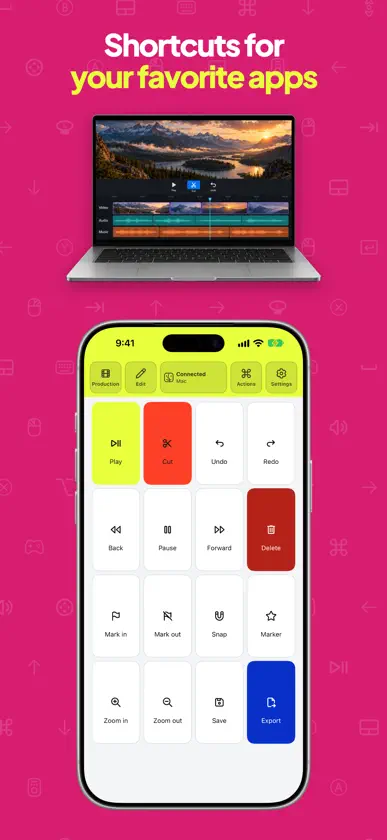
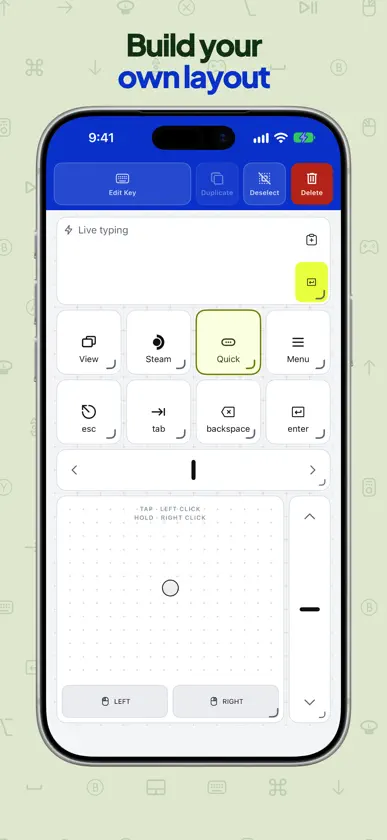
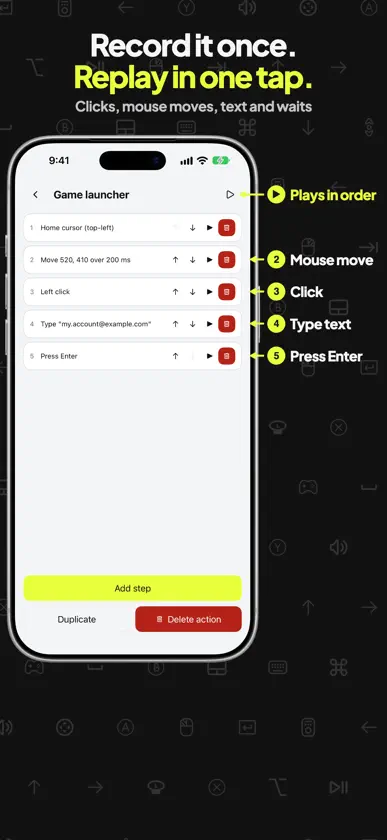
Turn your iPhone into a Bluetooth mouse, trackpad, keyboard, presenter and gamepad for compatible computers, tablets and handhelds. Move the pointer, type on the big screen, click through your slides or keep your shortcuts one tap away. • Trackpad and mouse: point, click, right-click, scroll and drag. Set the pointer speed and scroll direction. • Remote keyboard: type live, or write a longer text on your phone and send it to the connected device. Enter, Tab, Esc and the arrows stay on screen, and hotkey layouts keep the shortcuts of popular apps in reach. • Presenter and slide clicker: next and previous slide, laser pointer, pen and black screen together, with layouts for popular presentation apps on Mac and Windows. • Media keys: play, pause, volume and track controls for the connected device. • Gamepad: two sticks, a D-pad, face buttons, bumpers and triggers. Gamepad support depends on the host: it works in Steam on a Mac, a Windows PC and a Steam Deck, and other games may not detect it. • Ready-made layouts: browse the preset catalog for presentations, video calls, video editing, coding, DJ sets, streaming and games, and add the ones you need. • Your own layout: combine keys, text fields, trackpads, sticks and scroll strips. Choose colours and icons, or add a picture to a layout. • Macros: record clicks, mouse moves, typed text, key presses and waits, then replay them with one tap. Playback depends on the active app, window and focus. CONNECTION Works over Bluetooth with a Mac, a Windows or Linux PC, an iPad and a Steam Deck. Deck Pointer controls one device at a time. With an iPad as the host, keyboard, mouse and media controls are available; gamepad input is not guaranteed. If Windows stops connecting after you close the app, see https://deckpointer.com/win/ Deck Pointer Pro is optional: a weekly or yearly subscription, or a one-time lifetime purchase. It unlocks the layout editor and your own layouts, Actions (macros), more than one device and the Pro layouts. Subscriptions renew automatically until cancelled in Settings › Apple Account › Subscriptions. Setup guides: https://deckpointer.com/support/ Privacy policy: https://deckpointer.com/privacy/ Terms of Use: https://deckpointer.com/terms/ Support: hello@deckpointer.com Deck Pointer is an independent app and is not affiliated with or endorsed by Valve, Apple or Microsoft. Steam Deck is a trademark of Valve Corporation.
What's new
Version 1.8.1 · Nov 13, 2026
A rebuilt Bluetooth connection for Mac, Windows PC, Steam Deck and iPad. New: multi-page layouts, macro keys, sorting layouts by recent, A–Z or your own order, and a setup guide that starts with your device and what you want to do. Deck Pointer Pro lets you edit layouts and make your own, record Actions (macros), add more devices and use the Pro layouts. Choose weekly or yearly, or pay once for life. If you used Deck Pointer before Pro, it stays yours at no charge. Thank you!
In-app purchases
The most popular purchases on the App Store.
- Deck Pointer Pro LifetimeConsumable249,00 kr
- Deck Pointer Pro LifetimeConsumable399,00 kr
- Deck Pointer Pro WeeklySubscription · 3 days free trial39,00 kr / 7 days
- Deck Pointer Pro AnnualSubscription · 7 days free trial249,00 kr / year
You might also like
All apps like Remote Mouse: Deck Pointer → CursorSpot - Mouse HighlighterKAZUHIRO KAKIMOTO
 Bluetooth MouseAssaf Alawaji
 Game Controller for Smart TV庆源 郭
 AirType: Trackpad & Keyboardvincent varie
 Air RouteCsaba Iranyi
 TouchNav Pro杨 周
 PadLinker: Trackpad & KeyboardA&A GLOBAL INTERNATIONAL
 CursorBeamTRIVINIT TECHNOLOGIES LTD
 Magic Knock – Wake On LANChristophe Fromage
 Trackpad: Mouse & KeyboardMikita Dzidzenka