
Boop Budget Tracker
Zeus Solomon Olivar
4.8(214)FinanceAges 4+
Screenshots




About this app
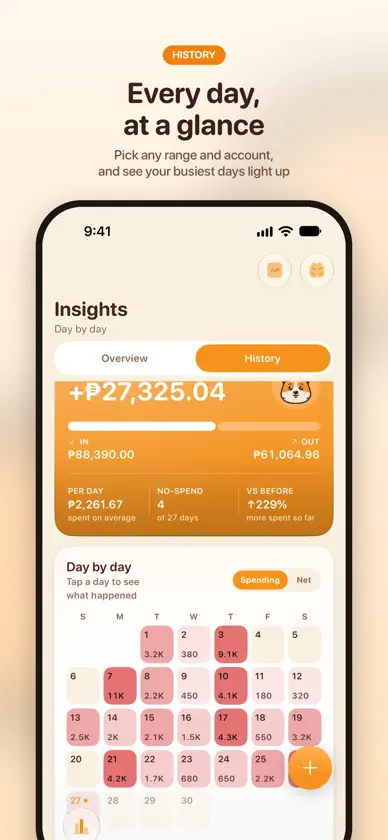
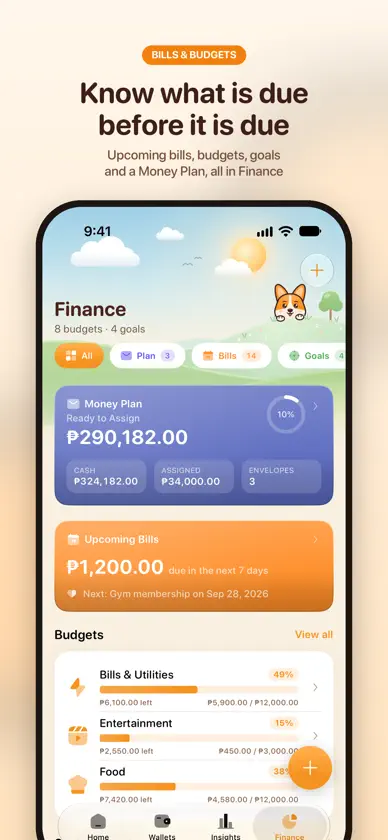
Boop is a free budget and expense tracker for your spending, savings and bills, with a friendly corgi and black cat by your side. Log every peso in seconds, see where your salary went, and never miss a due date. No subscriptions, no account, no bank logins. Works with any currency, in any country. NEW IN BOOP 3.7, BUILT FROM YOUR IDEAS - Boop on Apple Watch: log an expense right from your wrist - Log from a screenshot: press the Action Button and Apple Intelligence fills in the expense, saved with its receipt - Shared groups: split bills with friends, family or your partner, see who owes whom, and settle up - Grow Your Money: a 50/30/20 planner for needs, wants and savings, with your own goals - Flip your card: keep account details, notes and photos on the back, with one-tap copy - Back up to Google Drive, plus a backup file you can keep anywhere - Hide amounts everywhere, or hide just one wallet - Interest that follows your bank's daily balance, like GoTyme and MariBank - Invoices with partial payments, live exchange rates, and the Insights circle is back TRACK EVERY PESO - Log expenses and income in seconds with the built-in calculator - Wallets for cash, banks, e-wallets, savings, debit and credit cards - Split one purchase across categories, and pay from any wallet or card - Scan receipts and price tags to fill in the amount - Multi-currency with live rates: PHP, USD, EUR, JPY and 150+ more BUDGETS THAT FIT YOUR PAYDAY - Budgets by category with daily, weekly, semi-monthly, monthly or yearly cycles - Money Plan: zero-based or forecast, and give every peso a job - Boop Cart: a live grocery budget while you shop NEVER MISS A BILL - Upcoming bills on Home, with reminders for every bill, card and debt - Weekly, monthly, quarterly or custom repeats, and one-time bills - Missed bills stay Overdue until you mark them CREDIT CARDS AND PAY LATER - Statement cycles with the amount actually due - Installments that record themselves, with interest and fees - Pay Later cards like SPayLater, Atome and GGives SAVINGS, DEBTS AND NET WORTH - Savings goals that celebrate with you, and an MP2 tracker - Debts and money owed to you, with partial payments - Stocks and crypto with live prices, plus MP2, Pag-IBIG and other investments - Net worth across everything you own and owe INSIGHTS IN PLAIN WORDS See where your money went, what changed and what's unusual, and get a monthly recap story on the 1st. Ask Boop questions about your money, answered on your iPhone. FREE, WITH OPTIONAL EXTRAS Boop is free and shows ads. No subscriptions. Optional one-time purchases: header themes, the All Headers bundle (which removes ads), Remove Ads, and tips for the solo developer. PRIVATE BY DESIGN - No account and no sign-up - No bank logins or bank linking - Your records stay on your device and in your own iCloud (and your own Google Drive, if you turn it on) Made by a solo developer in the Philippines who reads every idea on the Feedback & Roadmap board.
What's new
Version 3.20 · Nov 5, 2026
Bank promos in one place, temporary card limits, and a much smoother Home: - Promos, in Finance: offers from banks' public pages, ten at a time, with the ones for your wallets and cards up front. For now it covers BPI, EastWest, Bank of Commerce and GoTyme in the Philippines - Temporary card limit: add one with an end date when you edit a card, and the limit goes back by itself - Each installment plan has its own screen, month by month, with what paid it - Apple Watch shows each budget, your next bills and your goals - Ask Siri about your balance, spending, budget and bills. Answers need your phone unlocked, and give no figures while Boop's lock is on - Expense overview on Home: what you spent by day, week or month. Turn it on in Customize Home - Apple Pay taps you log with the Shortcuts automation now send one notification saying what was saved, and tapping it opens the transaction - Drag down on Home to check iCloud and see when it last synced, and a small note says when iCloud is up to date after you save A much smoother Home: - The 3D mascot looks the same and asks far less of your phone. On an iPhone 14 Pro, tip pops and swiping the wallet deck drop far fewer frames, and Home uses less memory - Tips say it plainly when spending is far above income, instead of showing a huge percentage - Fixed: opening a day on Home's calendar no longer makes the page jump around Also lighter: New Expense redraws far less of its form while you type, and saving asks less of your phone while Insights or History is open, if you have a long history. From your requests: - Past trips and Receipts filter by shopping list, and a trip or the Price Book exports as CSV - A wallet with interest has a Check now button, which logs anything due right away - Invoices issue a receipt with paid and balance left, and keep your payment terms and last notes handy - Debts can keep a category for their payments, and payments can hold photos - Recurring bills can have a subcategory - Custom budgets offer every currency, Search in Transactions looks through all time while you type, and Compact rows reach wallets and History - Trips can have their own currency Fixed: - A debt or Money Owed someone shared with you is labelled and stays out of your totals - Money Owed can't collect more than is left - Move to Boop warns before moving the same file twice, keeps a card's credit as credit, and names wallets whose currency it can't read
In-app purchases
The most popular purchases on the App Store.
- Remove AdsConsumable₱ 199.00
- All Headers + No AdsConsumable₱ 399.00
- Coffee-Sized TipConsumable₱ 199.00
- Pizza-Sized TipConsumable₱ 499.00
- Bamboo Zen HeaderConsumable₱ 49.00
- Aurora Lake HeaderConsumable₱ 49.00
- Floating Islands HeaderConsumable₱ 49.00
- Lavender Fields HeaderConsumable₱ 49.00
- Coral Reef HeaderConsumable₱ 49.00
- Rice Terraces HeaderConsumable₱ 49.00


