
DepthTag
Matthew Mesropian
No ratings yetUtilitiesAges 4+
Screenshots



About this app
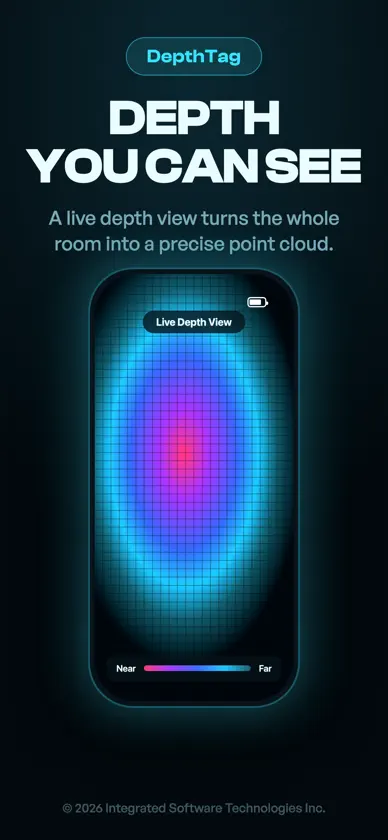
DepthTag turns your iPhone Pro into a precise measuring tool. Point the camera at anything, tap, and it reads the exact distance using the LiDAR scanner. No tape measure, no guessing. REQUIRES A LiDAR SCANNER DepthTag needs the LiDAR sensor found on iPhone 12 Pro, 13 Pro, 14 Pro, 15 Pro, 16 Pro, and later Pro and Pro Max models. It does not work on non-Pro iPhones. POINT, TAP, MEASURE - Tap anywhere in the camera view to tag the exact distance to that point - A live reticle shows the distance under the crosshair as you move - Tags stay pinned in space, so you can capture several at once FOUR MEASURE MODES - Ruler: the straight-line distance between two points - Height: measure vertical clearances and object heights - Area: outline a surface and read its area - Tape: trace a winding path and get its total length BUILT FOR REAL WORK - Metric or imperial units, switch anytime - Floor clearance readout for quick height checks - Save, label, and revisit every measurement - Export your measurements when the job is done ON DEVICE AND PRIVATE - All depth processing happens on your iPhone - Nothing is uploaded, no account, no tracking - Works offline, anywhere Whether you are checking if furniture will fit, sizing up a room, planning a shelf, or measuring on a job site, DepthTag gives you fast, LiDAR-accurate numbers without unrolling a tape measure.
What's new
Version 1.3 · Nov 10, 2026
Ready for iPhone Duo, and a calmer walking mode. • Walking mode is steadier: the numbers update at a pace you can read and the measurement bubbles keep their size instead of jumping. • iPhone Duo: measure on the big inner screen with your tools beside the camera, and Rooms shows your scans beside the open floor plan. • Room names in the Rooms list are no longer cut off.
More from Matthew Mesropian


You might also like
 AR Ruler: Distance & Area ToolSandeep Bhandari
 MV Remote东宁 梁
 LiDAR Vision and RangingFloyd Ross
 Wage Calculator- Hours Trackergiang pham
 Pupillary Distance Measure XVisTech.Projects LLC
 Camping Assistant: LevelMarco Pohl
 inexogy Appinexogy smart metering GmbH & Co. KG
 Tally Counter°Michael Tigas
 Hyrule CompendiumFelipe Braunger Valio Desenvolvimento de Sistemas Ltda
 3D Object Capture|Room ScannerAsterKit