
iPocketRemote: Mac Trackpad
胜天 何
No ratings yetUtilitiesAges 4+
Screenshots


About this app
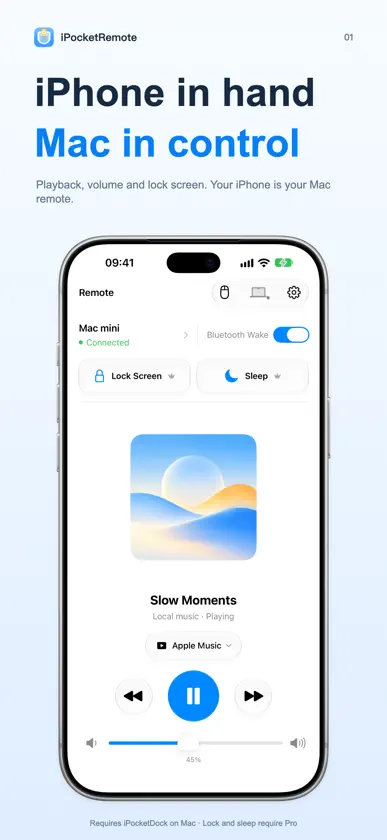
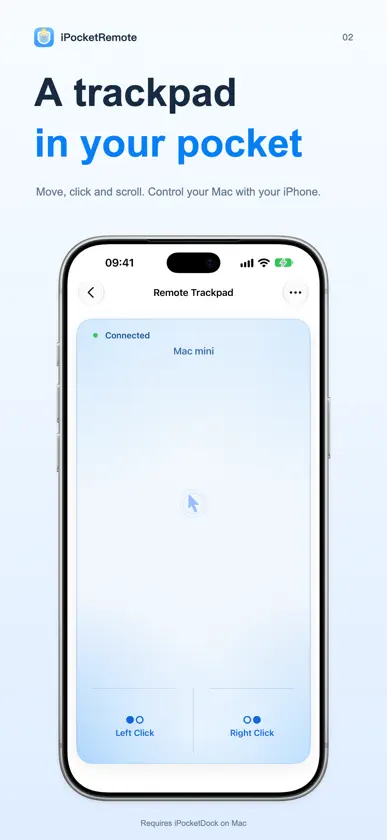
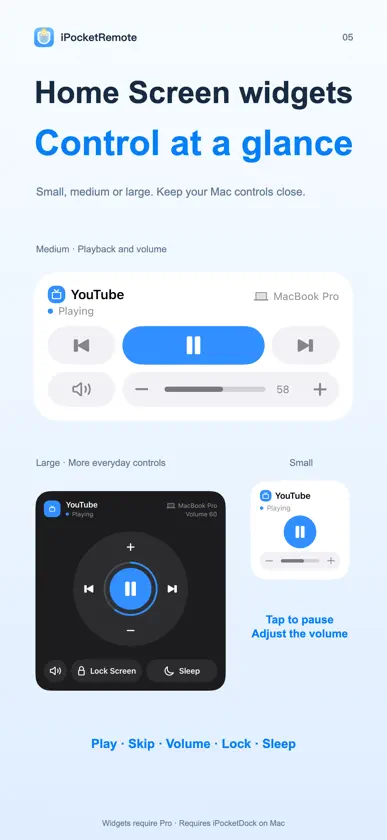
Turn your iPhone into a wireless trackpad and remote control for your Mac. Move the pointer, click, right-click, scroll, and drag from your phone. You can also control media and volume, lock the screen, or put your Mac to sleep—all over your local network. iPocketRemote works with the companion Mac app iPocketDock. In iPocketRemote, open Settings and tap Download Mac App to install it. REMOTE TRACKPAD • Move the Mac pointer with one finger • Tap to click and double-tap to double-click • Two-finger tap for right-click • Scroll with two fingers or along either trackpad edge • Press and move to drag • Adjust pointer sensitivity and edge scrolling • Choose from multiple trackpad styles MEDIA & SYSTEM CONTROLS • Play or pause media • Go to the previous or next track • Adjust volume from 0–100 or mute instantly • Lock your Mac or put it to sleep • Manage multiple Macs and choose a preferred device QUICK, PRIVATE CONNECTION • Pair by scanning a QR code or entering a pairing code • Automatically reconnect to paired Macs • Communicates directly over your local network • No cloud service or account required • Pairing credentials are stored securely in the iOS Keychain REQUIREMENTS • iPhone running iOS 17.0 or later • Mac running the latest iPocketDock • iPhone and Mac connected to the same local network • Camera permission is used only for QR-code pairing • Local Network permission is used to find and connect to your Mac Terms of Use: https://www.apple.com/legal/internet-services/itunes/dev/stdeula/
What's new
Version 2026.10330 · Oct 27, 2026
• Control Keep Awake for your Mac from iPhone Settings, including the lid-closed option and automatic activation when iPocketDock starts. • Added Natural Scrolling in Mouse Mode. Choose the direction of two-finger and edge scrolling in Trackpad Settings; your preference is saved automatically. • Improved physical volume-button responsiveness and handling of repeated presses, with support for the native macOS volume indicator. • Fixed layout jumps when changing Keep Awake settings and improved state synchronization. • Simplified version information in Settings. Volume-button control requires iOS 27 or later. Keep Awake controls and the native volume indicator require a compatible iPocketDock version. The lid-closed mode requires authorization on your Mac.
In-app purchases
The most popular purchases on the App Store.
- Lifetime PremiumConsumable₱ 249.00
- Yearly PremiumSubscription₱ 129.00 / year
More from 胜天 何


You might also like
 Poplet Share知珩 徐
 Linkboard - Cross-Device P2PMinimalist Network Co., Ltd.
 MoodWidgetsYantai cykon mutual Entertainment Information Technology Co., Ltd
 CheckGo - To-Do & Templates可鹏 江
 Pin It - Pin IslandZIZICICI LIMITED
 MP3 Converter: Ringtone Maker+应芳 卢
 NetPulse - Pro Network Tools金琛 张
 Vision - Live PurposefullyTakeOnePiece LLC
 相册整理富冰 李
 Video Compressor - ClipZipZafar Ivaev