
Screenshots



About this app
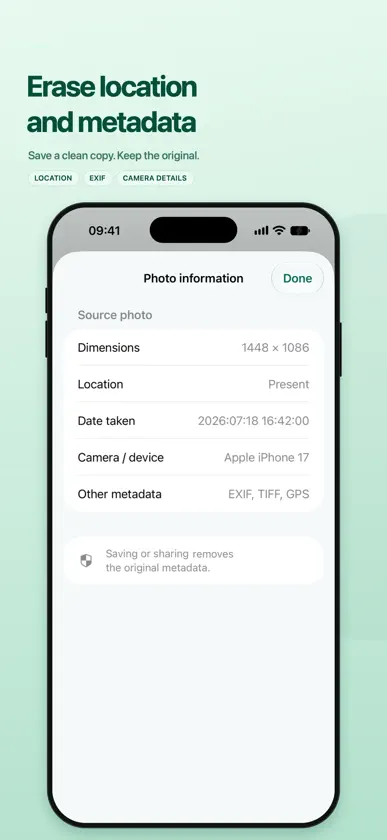
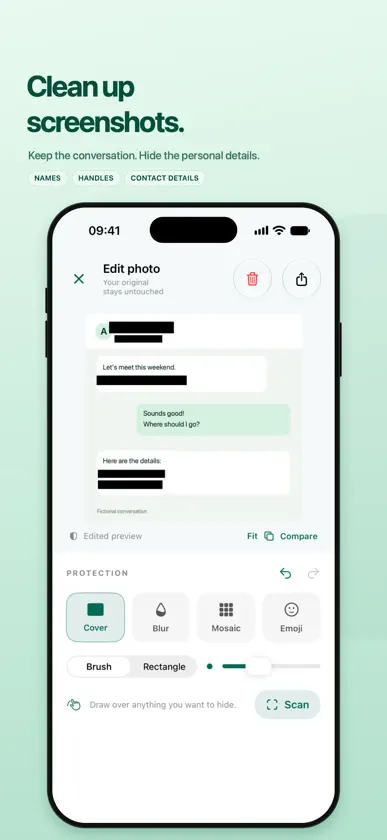
Share the moment. Keep your privacy. Get your photos and videos ready for social media in just a few taps. Kaksu helps you hide personal details, clean up screenshots, and remove original location and camera metadata before saving or sharing. Photo and video editing, privacy detection, and tracking happen on your device. Your photos and videos are not uploaded to a scanning service. • Find private details quickly Scan photos for faces, text, documents, QR codes, and potential license plates. Review the results, choose what to hide, and apply blur or a solid cover. • Hide it your way Draw directly on photos with blur, mosaic, or solid cover tools. Adjust the strength, try colorful mosaic with square tiles or round dots, or cover details with emojis. • Protect faces and areas in videos — Premium Automatically detect and track faces, then hide them with blur, mosaic, or solid cover. Use Detailed Scan for higher-resolution detection, forward and backward tracking, and smoother masks. • Take control of video tracking — Premium Manually select an area when automatic detection misses something. Move and resize the selection with handles, track it forward and backward, and add corrections if it drifts. Watch tracked rectangles during playback and tap one to pause and adjust it, including in fullscreen preview. You can also remove the video’s audio before exporting. • Add a little personality Move, resize, and rotate emojis on photos. Save your favorite emojis for quick access. • Clean up screenshots Quickly conceal detected names, contact details, and other personal text before posting conversations or screenshots online. • Blur the photo background Keep attention on your subject while making the background less visible. • Leave location and metadata behind Save or share a photo or video copy without the original location data or privacy metadata. Check Photo information or Video information to inspect the source file’s readable metadata. Choose a placeholder date, set a custom date, or use the current save date. Plain Save preserves available metadata. • Protect multiple photos at once Select several photos to save without metadata, or automatically hide detected private details with blur or solid cover before saving copies. • Keep your edits close Find copies saved by Kaksu under Edited, including photos and videos. Browse favorite photos synchronized with Apple Photos. • Start wherever you are Choose a photo from your library, take a new one, or open an image through the share extension. Premium users can also choose videos to edit. Pinch to zoom and pan with two fingers when editing photos or selecting areas in videos. • Unlock Premium Remove ads and unlock video editing with a one-time purchase. * Automatic detection and tracking can miss details or lose an area during movement. Review the entire photo or video before sharing. Blur and mosaic may leave details recognizable; solid cover provides stronger concealment.
What's new
Version 1.0.1 · Nov 11, 2026
- Added ability to crop photos - Added ability to add custom images and stickers to photos - Added video trimming - Added ability to add static hidden areas in videos
In-app purchases
The most popular purchases on the App Store.
- PremiumConsumable₱ 249.00


