
SnipSnaps
Kyter, LLC
No ratings yetUtilitiesAges 4+
Screenshots


About this app
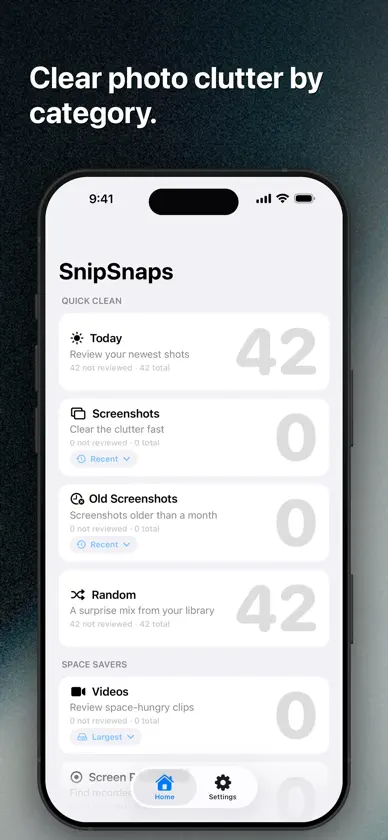
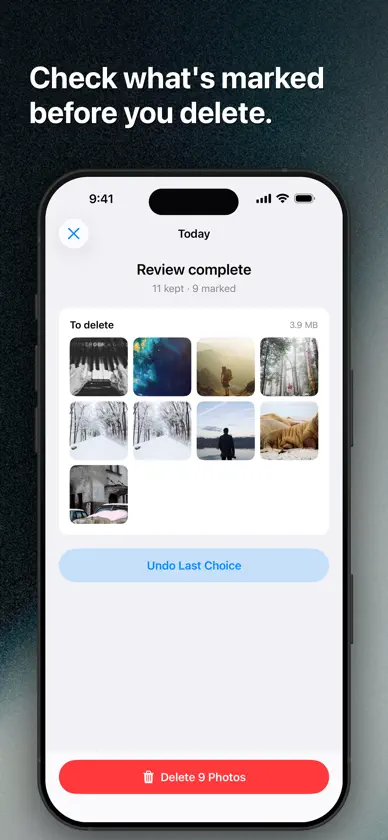
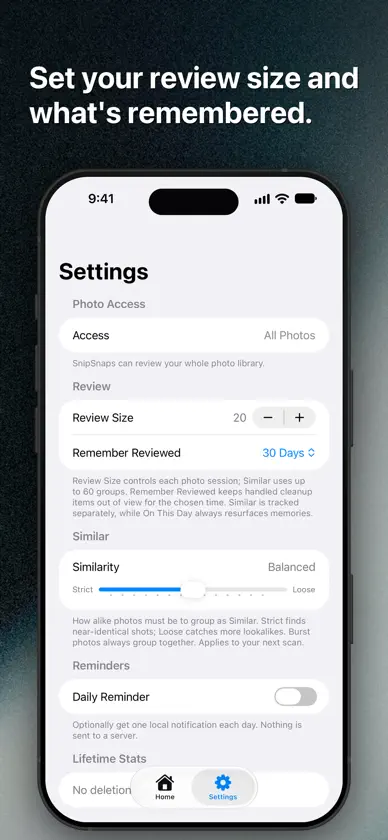
SnipSnaps turns photo cleanup into quick, focused sessions you can finish. Choose a category—recent photos, screenshots, videos, screen recordings, large photos, Live Photos, bursts, old favorites, On This Day, random shots, or similar-looking groups. Swipe to keep what matters, mark what does not, and confirm once at the end before anything is deleted. Use SnipSnaps to: - Clear recent and older screenshots without digging through Photos - Review videos by size, length, or date - Find similar-looking groups and compare before choosing what to keep - Revisit photos from this day in past years - Set a session size and optional daily cleanup reminder - See how many items and how much storage you have cleared Your library stays on your device. SnipSnaps requires no account, includes no ads or analytics, and asks for Photos access only so you can review and delete the items you choose.
What's new
Version 1.4.0 · Nov 9, 2026
• Support iPhone Duo. Unfolded, a review shows the photo beside its details and the Keep and Delete buttons, and Similar review compares each photo with another from its group. When iPhone Duo is partly folded, the layout splits at the fold, and Home keeps its cards clear of the crease. Folding, unfolding, or rotating keeps your place and your undo history. • iPad gets the same wide review layouts. • In landscape on iPhone, the review controls move beside the photo so it keeps the full height. • Fix button sizing on Mac. The sort buttons on Home and the close button in the full-screen photo viewer no longer show an extra border, and Undo in Files review now matches the height of Trash and Keep.
More from Kyter, LLC

You might also like
 Cleanuply: Photo CleanerReklit BV
 Font Size Increase for SafariStefan Van Damme
 CORONA BTCorona Lighting Inc.
 Uniter: Unit ConverterArkadiusz Holko
 Keyboard Extension - SnipKeyJonathan Taveras
 Isochron: Watch AccuracySeth Adam Mundall
 Clean Sweep - Phone CleanerKhuong Pham
 SnapSweep: Remove Junk PhotosTomas Tauber
 Shutter Declutter: Pic CleanerLater Creative LLC
 Wider - Fullscreen BrowsingGood Snooze