
Text Extractor (OCR)
jiang chen
No ratings yetUtilitiesAges 4+
Screenshots




About this app
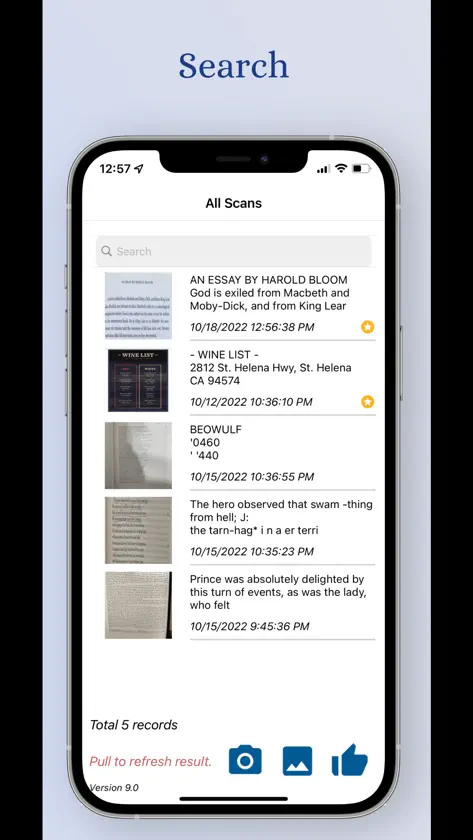
Convert any image file to text in no more than a second with using most advanced recognition technology. It allows you to extract text from an image at one click and convert HANDWRITTEN notes into digital text. Extracted text can be edited, translated, searched, shared, and stored on any device. Key Features: * Extract text from handwriting. * Scan/ extract text from image by reading file import or using phone's camera. * Auto detect language from image with 80+ supported languages such as English, Spanish, Chinese, Russian. Italian and more. * Translate to 100+ languages. * Share with others via text message, email, WhatsApp, Facebook, WeChat and all other apps. * Scanned text can be easily found by the scan history folder by typing the key words.
What's new
Version 10.0 · Oct 31, 2022
1. refined the text extraction engine to read text from handwriting. 2. allowed free download, but can upgrade to Pro version to have the unlimited extraction attempts and full access of the app.
In-app purchases
The most popular purchases on the App Store.
- ProConsumable₱ 599.00
More from jiang chen

You might also like
 Text Extractor : OCR Scankushal patel
 OCR - Image to Text ExtractBhavinkumar Satashiya
 Scanner OCR Extractor TextLindeberguem Santana Neves
 Image to Text [OCR Scanner]kunal rameshbhai
 Image to Text | OCR ScannerFenuku Kekeli
 All-in-One Toolkit: Text/RegexStephen Kuyper
 Picture 2 Textsebastian badea
 Z Scan – OCR Text Scanner小静 杨
 VoiceExpress: Audio to TextPedro Jose Pereira Vieito
 Image to Text: Scan to ConvertAculix Technologies LLP