
TextForge Editor
Stefan Novakovic
No ratings yetDeveloper ToolsAges 4+
Screenshots



About this app
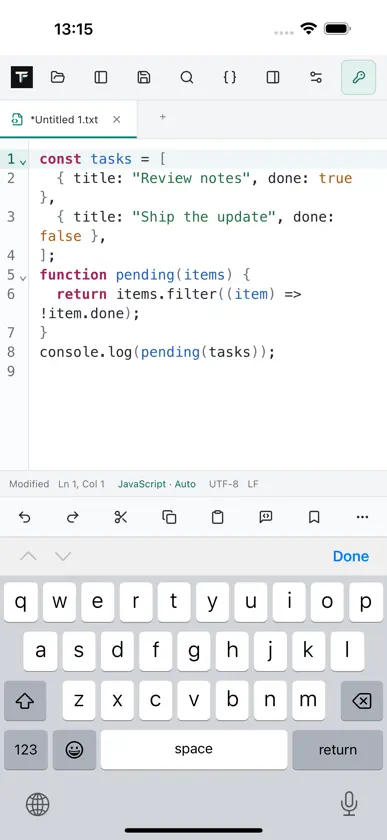
TextForge is a text and source editor for Mac, iPad, and iPhone. Write everyday notes, edit scripts and configuration files, inspect logs, and work with structured text in one focused workspace. New documents start as plain .txt files. YOUR WORKSPACE Open multiple documents in tabs and work in two editor panes. View the same document with independent cursors and shared undo history, or different documents in each pane. Create a copy in a new tab. Choose horizontal or vertical layouts and optional synchronized scrolling. Restore saved tabs and unsaved drafts, return to recent files, and navigate with bookmarks or line and column numbers. CODE AND PLAIN TEXT Syntax highlighting, code folding, language-aware indentation, comment tools, and keyword, snippet, and document-word suggestions support everyday coding. TextForge detects languages from filenames and document contents; manual selection is always available. Plain text stays plain, without automatic bracket insertion or unsolicited code completion. Built-in language support includes JavaScript, TypeScript, JSX, TSX, Python, C, C++, Java, Go, Rust, PHP, SQL, HTML, CSS, JSON, XML, YAML, Markdown, Shell, INI, and Resource Script files (.rc, .rc2, .rcs). Import custom language definitions from XML for additional extensions, keywords, comments, delimiters, styles, and supported folding rules. OFFLINE FORMATTING Explicit, undoable formatting is available for JavaScript/JSX, TypeScript/TSX, Python, C/C++, Java, Go, PHP, SQL, HTML, CSS, JSON, XML, YAML, and Markdown. Formatting runs on your device; plain text is not reformatted as source code. Syntax highlighting and formatting availability are separate: Rust and Resource Script do not include a full source formatter. SEARCH AND TEXT TOOLS Find and replace with regular expressions, case sensitivity, and whole-word matching. Search or replace across files in a selected folder. Duplicate, delete, sort, deduplicate, and trim lines; remove blank lines, change case, and convert tabs and spaces. Record and replay text-edit macros, inspect document statistics, and access commands from the command palette. FILES AND ENCODINGS Open, save, export, and reopen text with a chosen encoding. Supported encodings include UTF-8 with or without BOM, UTF-16 LE/BE, Windows-1250/1252, Latin-1, and ASCII. Choose LF, CRLF, or CR line endings. When automatic detection is ambiguous, select the encoding yourself. On Mac, saved documents can use recognizable TF icons labeled with their extension, and editing commands are available from the context menu. On iPhone and iPad, use Files to select documents and folders, with native touch-selection menus and a compact editing toolbar. Folder access is limited to locations you select. MAKE IT YOURS Choose Light, Dark, or System appearance. Adjust font size, indentation, tab behavior, whitespace display, encoding and line-ending defaults, language detection, completion, and session restoration. Customize application keyboard shortcuts with conflict detection and reset controls; standard clipboard and system shortcuts remain reserved. ONE-TIME UNLOCK. NO SUBSCRIPTION. Start a free 3-day trial when you are ready. After 72 hours, editing and saving require a separate one-time $4.99 Full Unlock (U.S. price; local prices vary). The trial never turns into an automatic charge. Opening and reading files remain available after the trial, and Restore Purchases is included. No account is required. Optional modules are separate from Full Unlock and, when available, use individual one-time purchases. No module purchase is required for the core editing features listed above.
In-app purchases
The most popular purchases on the App Store.
- TextForge Full UnlockConsumable₱ 299.00
- TextForge 3-Day TrialConsumableFree