
tokenstat
pueev OU
No ratings yetDeveloper ToolsAges 12+
Screenshots




About this app
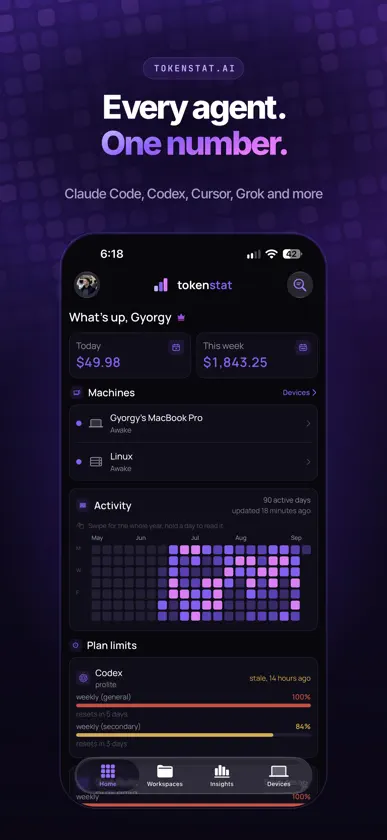
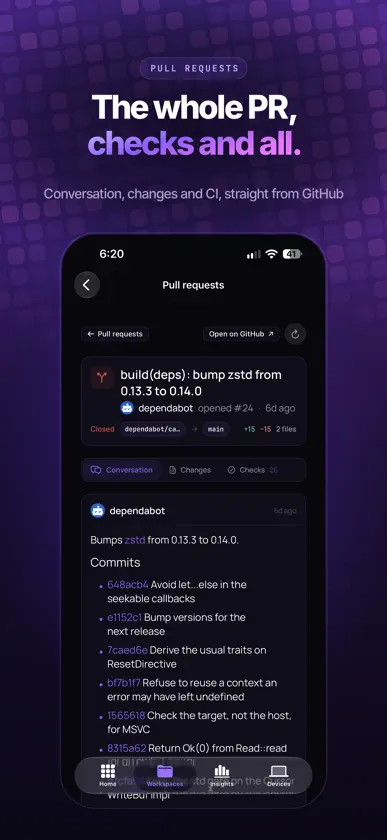
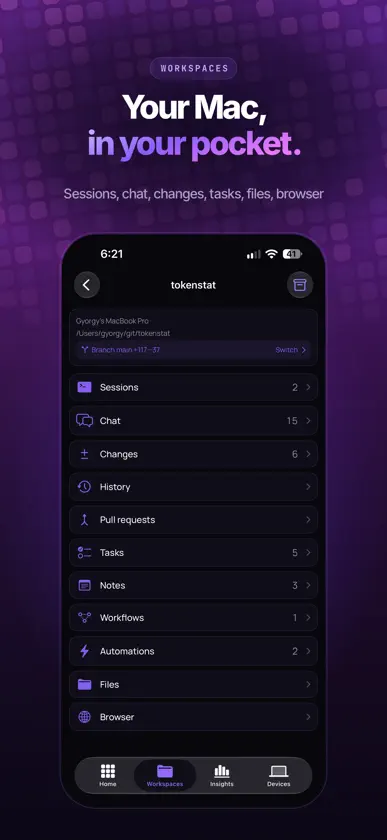
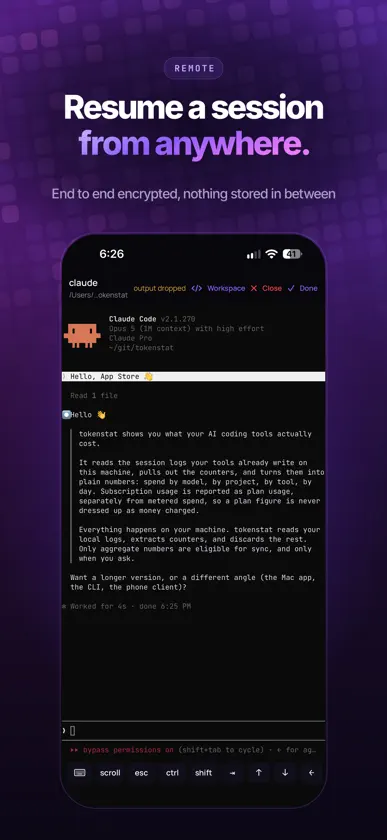
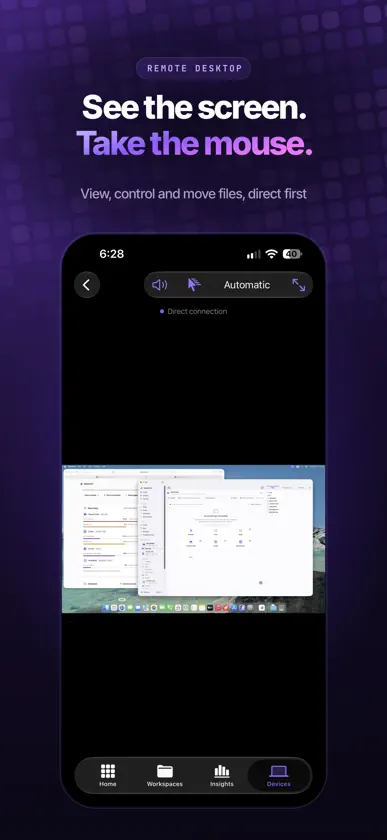
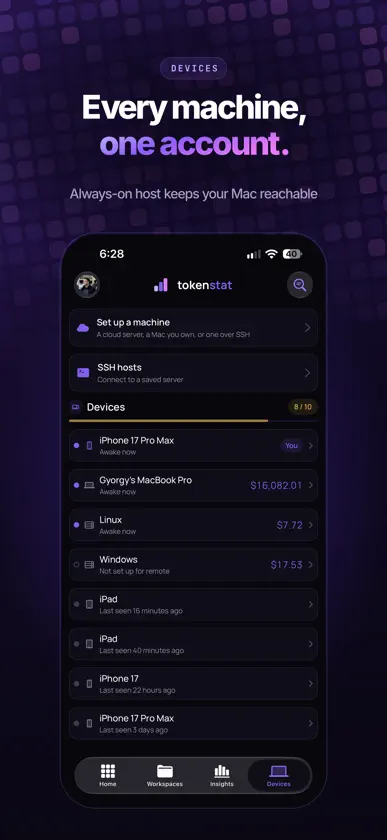
You run several AI coding agents across several machines. tokenstat puts the whole picture in one place: token usage, what each subscription is really worth, and live control of the work while it runs, with end-to-end encrypted connections between your devices. Monitor - A yearly heatmap of your AI usage across every machine and coding agent, with today and this week at a glance. - Breakdowns by model, tool, project, and day, so you can see which agent eats most of your allowance. - See your plan usage at list rates, so you can compare subscription value against API pricing. - Live plan limits for the tools you run, with when each window resets. Reach - See every machine's connection status and reach your online computers from anywhere. - Start a session on any of eighteen coding agents. - Chat with a workspace agent in Plan, Execute, or Ask mode, and switch models mid-thread. - Review diffs, commit, and read pull requests with their conversation and checks. - Tasks, notes, workflows, and automations ride along with each workspace. - Check a running session, or take the screen and drive it: one finger moves the pointer, and a hardware keyboard works as it should. - SSH to any server, from the phone and the iPad. Hosts, keys, snippets, and folders live in the sidebar, imported from your own ~/.ssh/config, from AWS, or from DigitalOcean. - Open a real terminal on your own machines, and start sessions there, on paid plans. - Keep chats and SSH sessions open across iPhone Duo layouts, iPad Split View and Stage Manager. Private by design Usage tracking happens locally on your computers. tokenstat reads session logs, extracts usage counters, and keeps prompts, code and conversation text out of usage sync. Only aggregate usage numbers are eligible for sync, and only when you enable it. Remote connections between your devices and your computers are end-to-end encrypted. The tokenstat relay cannot read their contents. Your synced SSH vault is also end-to-end encrypted. Each device must be approved on the computer it wants to access, with separate permissions for viewing and controlling its screen. Your coding agents continue to communicate with their AI providers under those providers' own privacy policies. The heatmap, the machine list, and live control come from computers already running tokenstat, the Mac app or the CLI. SSH is separate: add a host and you are in, whether tokenstat is on the other end or not. Terms of Use (EULA): https://www.apple.com/legal/internet-services/itunes/dev/stdeula/ Terms and conditions: https://tokenstat.ai/terms Privacy Policy: https://tokenstat.ai/privacy tokenstat by pueev
What's new
Version 1.10.0 · Nov 3, 2026
- Work with several computers at once. Chats, repositories and terminals stay grouped by computer - Start a chat on any approved computer and repository, including a remote folder - Enter a computer's approval code right where you start the chat - Faster terminals, now drawn with Metal - On iPad and iPhone Duo, keep a chat beside a browser, changed files or a terminal - Home takes you back to your latest conversation - Quicker switching between chats - Pull requests load page by page, with status and people filters and partial check results - Open 3D model attachments in chat, and orbit, zoom or download them - Option to use direct connections only, with Direct or Relay shown on each connection - Two agents can run in separate terminals in the same checkout - Closing a new chat returns you to where you opened it
In-app purchases
The most popular purchases on the App Store.
- Pro (Monthly)Subscription₱ 299.00 / month
- Elite (Monthly)Subscription₱ 599.00 / month
- ProSubscription₱ 2,990.00 / year
- PlusSubscription₱ 1,290.00 / year
- EliteSubscription₱ 5,990.00 / year


