
Expressive Go
Smarty Ears
No ratings yetEducationAges 4+
Screenshots




About this app
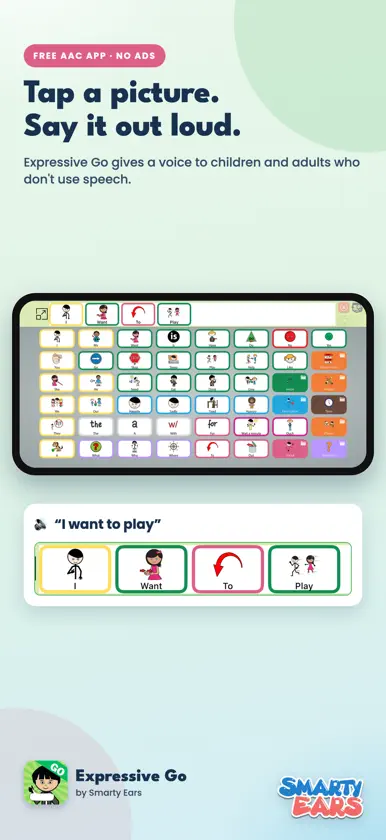
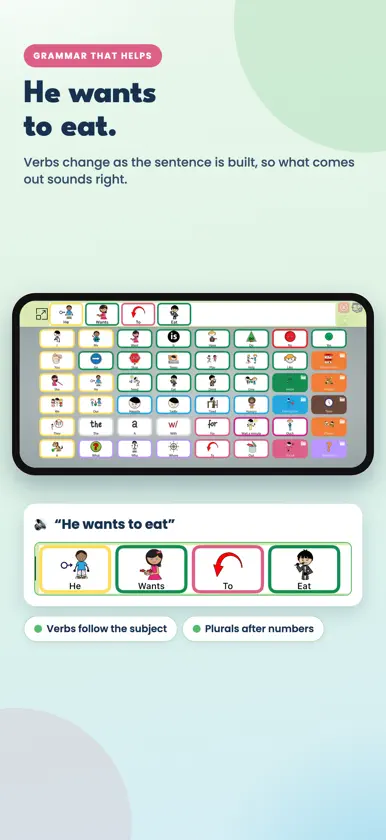
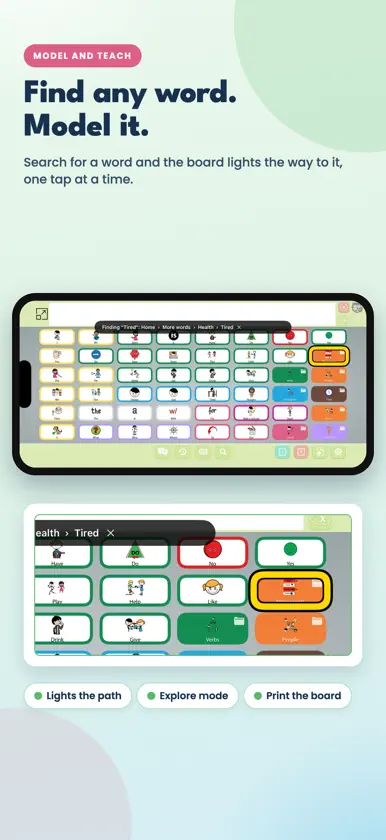
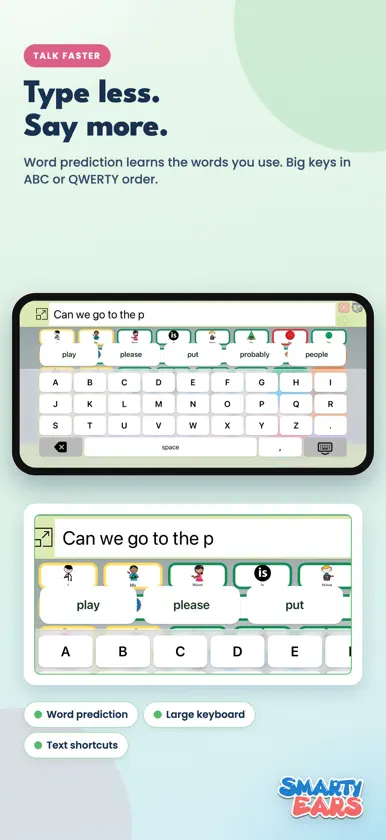
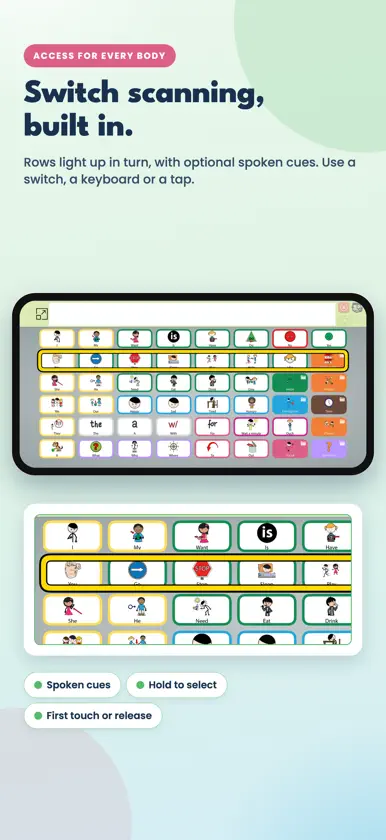
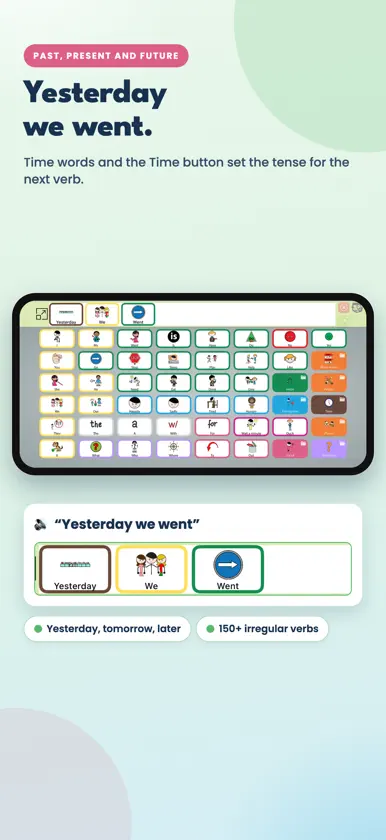
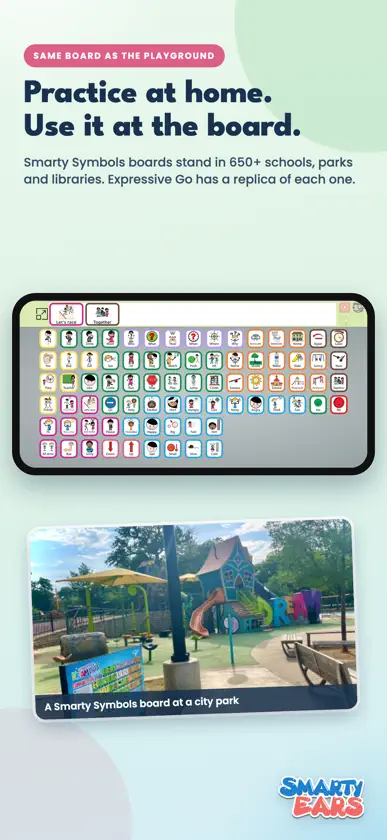
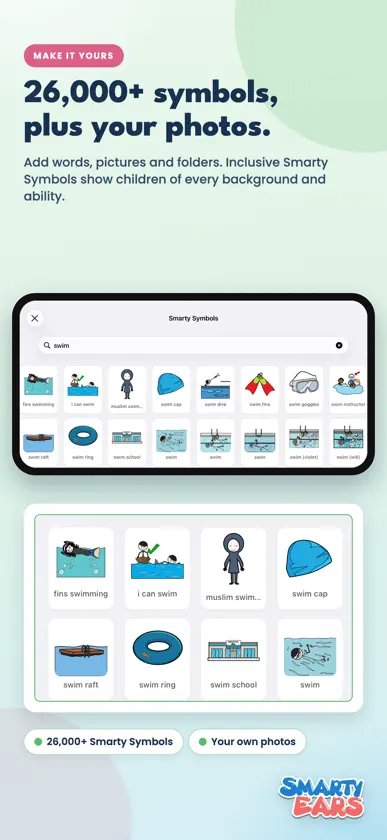
Expressive Go gives a voice to children and adults who don't use speech. Tap pictures to build a message and the app says it out loud, with grammar that helps the sentence come out right. Built for AAC users and the families, teachers and therapists who support them. Every board, every tool and every setting is free. No ads, no subscriptions, no account. GRAMMAR THAT HELPS • Verbs follow the subject: "he eats", "she drinks", "they want" • Time words set the tense: "yesterday" + "go" says "went", "tomorrow" + "go" says "will go" • The Time button switches the next verb to past, future or perfect: "they went", "we will play", "she has eaten" • Plurals after numbers and quantifiers: "2 cookies", "many friends" • "a" or "an" chosen by sound: "an hour", "a uniform" • Adverbs after action words: "run slowly", "talk quietly" • 150+ irregular verbs and nearly 2,000 action words and phrases TALK FASTER • Word prediction that learns the words you use • A large keyboard in ABC or QWERTY order, with letter, word or silent feedback • Text shortcuts: type a short word to get a whole phrase, like a name or an address • Quick phrases with symbols, like Help me please and I need a break, plus your own • Get attention: a chime, then "Excuse me!" • Message history: say an earlier message again • Each word lights up as it is spoken MODEL AND TEACH • Find a word: the board lights the way to any word, one button at a time • Explore mode: buttons speak and light up without adding to the message, for partner modeling • Print any board as a PDF for a paper backup • Hold the message to show it large to a partner, or share it as text and pictures ACCESS FOR EVERY BODY • Built-in switch scanning, row by row, with optional spoken cues. Use a switch, a keyboard or a tap. • Hold to select, from half a second to 2 seconds • Choose buttons on first touch or on release • Ignore accidental double taps • Lock the app so boards don't change by accident THE SAME BOARD AS AT THE PLAYGROUND Smarty Symbols communication boards are installed in more than 650 communities: school playgrounds, city parks, libraries, zoos, water parks and pediatric offices. Expressive Go includes a digital replica of each one, with the same words in the same places, plus a voice. Scan the QR code on the board, practice at home and keep talking after you leave. BOARDS FOR EVERY STAGE • Starter (30 buttons), Growing (48), Advanced (84) and Core (119) • School playground, simplified school playground, city playground, library, water park, zoo and pediatrician room • Fitzgerald Key colors: yellow for people, green for actions, orange for things, blue for describing words. New buttons get the right color automatically. MAKE IT YOURS • Add your own photos, words and folders • Choose from more than 26,000 Smarty Symbols, an inclusive library that shows children of every background and ability • Hide words, change colors, choose the font and where the words sit on each tile • Back up every board and setting to Files or iCloud Drive, and restore on another iPad VOICES • Voices in English, Spanish and Portuguese, with a slow-to-fast speed slider • Use your own Personal Voice • Teach the voice how to say names and words • A button can show one word and say another • Speak words as you tap them, or build quietly and speak the whole message DATA FOR GOALS, PRIVATE BY DESIGN The usage report shows words, messages, word types and most-used words for today, 7 days, 30 days or all time. Share it as a spreadsheet for goals and progress notes. It is off until you turn it on and stays on the iPad. FIND A BOARD NEAR YOU See communication boards at schools, parks and libraries on a map, share them with your school or parks department, and ask for a free quote to bring one to your community. FOUR LANGUAGES Menus and settings in English, Spanish, Portuguese and French. Designed by speech-language pathologist Barbara Fernandes and the team at Smarty Ears. Symbols by Smarty Symbols.
What's new
Version 6.0 · Nov 9, 2026
A big update for AAC users and their teams, and everything is still free. TALK FASTER • Word prediction above the keyboard. It learns the words you use, and they stay on this iPad. • A large keyboard with big keys, in ABC or QWERTY order. • Text shortcuts: type a short word and a space to get a whole phrase, like a name or an address. • Quick phrases with Smarty Symbols: Hi, Help me please, I need a break, I'm finished and more, one tap away. Add your own. • Get attention: a chime, then "Excuse me!" • Message history: say an earlier message again. • Tap anywhere on the message bar to speak the message. • Each word lights up as it is spoken. MODEL AND TEACH • Find a word: search for any word, and the board lights the way to it, one button at a time. • Explore mode: buttons speak and light up without adding to the message, for partner modeling and for exploring. • Print this board: a PDF of the page on screen, for a paper backup. ACCESS • Built-in switch scanning, row by row, with optional spoken cues. Use a switch, Space or Enter, or a tap. • Hold to select, from half a second to 2 seconds. • Choose buttons on first touch, or on release. VOICE • Personal Voice: speak with the voice you created on your iPad. • Voices are labeled by quality, with a tip on getting better voices for free. • Pronunciations: teach the voice how to say names and words. • What it says: a button can show one word and say another. DATA AND PRIVACY • Usage report, off unless you turn it on: words, messages, word types and most-used words, for today, 7 days, 30 days or all time. Share it as a spreadsheet. It stays on this iPad. • A new Privacy page: what Expressive Go keeps, where, and how to erase it. SYMBOLS AND GRAMMAR • Every one of the 26,000+ Smarty Symbols now knows its part of speech, so new buttons get their Fitzgerald Key color automatically. • Duplicate buttons removed from the built-in folders. • Grammar fixes: numbers and "many" no longer make pronouns plural; yes, no and social words never change tense; "can" becomes "has been able to" in the perfect tense. • Typing: a full stop or comma goes right after the word.
More from Smarty Ears


You might also like
 Jellow Plus AACRavi Poovaiah
 ChoicegenicsPooja Kumar
 SFY-LiteSpeak for Yourself LLC
 Flexspeak AACFlexspeak
 Fluent AAC: Communication AppFLUENT AAC TECHNOLOGY S.R.L.
 Evin Assist AACBjork Software Ltd
 Keyguard DesignerProxTalker.com LLC
 Otsimo AAC | Tap and TalkOtsimo
 Verbal AUTISMGlobal Education Development LLC
 CommBoards: AAC Speech & TalkDana Fridman