
Focus Puller
Robert Meakin
No ratings yetPhoto & VideoAges 4+
Screenshots



About this app
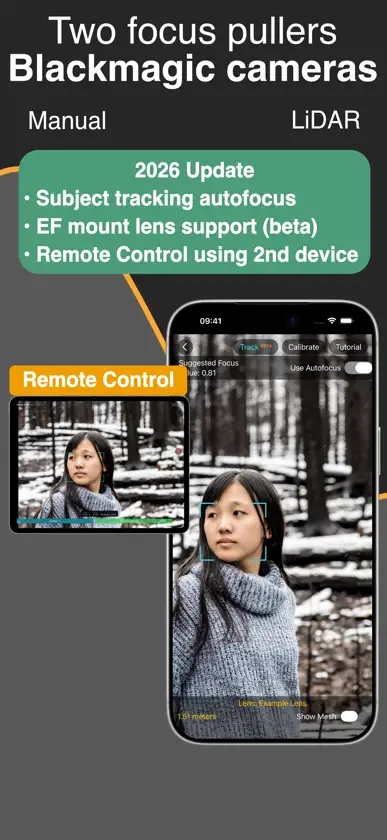
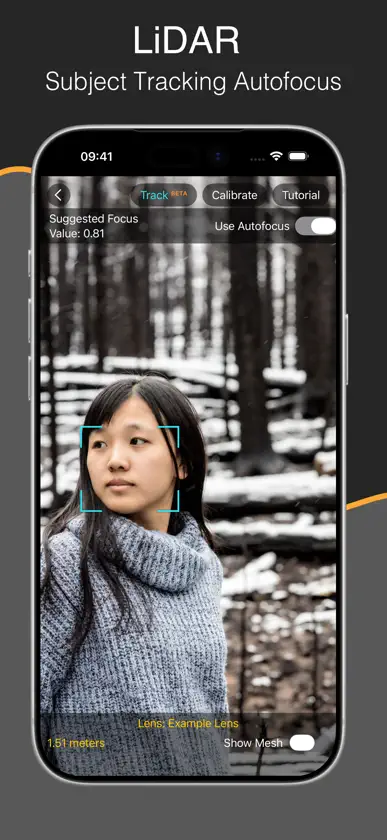
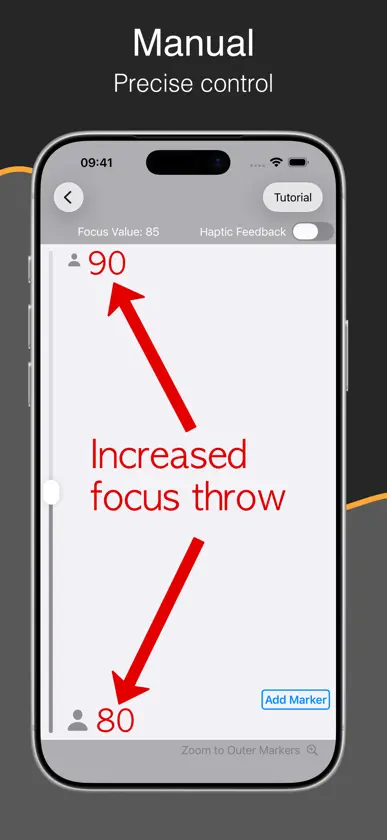
Control focus on your Blackmagic camera over Bluetooth using LiDAR (for auto-focus) or use a manual control. All of the features can be tested for free for an unlimited time. LiDAR FOCUS CONTROL LiDAR Focus Control is available for iOS devices that have a LiDAR scanner. Simply tap a subject on the iPhone screen, or draw a box around something, and the app will follow it and keep it in focus. REMOTE CONTROL Control LiDAR subject tracking using a second device such as an iPad and see a live video stream and the iOS focus device. Tap to track. MANUAL MODE Manual Mode will work with any iOS device and solves a common problem when using stills lenses to shoot moving pictures: a limited focus throw. Using this app, the focus throw can be extended, allowing precise control to match that of a lens designed for a movie camera. Markers and optional haptic feedback allow the focus puller to feel when the focus reaches a set point without having to look at the image, making the experience closer to a traditional focus puller. Both of these solutions mean the focus puller can stand and operate separate to the camera operator.
What's new
Version 1.7 · Jul 9, 2026
EF Mount lens support added in beta for BMPCC 6K and 6K Pro cameras. Remote Control allows a second operator to use another iPhone or iPad to control subject tracking autofocus with a live video feed of the focus device. Tap to focus.
In-app purchases
The most popular purchases on the App Store.
- Unlock Camera RecordingConsumable59,99 zł
More from Robert Meakin


You might also like
 Video AssistAuron Studios Pty Ltd
 f8 Lens ToolkitCadrage GmbH
 NDI MonitorMark Gilbert
 Kelvin NarratorRift Labs AS
 ColourTempHigh Water Films Limited
 Earwig Markerharry Winteringham
 Accsoon GoChengdu Accsoon Technology Co., Ltd
 Move Multi-CamMove.AI
 Mavis Camera: Pro CaptureMavis Broadcast
 CineMeter Pro: Color MeterFarah Aydoni