
Patterning 3 : Drum Machine
Olympia Noise Co.
5.0(1)MusicAges 4+
Screenshots



About this app
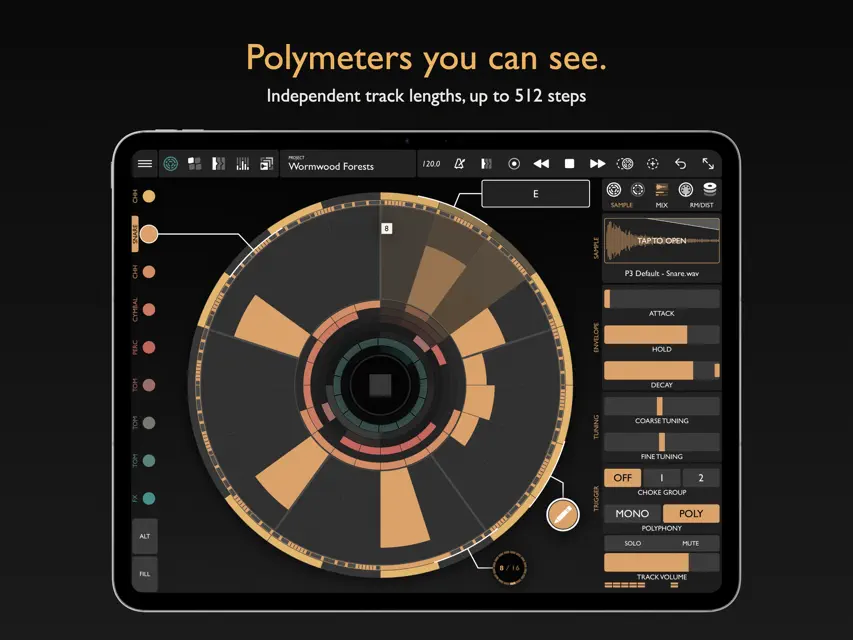
Circular beats, off the grid. Nearly every drum machine and DAW starts you on the same 16-step grid, where the same patterns are always the easiest to reach. Patterning 3 starts you on a circle instead. New ideas come quickly, and you hear rhythms the grid would never suggest. Sketch a simple beat in seconds, or go deep. Every track is a loop on the circle: • Give each loop its own length and hear polymeters drift in and out of phase. • Rotate a loop to move its downbeat and find a new groove. • Add trigger conditions, probability and modulation to build variation into the loop. “Patterning beats any hardware drum machine for polyrhythms and evolving patterns.” — Sound On Sound “10/10” — MusicTech “A UI masterpiece.” — App Store review Patterning has been in development since 2015, and the original was a runner-up for Apple's iPad App of the Year. It's designed by a composer who has taught experimental electronic music for twenty years. CONNECT TO YOUR GEAR • Load it as an AUv3 plugin in Logic, Ableton Live, AUM and more, or use it as a standalone app. Multichannel output and MIDI in supported hosts. • Runs on iPad and Apple silicon Macs. • Sync with Ableton Link, MIDI Clock or your host. • Export audio, MIDI files or a complete Ableton Live Set, or drag MIDI straight into your DAW. • Start a beat in Patterning on your iPhone and keep going here: your iPhone projects open in Patterning 3. NEW IN 3.3 • Trigger conditions: play a step only on certain passes of the loop. • Undo and redo, with a history of every change. • Shift: move a loop's steps one step at a time. • Pattern tiles: switch patterns in full screen from a row of mini previews. GO DEEPER • Loops up to 512 steps, with rotation, auto-rotate and playback modes. • Parametric swing: from slightly off-kilter to wildly erratic, drunken grooves. • Modulation: LFOs, randomization and velocity on most parameters. • Fill patterns: switch to a fill version of any pattern for transitions. • Multiple timelines: build full songs, loop sections and more. • Automation layers: touch a parameter to see and edit its automation on the circle. • FX track: automate and modulate effect parameters over time. • Sampler: pitch, envelope, filter, sends and pan for every track. • Effects: reverb, delay, EQ and a master compressor, plus distortion and ring modulation on every track. • Record, quantize and nudge: record on the drum pads, keep your groove with the nudge layer, or quantize closer to the grid. • 800+ drum kits from the Patterning community. …and more.
What's new
Version 3.3 · Nov 10, 2026
• Trigger conditions: set a step to play only on certain passes of the loop. Requested by the Patterning community. • Undo and redo, with a history of your changes • Shift: move a loop's steps one step at a time • Full screen: switch patterns from a row of tiles with mini previews • Pattern previews in the PATTERNS and TIMELINE editors and on the record pads • Mixer: a moving pulse line for each track • Pen tools: tap to switch between pen and eraser, touch and hold for pen echo • Samples in Dropbox or iCloud folders now download before they load • Plugin fixes: Fill plays every time, several instances stay in time, and host parameters read correctly


