
Countdown Timer Reminder
Farouk Nasser
No ratings yetProductivityAges 4+
Screenshots





About this app
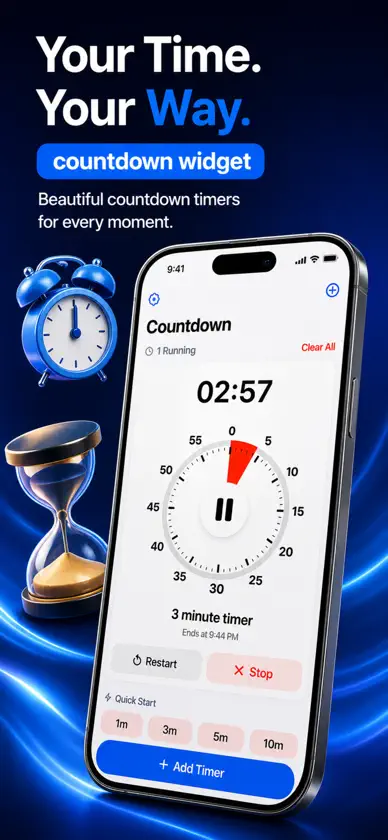
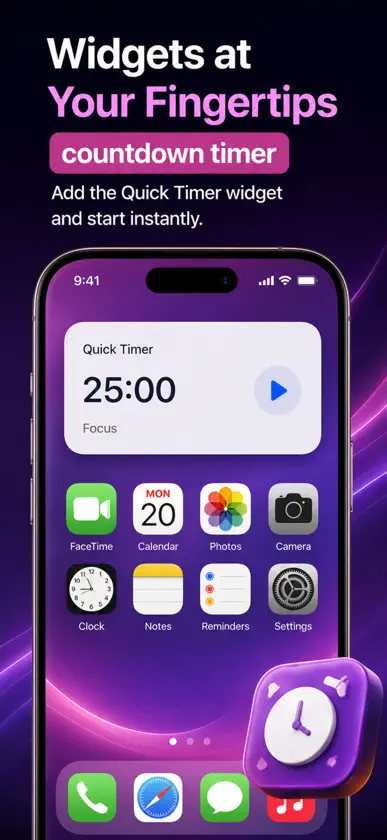
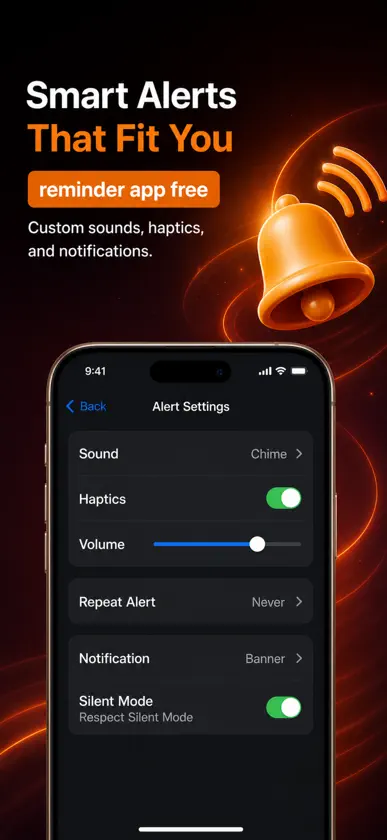
**Countdown Timer Reminder – ¡Mantén el control de tu tiempo y no olvides nada!** ¿Necesitas un temporizador de cuenta regresiva sencillo pero potente para mantenerte al día con tus actividades? **Countdown Timer Reminder** es la solución perfecta para controlar el tiempo y recibir recordatorios de tareas importantes. Ya sea que estés estudiando, cocinando, haciendo ejercicio, jugando o gestionando pendientes laborales, esta aplicación te ayuda a mantener la concentración y cumplir con cada plazo. ### **¿Por qué elegir Countdown Timer Reminder?** Nuestra herramienta intuitiva te permite configurar múltiples cuentas regresivas con alertas personalizadas para que siempre estés al tanto de tus horarios. Además, funciona **sin conexión a internet**, por lo que puedes utilizarla en cualquier momento y lugar, sin depender de una red Wi-Fi o datos móviles. ### **Características principales:** - **Funciona sin conexión** – ¿Sin internet? No hay problema. Configura y sigue tus temporizadores en cualquier lugar. - **Alertas de sonido al finalizar** – Elige entre múltiples tonos de notificación para avisarte cuando el tiempo se agote. - **Notificaciones push** – Recibe avisos incluso si usas otra aplicación o tienes la pantalla bloqueada. - **Alertas por vibración** – Ideal para recordatorios silenciosos cuando no deseas sonido. - **Múltiples temporizadores** – Configura y administra varias cuentas regresivas de forma simultánea. - **Duraciones personalizables** – Ajusta temporizadores en segundos, minutos, horas o incluso días. - **Interfaz fácil de usar** – Diseño simple e intuitivo para una experiencia fluida. - **Pausa y reanudación** – Detén y reinicia tus temporizadores según lo necesites. - **Función de repetición** – Configura cuentas regresivas para reiniciarse automáticamente en intervalos específicos. - **Ejecución en segundo plano** – Los temporizadores siguen corriendo aunque cierres la app. - **Widget para la pantalla de inicio** – Visualiza y administra temporizadores sin abrir la app. - **Etiquetas personalizadas** – Nombra tus temporizadores para una mejor organización. - **Modo oscuro** – Reduce la fatiga visual con una elegante opción de modo oscuro. - **Historial** – Consulta cuentas regresivas pasadas y lleva un registro de tus tareas completadas. - **Reinicio automático** – Programa temporizadores para reiniciarse al llegar a cero. - **Modo bucle** – Crea temporizadores repetitivos para entrenamientos o sesiones de estudio. - **Tonos de alarma personalizados** – Selecciona entre varios sonidos o establece el tuyo. ### **Casos de uso: Cómo te ayuda esta aplicación** - **Sesiones de estudio** – Mantén la productividad con intervalos enfocados y descansos cronometrados. - **Cocina y repostería** – Evita que se queme la comida con temporizadores precisos. - **Sesiones de juego** – Controla tu tiempo de entretenimiento de forma equilibrada. - **Entrenamiento y ejercicio** – Mide tus series, periodos de descanso y rutinas de entrenamiento. - **Meditación y relajación** – Configura temporizadores para guiar tus momentos de atención plena. - **Cuidado del bebé y alimentación** – Lleva el control de los horarios de comida y las siestas. - **Trabajo y productividad** – Establece plazos y mantén la eficiencia en tus proyectos personales o profesionales. - **Recordatorios de medicamentos** – No olvides tomar tus medicinas a la hora correcta. - **Eventos y tareas** – Cuenta regresiva para cumpleaños, reuniones y fechas especiales. - **Planificación de viajes** – Cuenta los días para tu próxima aventura o vuelo importante. - **Bodas y aniversarios** – Sigue el rastro de tus fechas memorables sin esfuerzo. Con **Countdown Timer Reminder**, organizar tus actividades diarias es más fácil que nunca. ¡Descárgala ahora y toma el control de tu tiempo!
What's new
Version 2.0 · Sep 5, 2026
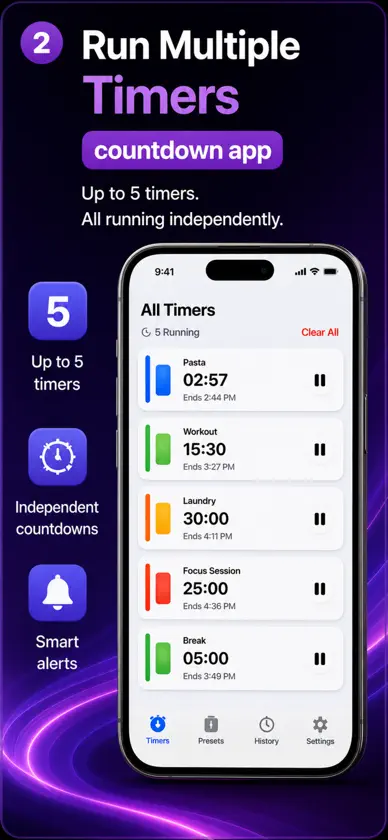
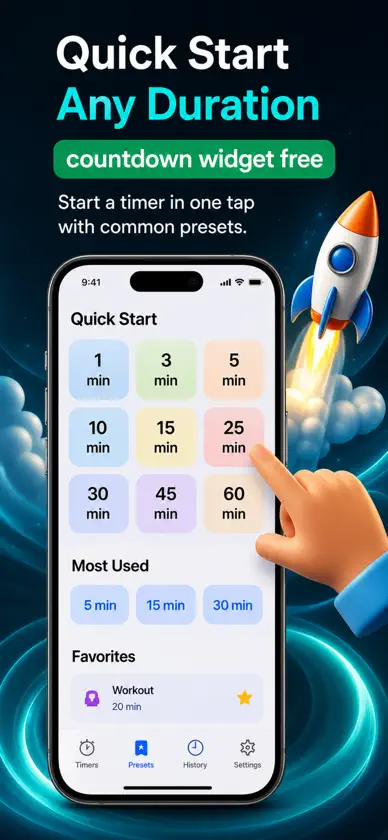
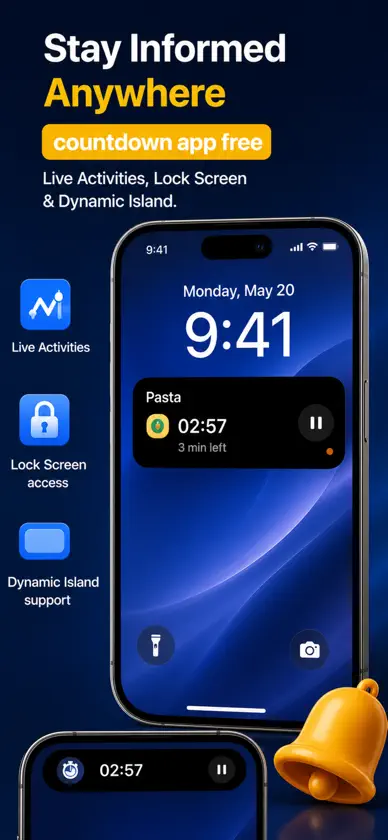
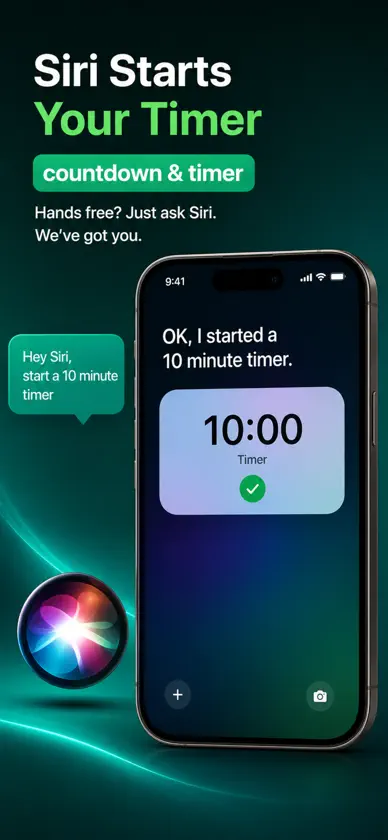
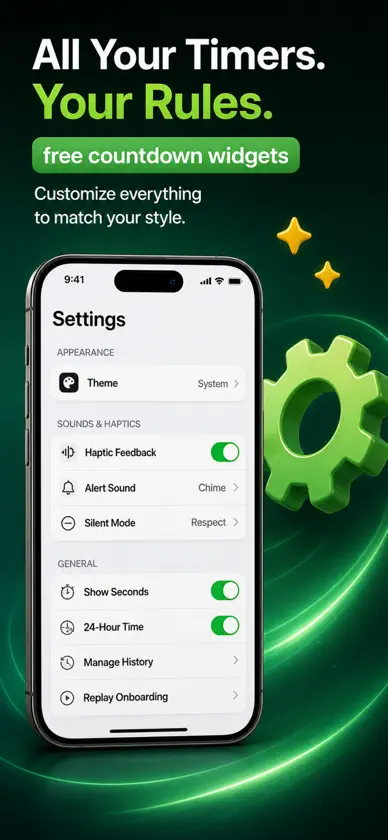
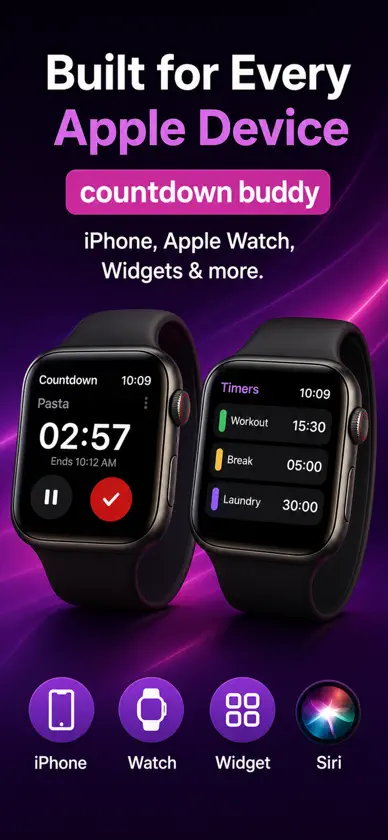
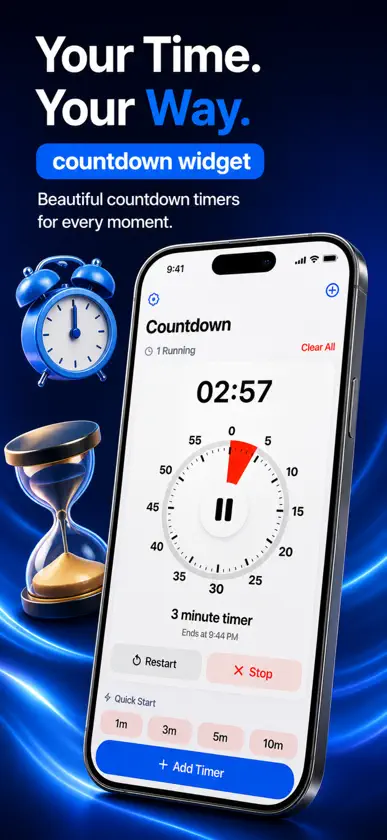
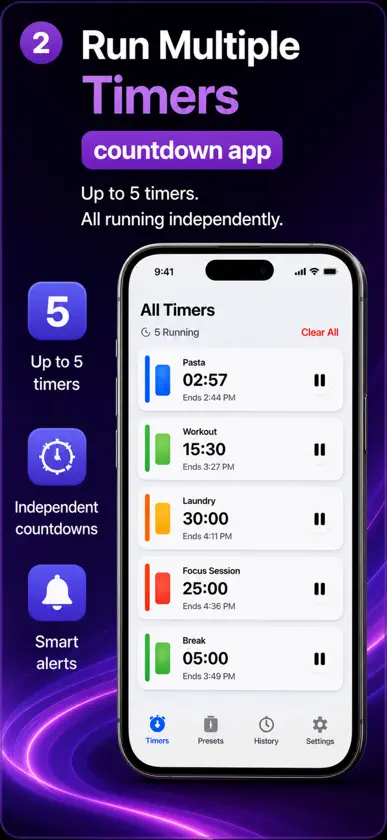
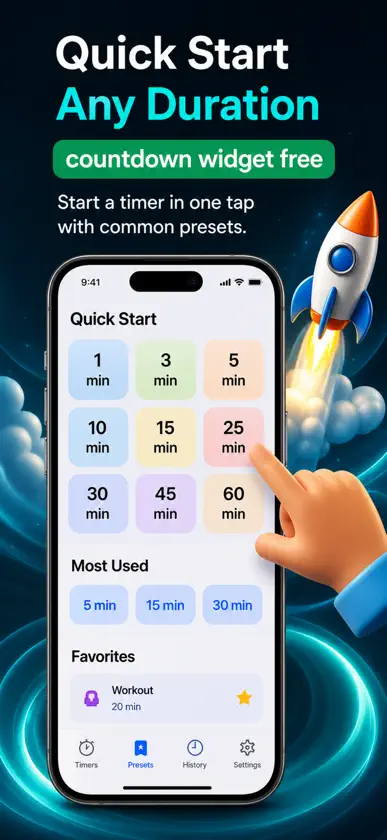
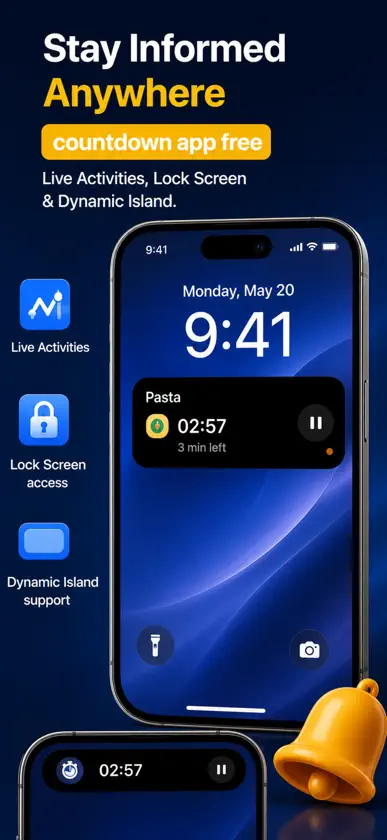
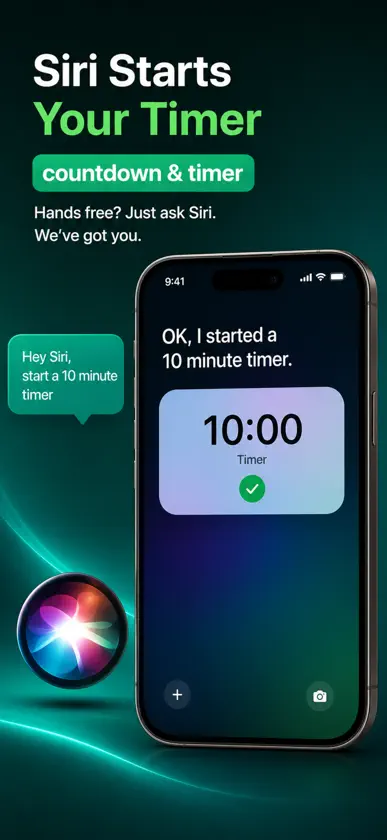
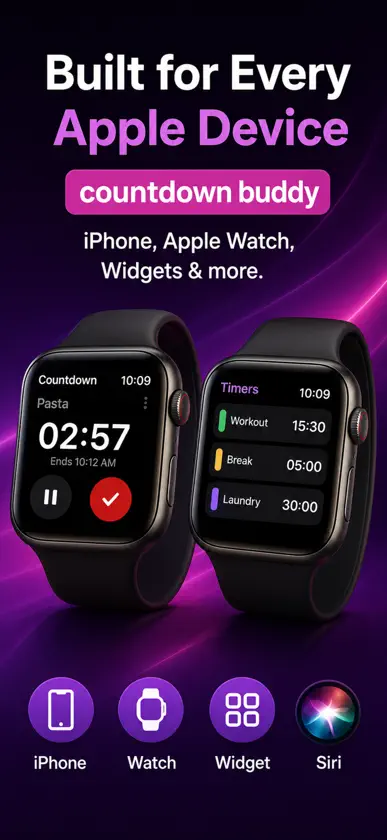
What's New in Countdown Redesigned Dashboard – Your New Home Screen We've completely reimagined the home screen to eliminate empty states and make starting a timer faster than ever. Gone are the days of staring at a blank screen wondering where to begin. Your dashboard now includes: Quick Start Row — Tap any common duration (1, 3, 5, 10, 15, 25, 30, 45 minutes) to start instantly Most Used Section — See your go-to durations ranked by frequency, so what you use most is always within reach Favorites Hub — Star your preferred presets to create a personalized quick-access section Recent Timers — Instantly restart any timer you've used before with one tap, complete with custom labels and exact durations Preset Browser — Browse curated timer collections organized by category (Cooking, Fitness, Work, Focus, Productivity, Breaks, and more) Feature Tips — Subtle, dismissible pointers to features you might not have discovered, keeping the interface clean while guiding discovery The dashboard is intelligent—it learns what you use and adapts to your needs. Whether you're brand new or a power user, there's always a clear path to your next timer. Multiple Concurrent Timers – Run Everything at Once You asked for it, we built it. Now run up to 5 timers simultaneously, each completely independent with its own countdown, custom label, and notification. Perfect for: Cooking multiple dishes at different temperatures Workout intervals where you're tracking rest periods, exercise blocks, and recovery Project management where different tasks need separate deadlines Caregiving situations with multiple time-sensitive activities Each timer displays prominently on your dashboard, sorted by which finishes soonest. Pause one, complete another, add a third—they all manage independently. No more juggling apps or frantically resetting a single timer. Categorized Presets & Favorites System We've organized preset timers into thoughtful categories, making it faster to find exactly what you need without endless scrolling. New features: Smart Categories — Presets organized by use case (Cooking, Fitness, Work, Productivity, Focus, Breaks, and more) One-Tap Browsing — Tap a category to see all relevant presets with descriptions Star System — Mark any preset as a favorite to pin it to your dashboard's dedicated Favorites section Sync Across Devices — Your favorites follow you from iPhone to iPad to Watch via iCloud Whether you're a fitness enthusiast timing HIIT workouts or a home cook perfecting your recipes, finding the right preset is now faster and more intuitive. Interactive Onboarding Flow First-time users now get a beautifully animated, interactive introduction to Countdown's key capabilities. The onboarding flow gently guides you through essential features without overwhelming, then steps aside so you can work. Onboarding covers: Quick-start timer creation Multiple concurrent timers Lock Screen Live Activities Widget installation Siri voice control Favorites and presets You can replay the onboarding anytime from Settings if you want to rediscover features or show someone else how Countdown works. Apple Watch App – Timers on Your Wrist Countdown now comes to your Apple Watch, giving you full timer control without reaching for your iPhone. Watch app features: Display Running Timers — See all active countdowns on your wrist, with the soonest-to-finish timer prominent Full Controls — Pause, resume, and complete timers directly from your Watch Haptic Feedback — Feel when timers complete with subtle haptic alerts Automatic Sync — Changes on your Watch instantly reflect on iPhone and vice versa Standalone Operation — Start timers, view history, and manage countdowns without your iPhone nearby Complication Support — Glance at timer status from your watch face Whether you're cooking with your hands full, at the gym, or in a meeting, your timers are always on your wrist.
In-app purchases
The most popular purchases on the App Store.
- Premium WeeklySubscriptionUSD 0.99 / 7 days
- Premium MonthlySubscriptionUSD 2.99 / month
- Premium YearlySubscriptionUSD 29.99 / year
More from Farouk Nasser


You might also like
 Restart TimerSei Tamura
 Routine Note: Habit TrackerSEIGOU MITSUTAKE
 Rin - 集中タイマーYuka Kubo
 Simple Timer and CountdownYannick Verhoeven
 TEMBO ESTATEMashauri Salumbo
 表めも - チェックリスト・買い物メモTERUHA
 Studydown: Enfoque y tiempoGuan Feng Lai
 TimerVana Share Complex TimersGrant Olsen
 Arcora: Agenda Visual Diariauh-creations
 FocusTasksRoku, K.K.