
DeskOS
Mazen Al-Ashbi
No ratings yetProductivityAges 17+
Screenshots



About this app
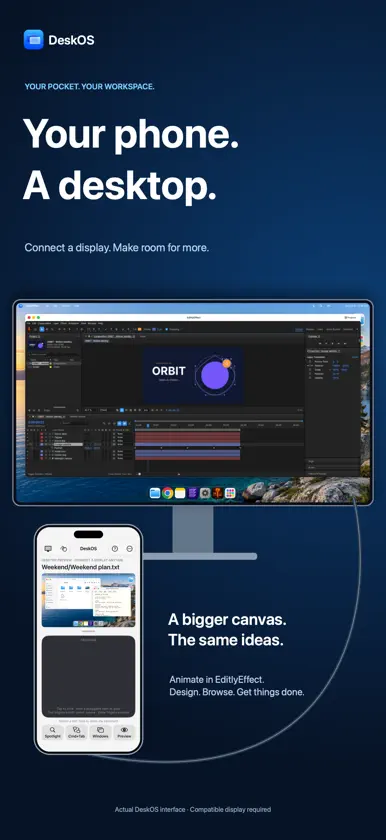
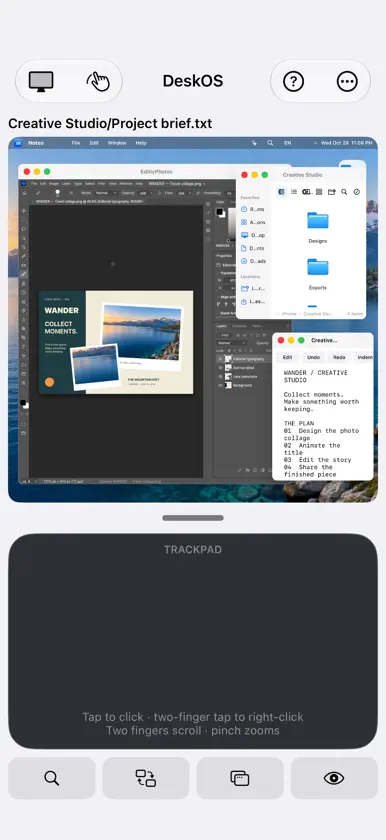
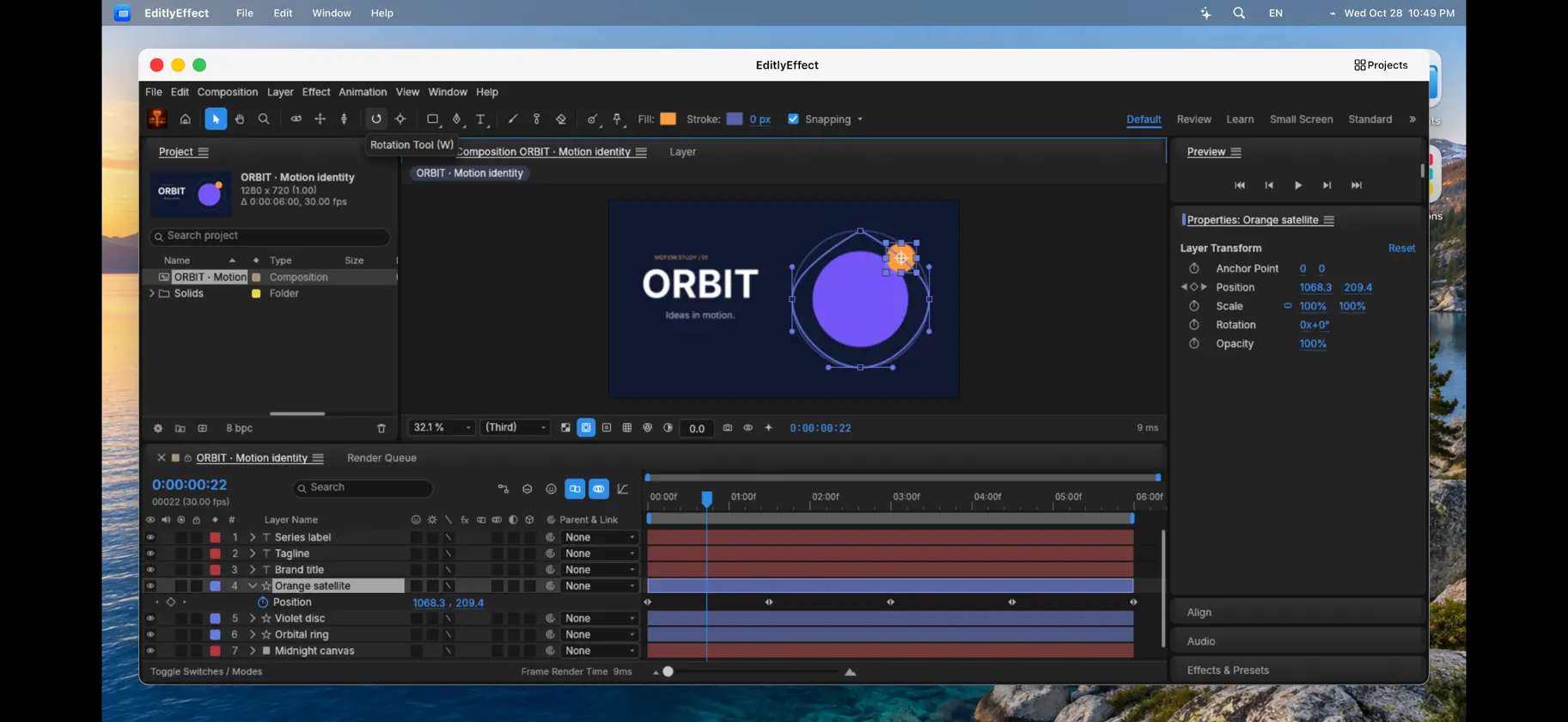
Unfold your next big idea. DeskOS brings files, a browser and creative tools together in a flexible desktop workspace. MADE FOR A FLEXIBLE SCREEN On iPhone Duo, partially open the device for a desktop above the fold and a laptop-style keyboard and trackpad below. Open fully for a full-screen desktop with movable keyboard and trackpad panels. On other phones, adjust the desktop preview and trackpad balance, or use landscape Desktop mode. Connect a compatible external display for a larger workspace. CREATE IN ONE PLACE • Editly Pro: choose Simplified for familiar multitrack editing, captions, color, sound and MP4 export. Choose Advanced for a fuller timeline workspace, effects, audio mixing and supported interchange formats. The two workspaces use separate project formats. • EditlyPhotos: combine photos and text, edit layers, open supported PSD projects, and save or export your work. Standard PSD imports support up to 512 MB, subject to decoded-layer memory limits. PSB is not supported. • EditlyEffect: build motion compositions with layers, shapes, text, effects and keyframes. Export supported compositions as MP4 or transparent MOV on your device. • EditlyRoom: import supported photos and camera RAW files for editing. RAW support and performance depend on format and device memory. • EditlyVector: create vector artwork with paths, shapes, type, layers and illustration tools. Save editable projects and export supported vector or image formats. Find saved creative projects in each editor and in Files. Projects and exports have their own app folders. A PERSONAL AI ASSISTANT Connect a supported personal OpenAI or Anthropic API account for help in the selected app. Choose a model, follow up with instructions, and use supported creative actions, file organization and browser form controls. Email sending requires your review. Available actions vary by app; direct vector-editing actions are not included. Interrupted requests can reconnect without repeating completed edits. iOS may suspend work when you leave DeskOS; return to continue. Force-quitting stops local execution. There is no cloud execution service. FILES AND DOCUMENTS Browse local documents and folders you choose to link. Preview images, video, audio, PDFs and supported Office files. Edit UTF-8 text and code. Add text and signatures to PDFs, print, and save a separate copy. Extract supported ZIP and RAR archives. Copy Gallery items into folders and save compatible media to Photos. BROWSE AND MULTITASK Arrange windows side by side, minimize to the Dock, use desktop search, bookmarks and browser tabs. See download progress and history, reveal downloads in Files, and use compatible upload controls. Adjust Dock size or toggle automatic hiding from its contextual menu. Open built-in tools and website shortcuts from Applications. WORK YOUR WAY Move, click, scroll, drag and resize from the trackpad. Use two-finger secondary clicks, a keyboard, and supported Command shortcuts. The Duo laptop deck includes F1–F12 and a wider trackpad with side controls. USB-C, HDMI and system screen mirroring require compatible hardware. GOOD TO KNOW DeskOS contains its own tools and website shortcuts; it cannot run arbitrary installed apps in its windows. Keep DeskOS active for an external display. Mouse input depends on iOS events; AssistiveTouch may be required. Website sign-in, uploads, media, DRM and editing support vary by provider. AI is optional and requires internet, consent to share selected content and a supported personal API account. Provider charges apply. Consumer chat subscriptions do not include API access. AI can make mistakes; review results. Conversation and recovery data are stored locally and may be summarized. Projects use local storage; referenced media must remain available. Complexity is limited by device memory. Effect movie exports support up to a 1920-pixel longest edge and 60 fps. Caption models download on first use.
What's new
Version 1.1.6 · Nov 8, 2026
A clearer workspace, smoother typing and an updated EditlyRoom. • Improved connected-keyboard Backspace handling and browser sign-in controls, with one Hide Keyboard button. • Updated EditlyRoom branding, reduced preview memory use, and removed demo photos while preserving imported photos. • Mac Connect remembers the account after a successful connection and lets you switch accounts. • Get an update reminder when a newer public DeskOS version is available. • Choose System, Light or Dark appearance and set up your Dock with a visual preview. • Improved keyboard, trackpad, floating-panel and Duo layout controls. • Mac Screen Sharing can fill the desktop, with a side button to return. • Improvements to external-display handoff, creative tools and memory notices. • Removed retired game tools. Existing saved files are preserved. AI remains optional and can be skipped during setup.
More from Mazen Al-Ashbi


You might also like
 Type Notes: Classic PaperJesus manuel Curreri
 PaslyAntoniel Mariano
 NoteTalk AI Notes & MeetingsRoberto Joseph
 /call-meSerdar Oztetik
 Stellata: Guardar enlacesAbdullah Alkhatib
 InfiniteX2P Pro — Desktop ModeJoonwoo Kim
 opchat: IA Privada en MóvilPrzemyslaw Klosek
 Juno: AI That Books by PhoneTrugen AI Inc
 Fragmentos - Snippet Kit100 Factories
 Homizy KeySofia SRL