
DocOne Express
ANTONIO PADALINO
No ratings yetProductivityAges 4+
Screenshots


About this app
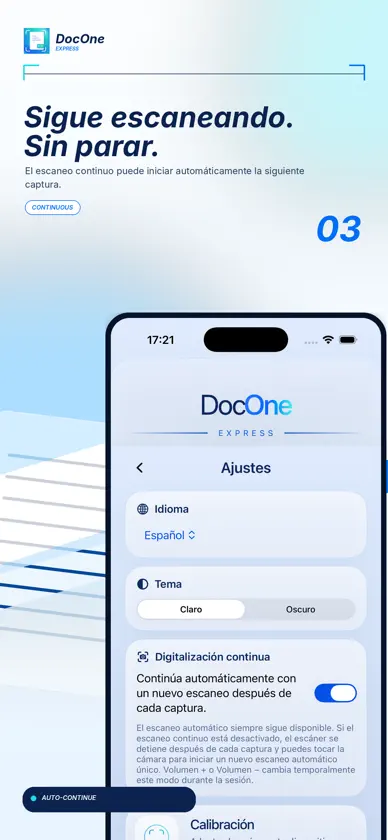
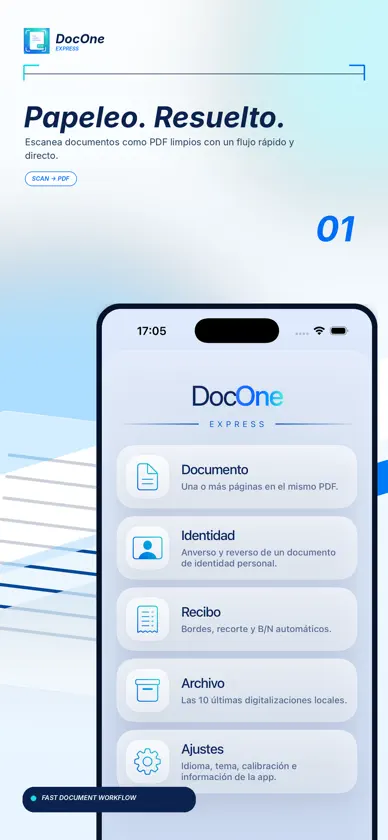
ESCANEA. GUARDA. LISTO. DocOne Express convierte tu iPhone en un escáner de documentos sencillo y eficiente. Escanea documentos, recibos y documentos de identidad, corrige el recorte y la perspectiva y crea PDF multipágina listos para guardar o compartir. TODO LO QUE NECESITAS • Escaneo de documentos y hojas de papel • Modos específicos para recibos y documentos de identidad • Detección de bordes • Corrección de recorte y perspectiva • Filtros para mejorar la legibilidad • PDF multipágina • Reordenación de páginas • Almacenamiento local en el dispositivo • Exportación y uso compartido de PDF TUS DOCUMENTOS SE QUEDAN EN TU IPHONE No necesitas crear una cuenta ni confiar tu archivo de documentos a un servicio en la nube. Puedes guardar tus documentos directamente en tu dispositivo. SIN SUSCRIPCIÓN DocOne Express es una herramienta, no otro servicio por el que tengas que pagar cada mes. Compra la app y úsala cuando la necesites. SIMPLE POR ELECCIÓN DocOne Express está diseñado para hacer bien una cosa: convertir rápidamente lo que tienes delante en un PDF limpio, organizado y listo para usar. Sin interfaces sobrecargadas. Sin pasos innecesarios. Abre. Escanea. Guarda. Listo.
What's new
Version 1.3.0 · Nov 1, 2026
PDFOne integration: you can now start a scan from PDFOne and import the scanned document directly as a PDF. More reliable transfers: improved communication between the two apps, with import confirmation and the ability to retry interrupted transfers. Consistent scan options: Document, ID and Receipt modes are also available when starting a scan from PDFOne. Improved document cropping: new checks of all four edges of the photo help identify the document boundaries more accurately. Better handling of angled documents: improved corner detection and additional checks help limit unwanted distortion. Less unwanted background: a new check helps remove dark background strips below documents when they can be clearly identified. Portrait-only interface: the app stays in portrait orientation on iPhone, even when you rotate your device. Optimized camera guidance: unnecessary visual updates have been reduced while framing documents. Improved accessibility: return-gesture animations now also respect the system's Reduce Motion setting.
More from ANTONIO PADALINO


You might also like
 Minder: Pomodoro para estudiarMatthew Busel
 PaperDraftConnor Julian-Golding
 FrameSlim: Comprimir Videos姣萍 黄
 Convertidor PDF: Escáner y OCR振训 池
 Narration RoomStefan Schmitt
 FDVLUIS ALBERTO AGUIRRE ABARQUERO
 Maskable - 图像标注&智能打马赛克培茂 程
 Droppp - Transferir archivosPixelBrick
 KurzgedachtChristoph Fahlbusch
 Scooch - Room & Floor PlannerEmils Ozols