
Screenshots



About this app
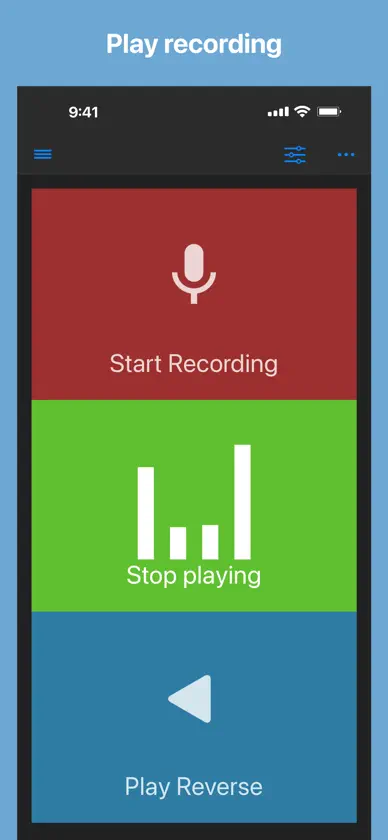
Record, listen, and reverse your audio with just a tap! Easily record audio from your microphone and play it back forwards or in reverse. How it works: 1. Record sound using your device’s microphone 2. Play the recorded audio normally or reverse it for a unique listening experience Perfect for fun, creative projects, or audio experimentation! When playing audio, you can change - playback rate (Range: x0.5 to x2.0) - pitch by a half tone (Range: -2 octave to +2 octave) This app can import an audio file from other apps by share action or from Files app. Supported files: wav, mp3, mp4, m4a, aifc, aiff, caf, flac Saved audio files are also accessible from Files app: Files app -> On My iPhone/iPad -> Reverse Play -> Audio Enjoy! If you have suggestions to improve, just rewrite a review. I will do my best!
What's new
Version 3.8.0 · Nov 8, 2026
■ 3.8.0 - Support iPhone Duo - Minor improvements・Update SDK Still using this app for reverse singing? Have you found any other fun or interesting uses? Let me know in your review! If you're not sure what to do with this app, try recording the word "Famima" and then playing it in reverse. (By the way, Famima (short for FamilyMart) is a Japanese convenience store chain.) Appreciate your reviews. If you haven't already and you like the app, please leave a review. Your feedback is valuable to me! If you're experiencing difficulty with recording, try restarting your device. If you're using headphones, ensure they are connected *correctly*; this may resolve the issue. If not, you could give me an email via App Support → Scroll down to Contact.
In-app purchases
The most popular purchases on the App Store.
- Barista SpecialConsumableUSD 9.99
- Large CoffeeConsumableUSD 4.99
- Medium CoffeeConsumableUSD 2.99
- Small CoffeeConsumableUSD 1.99
- Remove AdsConsumableUSD 4.99
More from Nobutaka Yuasa


You might also like
 Reverse SingingCalico Studio Inc.
 Reverse Audio Singing TrendOussama Chariffi
 Reverse Audio: Reto CantarVarMeta
 Reversa Audio - Canta & GrabaAgile Apps LLC
 Reverse Singing: Fun AudioHuong Hoang
 Reverse Audio PlayDino Apps
 Reverse Singing Fun ChallengeNGUYEN QUY SON
 Reverse Audio: Funny VoiceHai Nguyen Minh
 Reverse Singing Audio PlayTech Consolidated Inc
 Mixy - Make MashupsMixy