
IV Push Timer
Michael Gibson
No ratings yetMedicalAges 4+
Screenshots







About this app
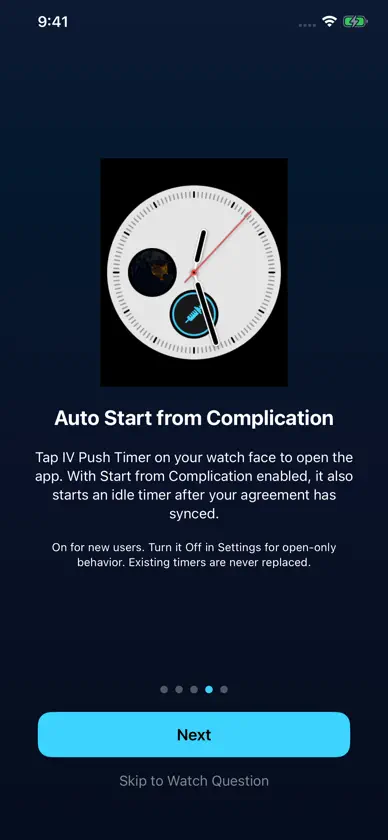
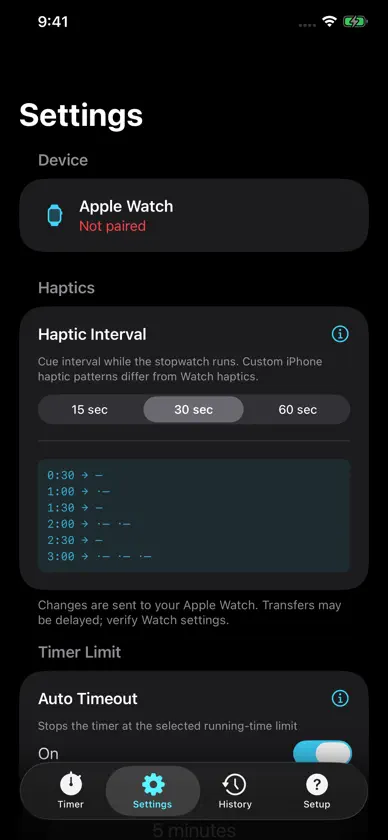
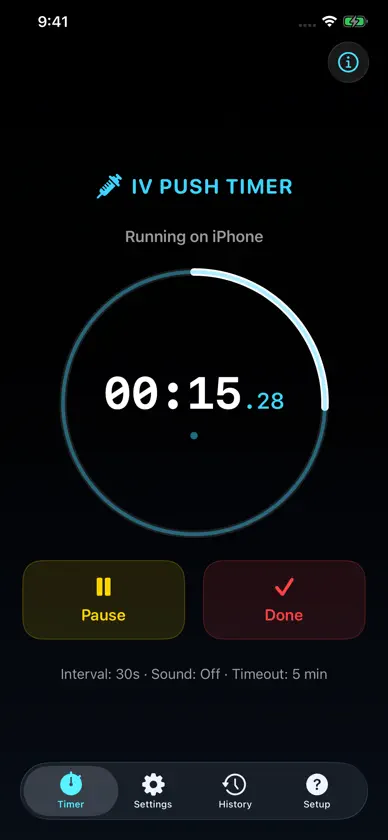
IV Push Timer brings haptic interval cues to your Apple Watch, with fewer repeated screen taps and clock checks. Instead, the user can FEEL when to continue, keeping their eyes focused on the task at hand. An independent iPhone stopwatch lets you time on your phone too. IV Push Timer - Feel the Push Built by a Flight Nurse FEATURES - Independent stopwatches on Apple Watch and iPhone, with pause, resume and completion controls - Configurable 15, 30 or 60 second haptic intervals and optional audio tone queue - Custom iPhone haptic patterns, which differ from standard Apple Watch vibrations - History with timestamps, durations, and iPhone or Apple Watch origin symbols - Dark, Neutral, and Light appearance choices - Auto Timeout: Off or 1 through 10 minutes. It ends the active timer after the selected amount of running time; paused time does not count. - Optional Keep Screen Awake During Timer on the iPhone companion timer - Guidance for Watch face complications, notifications and Apple Watch Ultra Action Button setup with a bundled Shortcut - Separate Shortcut and complication Auto-Start controls - Offline safety information, Terms of Use, and Privacy Policy KEEP SCREEN AWAKE This iPhone option is Off by default. When enabled, it prevents Auto-Lock only while the iPhone timer runs in the foreground. Pausing, finishing, timeout, turning the option Off, leaving the app or a timer-service error restores normal Auto-Lock. Manual locking still works. Keeping the display on uses more battery. This option does not keep Apple Watch awake or enable background haptics. IMPORTANT LIMITATIONS Use an independent timing method for verification. Timing, display updates, haptics, audio and notifications may be interrupted, delayed or unavailable. Keep the app open for foreground iPhone cues. watchOS controls Watch display sleep and runtime; wake the Watch and verify its actual timer state and elapsed time. Active timing does not recover after app termination. Timer records and settings are stored locally, with the paired-device transfers, not on a developer-operated server. Apple services and backups have separate settings and policies. Do not send patient information to support. IV Push Timer is for simulation only, not real patients or actual patient care. It does not assess patients, calculate doses or rates, recommend medication-specific durations, or replace clinical judgment, orders, protocols, monitoring, or facility policies.
What's new
Version 1.3.1 · Nov 9, 2026
Version 1.3.1 adds an independent iPhone stopwatch and clearer setup. - Run, pause, resume and complete a stopwatch on iPhone - Identify iPhone and Apple Watch records with origin icons in History. - Choose 15, 30 or 60 second haptic intervals, with custom foreground iPhone patterns and optional sound. iPhone cues are not identical to Watch vibrations. - Optional Keep Screen Awake During Timer prevents iPhone Auto-Lock only during a foreground running timer. It is Off by default. Pausing, finishing, timeout, turning it Off, leaving the app or a timer-service error restores normal Auto-Lock. Manual lock still works. Keeping the display on uses more battery and does not enable background haptics or keep Apple Watch awake. - Updated Watch complication guidance and optional Apple Watch Ultra Action Button setup with a bundled Shortcut. - New installs default Sound On and Auto Timeout On at 5 minutes. Existing choices are preserved. Auto Timeout offers Off or 1 through 10 minutes and excludes paused time. Shortcut Auto-Start and complication Auto-Start remain separate.
More from Michael Gibson

You might also like
 Shift: Nurse Burnout TrackerLiridon Tahiraj
 Rapid Log: CCT EditionNicholas Keene
 AfterCallAfterCall LLC
 Pocket Nurse ToolsStephane Rodriguez
 IntuBladeIntublade Co.
 Critical Care ToolsKristopher Foote
 Schertz EMS SMOPsCity of Schertz (municipal Office)
 TaskRNIntuitive RN LLC
 Bodytek FitnessBodytek Fitness
 Elite Pro CoachRodriguez and Silva Corp