
PythonIDE Python 3 Code Editor
文禄 张
No ratings yetDeveloper ToolsAges 4+
Screenshots



About this app
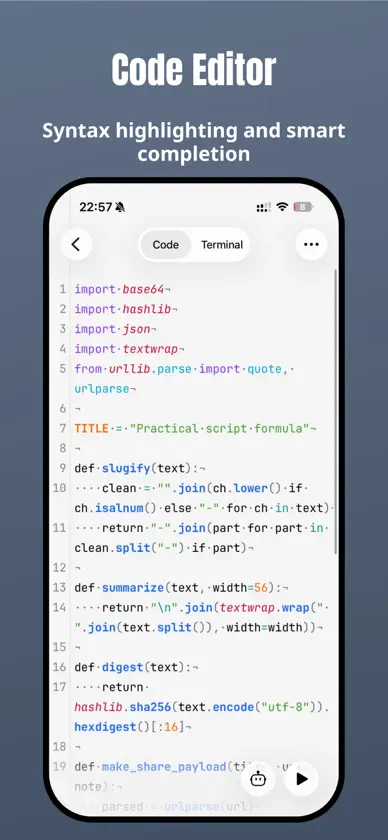
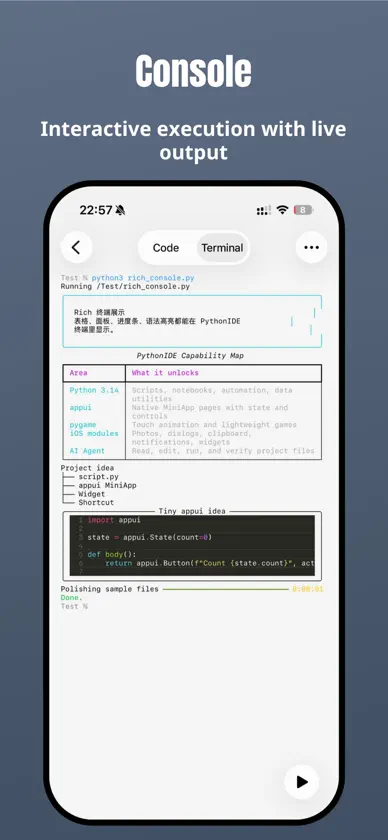
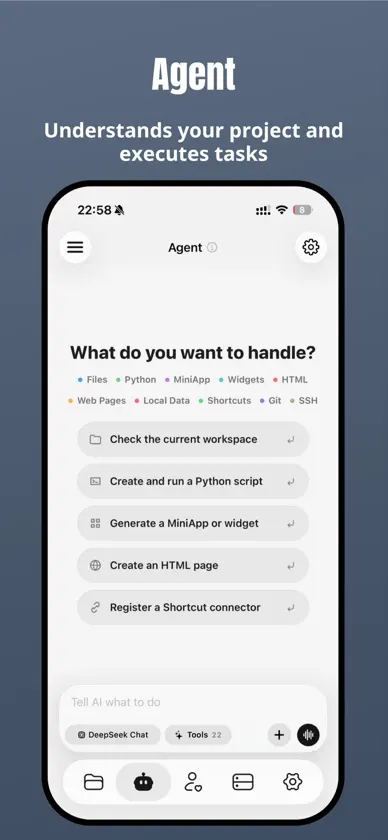
Your ideas. Your code. Your iPhone and iPad. PythonIDE brings local Python, notebooks, web projects, native MiniApps and remote development into one workspace. Learn a language, explore data, build a useful tool or work on an existing project wherever you are. PYTHON, FROM EDITING TO DEBUGGING • Run Python 3.14.10 locally without a remote server. • Work with syntax highlighting, completion, multiple files and project folders. • Use interactive input, script arguments, ANSI/Rich terminal output, images and charts. • Investigate problems with breakpoints, stepping, call stacks and a variable viewer. NOTEBOOKS THAT KEEP YOUR THINKING WITH YOUR CODE Open and edit .ipynb files, run Python cells, and combine Markdown notes with results. View rich output including HTML, images and plots. HTML / CSS / JAVASCRIPT Build multi-file web projects with live page and style previews. HTML/CSS includes offline completion, formatting and relative resource path suggestions. Load local images and scripts, then use the built-in console to inspect console messages, resource loading, Promise and fetch errors. 50 BUNDLED NATIVE EXTENSION PACKAGES Start with 50 third-party distributions containing C/C++/Rust native extensions for scientific computing, data analysis, imaging, machine learning, media and cryptography. Libraries include NumPy, pandas, Matplotlib, SciPy, scikit-learn, OpenCV, Pillow, pygame, h5py, PyAV, MLX, tokenizers, safetensors, SentencePiece, cryptography and lxml. Install compatible pure Python packages through the package manager. EXPLORE ON-DEVICE COMPUTING WITH MLX Use MLX for arrays, automatic differentiation and training. With compatible higher-level packages and model weights obtained separately, explore local model inference from Python scripts. MLX.md in the examples folder includes array, training, tokenisation and model-file examples. MLX requires iOS 17 or later; model weights are not preinstalled. BUILD NATIVE MINIAPPS WITH PYTHON Use AppUI to combine native lists, forms, charts and navigation with Python logic. Organise projects with file tools, import/export and native capability interfaces, subject to system permissions. AN AI AGENT THAT WORKS WITH YOUR PROJECT Get help writing and editing files, running code, analysing errors and working through multi-step tasks with project context. Extend workflows with Skills and MCP. Tool access follows the app's permission and confirmation settings. SSH / SFTP / GIT AND YOUR FILES Connect to SSH with passwords or keys and host fingerprint verification. Browse, edit and transfer SFTP files. Work with Git status, diffs, staging, commits, branches, remote synchronisation and conflicts. Access WebDAV, Files and iCloud Drive. WIDGETS, AUTOMATION AND DEVELOPER TOOLS Create Python widgets and connect scripts to Shortcuts and automation. Discover and share community scripts, publish web projects, and use JSON, regex, encoding, HTTP, QR and download tools, plus SQLite/CSV previews. Some features require Pro. AI, community, remote connections and online publishing need internet access. AI services may require separate credits or your own API key. Packages, models and system capabilities depend on compatibility, device support and permissions. Terms of Use: https://www.apple.com/legal/internet-services/itunes/dev/stdeula/ Privacy Policy: https://pythonide.xin/privacy/
What's new
Version 1.7.8 · Nov 8, 2026
Version 1.7.8 brings more on-device computing to your everyday workflow. • Added MLX, tokenizers, safetensors and SentencePiece for arrays, automatic differentiation, training and compatible local model workflows. MLX requires iOS 17 or later; obtain model weights separately. • Bundled h5py and PyAV for HDF5 data and audio/video processing. • Added MLX.md in the examples folder with array, training, tokenizer and model-file examples. Existing installations receive it once, preserving same-name files and your edits. • Improved swipe switching between Python/JavaScript code and the terminal, with switching vibration removed. • Fixed Agent file reads incorrectly rejecting empty unused parameters and improved invalid-request recovery. • Improved compatibility when running ordinary scripts after importing model-related libraries. • Fixed task interruptions caused by OAuth credentials becoming unreadable after locking the device. • Added in-app release notes, update history and version checks. • Improved AI send-button and download-button contrast in dark themes. • Refined interface copy in ten languages for Git, MiniApps, file sharing, data previews, web publishing and settings.
In-app purchases
The most popular purchases on the App Store.
- PythonIDE Pro YearlySubscription12,99 € / year
- PythonIDE Pro MonthlySubscription1,99 € / month
- PythonIDE Pro LegacyConsumable8,99 €
- PythonIDE Pro LifetimeConsumable24,99 €
- Feed Dev PoopConsumable0,99 €
- Donate · Bubble TeaConsumable0,99 €
- Donate · LollipopConsumable0,99 €
- Donate · Chicken LegConsumable0,99 €
- 200次调用包Consumable2,99 €
- 500 AI Calls PackConsumable8,99 €
More from 文禄 张


You might also like
 pythoni-run code,autocomplete小文 黄
 Pythona - Python 3 IDE志远 刘
 Python3 IDE Fresh Edition小文 黄
 Scripting: AI Agent & ToolsShenzhen Yin Shi Technology Co., Ltd.
 Python3IDE辉 马
 Python3 Charm - AI LeaningPhoenix Lab Technology Co., Ltd.
 PyPie for Python雷 戴
 Stream HTTP SnifferXiamen Yidong Network Technology Company Limited
 Python编程狮-零基础学cursor,windsunf课Xiamen Yidong Network Technology Company Limited
 Termini - SSH Clientjianjie lian