
SpecWithCode
EasyChamp, Inc.
No ratings yetDeveloper ToolsAges 4+
Screenshots



About this app
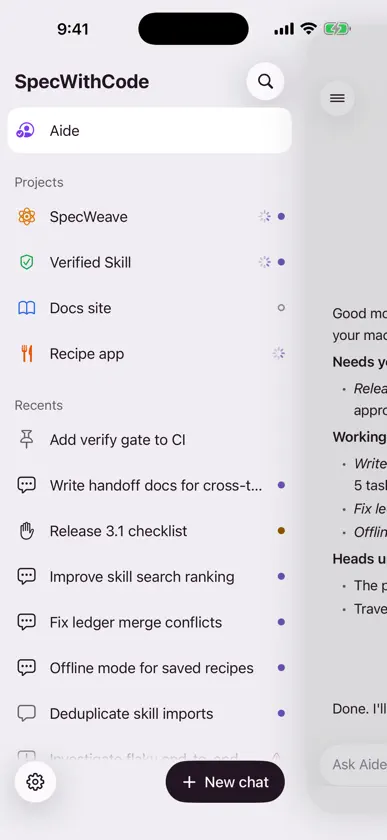
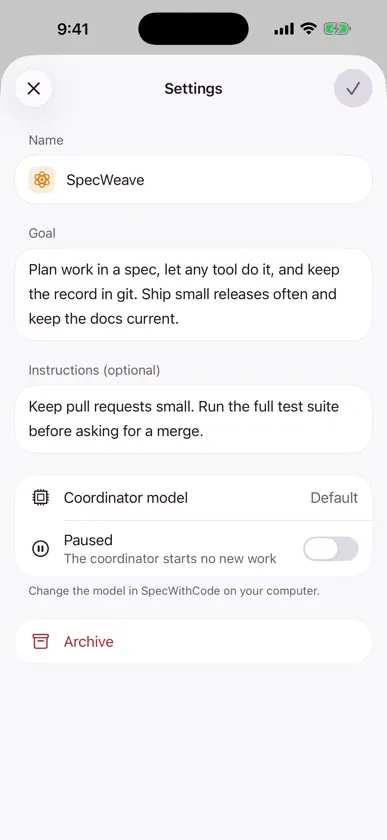
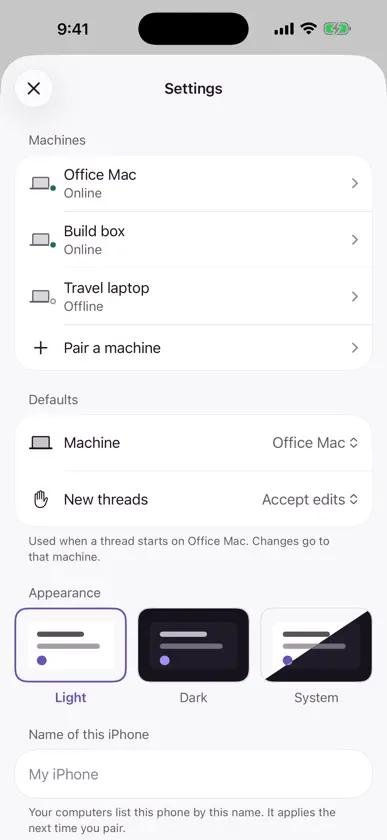
SpecWithCode for iPhone is a companion to SpecWithCode on your computers. Pair your phone once, then follow and steer your work from wherever you are. Talk to Aide Aide is your personal assistant in SpecWithCode. Ask what needs you today, get a summary across all your machines, or ask it to remind you about something later. Chat with each project's coordinator Every project opens as a chat with its coordinator. Ask for status, hand over a new task or change direction without opening a laptop. Follow threads on any machine See which threads need you, which are working and which are idle, grouped by project. Open a thread to read its progress and see how far its plan has come. Stay in control Send a message, or queue one to run after the current one. Stop a run. Approve or deny a command once or for the whole session. Pin, resolve, reopen and archive threads. Change the settings that matter Edit a project's name, goal and instructions, pause its coordinator or archive it. Choose the machine and approval mode for new threads, name your phone, and pick a light or dark look. Pair in seconds On your computer, open SpecWithCode, go to Settings > Connections and choose Create link. Scan the QR code or paste the pairing link. The phone then talks straight to each machine over your local network, a private VPN or an address you set up. A pairing lasts 30 days; pair again to renew it. Private by design There is no account and no sign-up. The app has no ads, no analytics and no tracking. It talks only to your own machines, which pass your messages to the AI tools you set up there. Pairing tokens stay in the iOS Keychain on this phone. Try it before you pair Tap Explore with sample data on the welcome screen to look around with made-up machines and projects. Requirements SpecWithCode running on at least one computer your phone can reach. Push notifications, attachments, terminal and diffs are not in this version yet. Learn more at spec-weave.com.
What's new
Version 0.1.4 · Nov 4, 2026
Linked projects: open a project kept on several of your computers and you land on its coordinator. If that computer goes offline, the project says so, and after 10 minutes another computer with a copy can take over. Project settings show the standby computer and the automatic takeover list.


