
Libreto
JC Mobile App Studio LLC
No ratings yetProductivityAges 4+
Screenshots





About this app
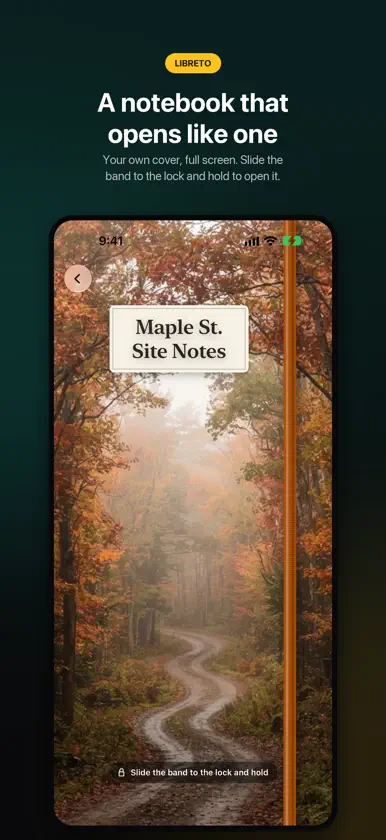
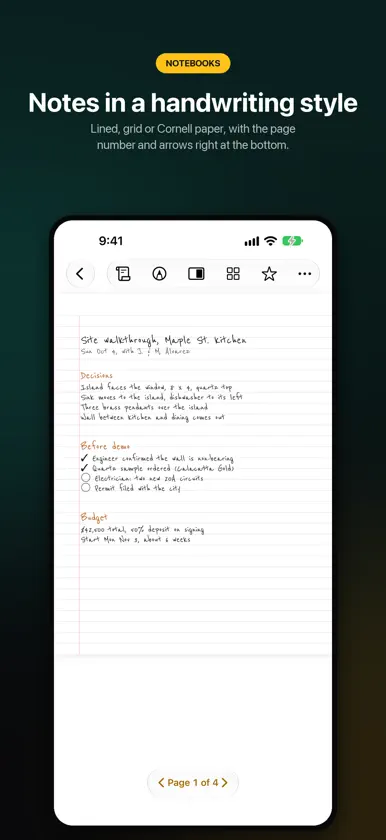
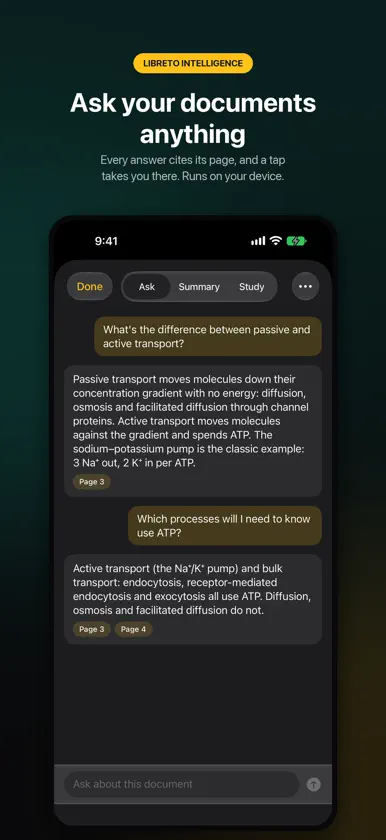
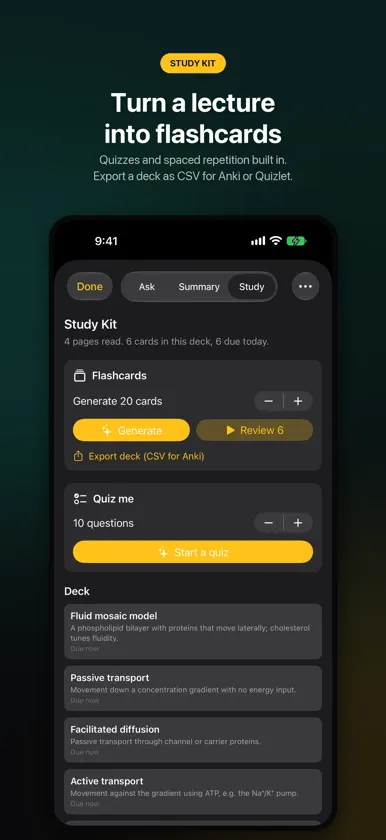
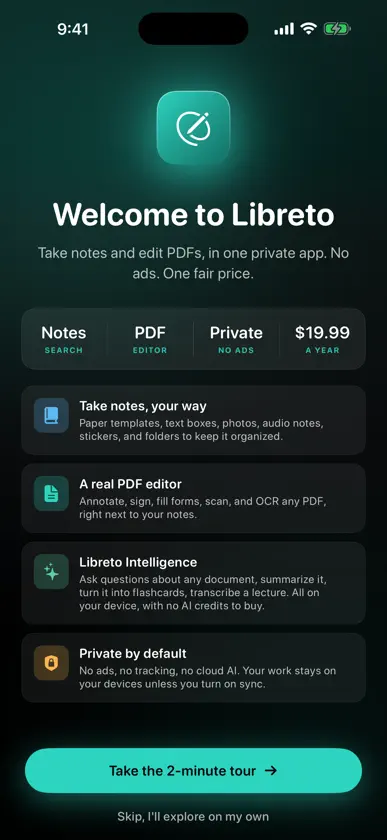
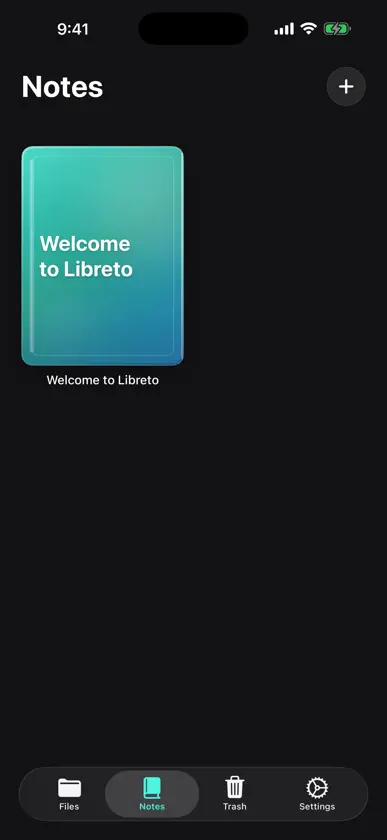
Libreto is a digital notebook, planner, PDF editor and full drawing studio for iPad and iPhone Duo, and a streamlined PDF editor and notes app for iPhone. A notebook that opens like one, private by design, with on-device AI included and one fair price. START WHERE YOU LEFT OFF Libreto opens on Start: your latest work up front, and a new Notepad, Planner or Sketchbook one tap away. Everything you make lives in one Library, sorted into notebooks, planners, sketches and PDFs. A NOTEBOOK THAT OPENS LIKE ONE Every notebook opens on its cover, full screen: your own photo, a seasonal design, or one you make. Slide the elastic band to the lock to open it, turn pages that curl like paper, and swipe a closed cover to reach the next notebook. MADE FOR IPHONE DUO Folded, the cover screen shows the notebook you were writing in, band and all. Unfold it and the notebook lies open across both pages, each one whole on the screen, right where you left off. Every control sits in one row at the top. NOTEBOOKS FOR APPLE PENCIL (iPad and iPhone Duo) Lined, dot grid, graph, Cornell and to-do paper, or a photo, in any paper colour. Ink thickens on slow strokes and tapers at the ends, like a real nib. Draw a rough line, box or circle and hold: it snaps clean. Underline, strike out or circle typed words and the mark stays with them. Type around photos, or lay out text frames with columns that run on from page to page. Search your handwriting and convert it to text on-device, in 20+ languages. Add stickers, washi tape, photos and AI art with Image Playground. No Pencil, or another iPhone? Write with a finger. PLANNERS, YOUR WAY (iPad and iPhone Duo) Daily, Weekly, Monthly and Pro planners, plus ready-made planners for school, work, fitness and money. Real dates, a tappable Contents page, and every day linked to its month. Light or Dark theme. DRAW & SKETCH (iPad and iPhone Duo) A full drawing studio: pressure brushes with textured tips, dual brushes, and brushes made from your own pictures. Layers, groups, Layer Sets, blend modes, layer masks and live adjustment layers you can change at any time. Vector shapes and text with gradients, tapered and dashed lines. Heal, clone, dodge, burn and liquify. Warp and rig your art, and draw on isometric planes. History with branches lets you step back to any point. Symmetry: vertical, horizontal, both axes or radial. Choose a Dark or Light look. Open and save PSD files, or export as PNG or PDF. PHOTO TOOLS IN SKETCH STUDIO (iPad and iPhone Duo) Develop RAW photos. Merge shots into panoramas, HDR images, or a crowd-free scene. Mask hair and fur with the Edge Mask Brush, and measure in real units. PDF TOOLS (iPad and iPhone) Highlights, ink, shapes, stickers and signatures, with undo and redo for every mark. Reorder, rotate, split and extract pages. On-device OCR and Scan Enhance for scans. Redact for real: the hidden text is destroyed, not just covered. Export as PDF, image, text, Word (RTF) or Markdown. LIBRETO INTELLIGENCE, ON YOUR DEVICE Ask questions about any PDF or notebook and get answers with tappable page citations. Summarize a document, a page range or a selection. Turn any document into flashcards and quizzes with spaced-repetition review. Record a lecture, then transcribe and summarize it on-device. All of it runs with Apple Intelligence, right on your device: nothing uploaded, nothing metered, no AI credits. Prefer no AI? One switch hides every AI button. PRIVATE BY DESIGN No ads. No tracking. No third-party AI. Your work stays on your devices, with optional private iCloud sync and App Lock with Face ID. MEMBERSHIP Unlock every premium feature for $19.99/year with a 3-day free trial, or $2.99/month. Prefer not to subscribe? Buy Libreto once for $59.99 and keep every feature, including future updates, forever. Terms of Use (Apple standard EULA): https://www.apple.com/legal/internet-services/itunes/dev/stdeula/
What's new
Version 2.6.1 · Nov 9, 2026
A new home, smarter notebooks and a Sketch Studio with pro tools. • Start: Libreto opens on Start. Pick up where you left off, or make a Notepad, Planner or Sketchbook in one tap. Everything you make lives in one Library. • Smart Marks: underline, strike out or circle typed words with the pen. The mark sticks to the words, even when the text moves. • Text around pictures: typed text flows around the photos and stickers on a page. • Layout mode: text frames with up to three columns that snap to margins and a grid, and stories that run on to the next page. • Your notebook, your way: set each notebook's paper colour and the pen colour it opens with, and jump to any page from the new Index. • Switch notebooks from the cover: swipe a closed cover to reach the next one. • Sketch Studio: layer masks, live adjustment layers, layer groups and Layer Sets, vector text and gradients, tapered and dashed lines, heal, clone, dodge, burn, liquify, History with branches, PSD import and export, and a Light look. • Pro tools in Sketch Studio: warp and rig your art, develop RAW photos, merge photos into panoramas, HDR or crowd-free shots, measure in real units, mask hair with the Edge Mask Brush, and make brushes from your own pictures. • iPhone Duo: each page fits whole on the screen, Start and the Library sit clear of the bottom bar, and the notebook bar reads cleanly when the Duo is upright. • A new PDF Practice Sheet for trying signatures, form fields, highlights and redaction. Fixes • iPhone Duo: adding a layer in Sketch Studio no longer freezes the app. • Opening a notebook's cover on iPhone Duo no longer jumps at the end of the turn. • A planner's Contents page shows its list during page turns and in exports. • Typing on iPhone Duo keeps the pages full size. Need help or have a suggestion? Email me at contact@jcmobileappstudio.com. I read every message.
In-app purchases
The most popular purchases on the App Store.
- Libreto LifetimeConsumableUSD 69.99
- Libreto Premium (Monthly)SubscriptionUSD 2.99 / month
- Libreto Premium (Annual)Subscription · 3 days free trialUSD 19.99 / year
More from JC Mobile App Studio LLC
 BinpeekJC Mobile App Studio LLC
 Almanak WallpapersJC Mobile App Studio LLC
 OmniLog: Media Time TrackerJC Mobile App Studio LLC
 ChoreSightJC Mobile App Studio LLC
 VitalCastJC Mobile App Studio LLC
 Renewl: Subscription TrackerJC Mobile App Studio LLC
 Kynd: ADHD FocusJC Mobile App Studio LLC
 HoldwiseJC Mobile App Studio LLC
You might also like
 Vellum InkKah Mun Lam
 Brenda's NoteWitdono Witdono
 Scribble Calendar & PlannerGabor Auth
 mimosa: Notes, PDF & ScannerYusuf Melih Bozgeyik
 Flows - Planner & NotesHUNTER WESTLEY BOLTON
 PDF-PRO: Editor & Scanner爱华 刘
 Slate - Notes & CanvasNagarjuna Reddy Bhimavarapu
 Notelix: AI Handwriting Notes仕雄 李
 DayJournal: Planner & NotesPathompong Puengrostham
 NoteSam: Handwritten NotesCryptosam LLC