
Screenshots

About this app
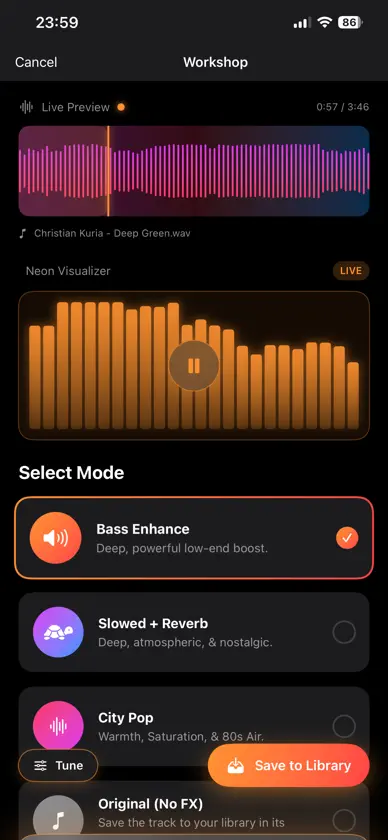
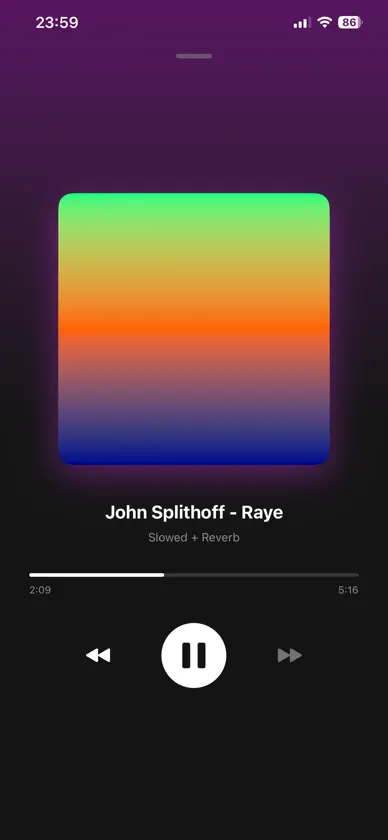
Transform your music into a sound that feels uniquely yours. Neon Engine is an on-device audio workshop for reshaping local music with immersive effects. Import a track, preview different styles, fine-tune the result, and save it to your personal library—all directly on your iPhone. -- AUDIO MODES -- Bass Enhance: Add more weight and depth to your music with a stronger low-end sound. Slowed + Reverb: Adjust the tempo, tone, and reverb to create a deeper, more atmospheric mix. City Pop: Give your track a bright, nostalgic character inspired by retro nighttime soundscapes. Fast Tempo: Speed up your music with adjustable tempo controls, from a subtle lift to a high-energy remix. Original: Save and manage the original track alongside your converted versions. -- BUILT FOR YOUR MUSIC -- Live Preview: Hear each effect before saving and fine-tune supported modes in real time. Personal Library: Organize converted tracks, rename them, filter by effect, and mark favorites for quick access. Bulk Actions: Select multiple tracks to update favorites or delete them together. Files Integration: Import compatible audio files directly from the iOS Files app. Background Playback: Continue listening to tracks from your Neon Engine library outside the app. -- PRIVATE BY DESIGN -- Your music stays on your device. Audio processing is performed locally without uploading your files to a remote server. Neon Engine is designed for local audio files you own and for personal, creative use.
What's new
Version 1.1 · Jul 16, 2026
Neon Engine 1.1 expands your audio workshop and makes your library easier to manage. Added Fast Tempo with adjustable playback speed. Added Favorites with a dedicated library filter. Added multi-select actions for managing several tracks at once. Improved Workshop previews, saving behavior, artwork loading, and playlist stability. Refined the library interface and action feedback.


