
Subscription Tracker: SpendKit
Jose Sapon
No ratings yetFinanceAges 4+
Screenshots




About this app
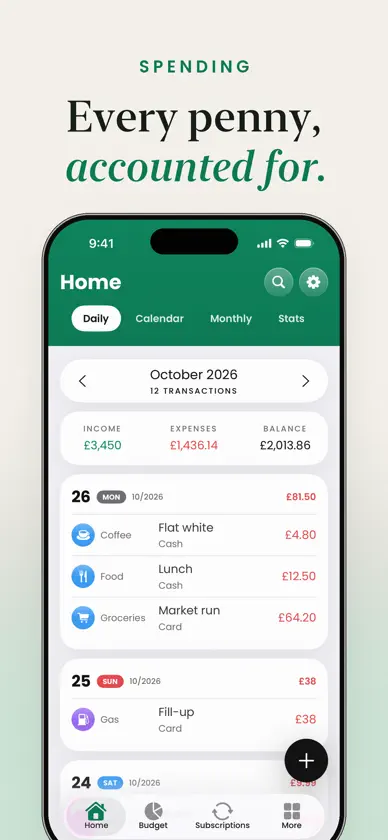
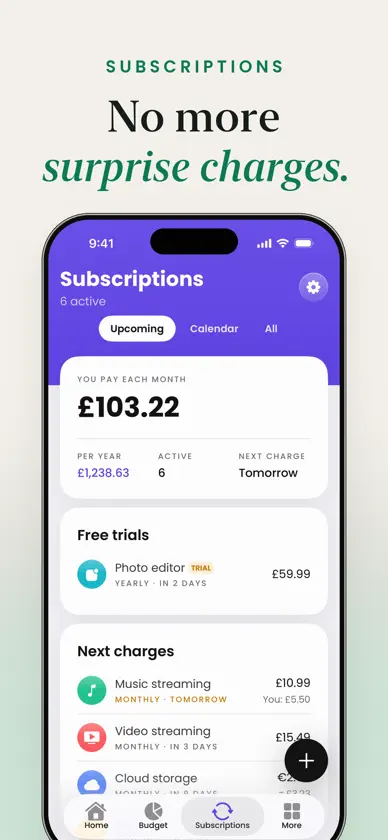
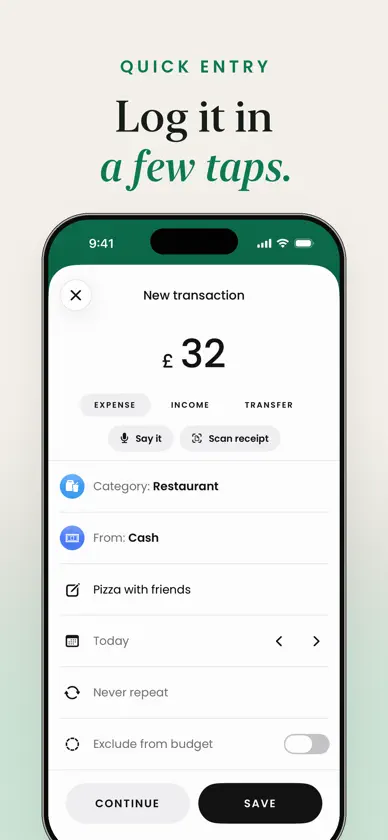
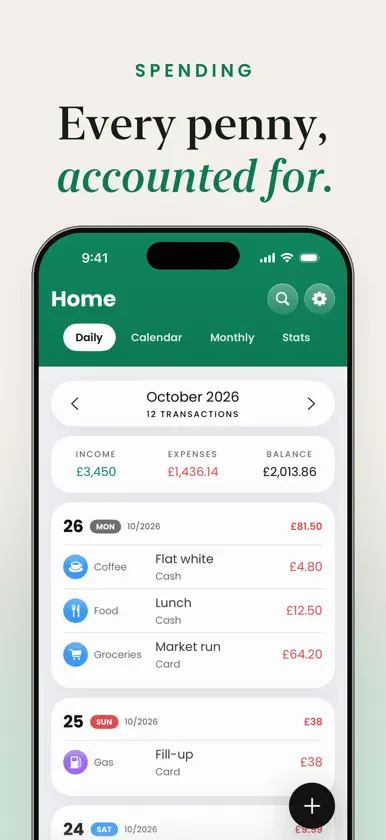
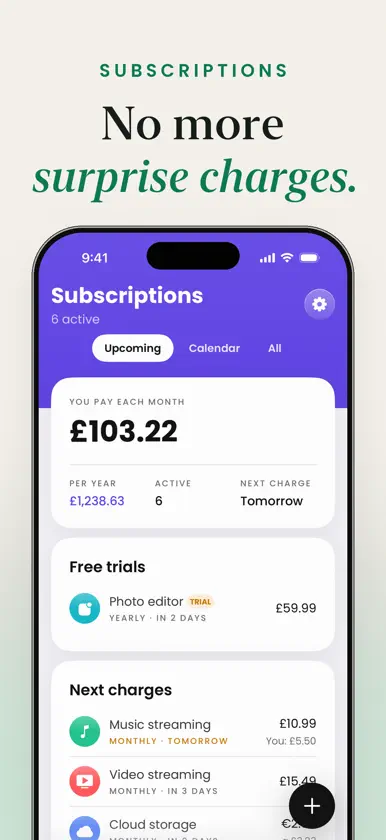
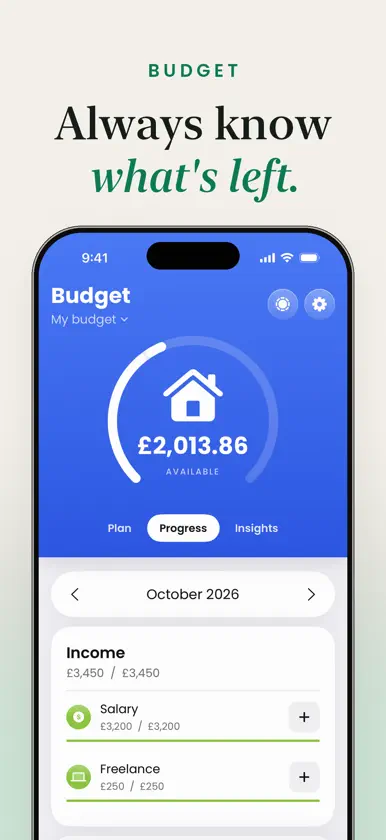
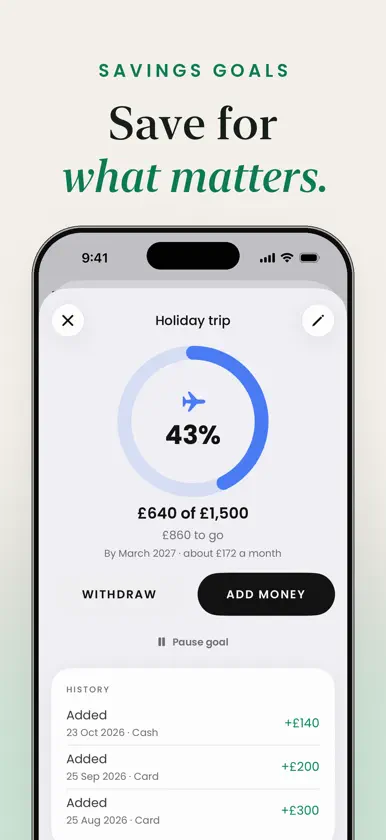
Know where your money goes, and never get caught out by a forgotten subscription again. SpendKit keeps your spending, bills and subscriptions, budget, savings goals and debts in one simple app. No bank login and no account needed. LOG IT IN SECONDS • Add an expense, income or transfer in a few taps: amount, category, account, done • Say it: "12 lunch" and SpendKit fills it in • Scan a receipt to read the total • Transfers between your accounts, with fees • Copy a transaction, or save and keep adding with Continue SEE YOUR MONTH • Income, expenses and balance always in view • Daily, calendar, monthly and stats views • Charts by category and by day • Search, and filter by account or category SUBSCRIPTIONS AND BILLS • Streaming, music, rent, phone: see what you pay each month and each year • A reminder before every charge, and free trials tracked before they bill you • Mark a bill as paid, or let SpendKit log it on its due date • Cancelling one? Get help to do it and see how much you save • Subscriptions in another currency or shared with others: only your part counts A BUDGET THAT WORKS • Plan your income and spending by category • See what's left to spend this month • Carry over what's left, or what's over, to the next month SAVINGS GOALS AND DEBTS • Goals with ideas to start, a target date and how much to put aside each month • Track what you owe and what you're owed, payment by payment YOUR ACCOUNTS • Cash, cards, bank and savings accounts with their running balance • Assets, liabilities and your total at a glance ALWAYS AT HAND • Home Screen and Lock Screen widgets • Siri and Shortcuts: "Log an expense in SpendKit" • Control Center and the Action button • Face ID lock, dark mode, your currency, 10 languages SPENDKIT PREMIUM Logging expenses and income is always free. Premium removes the limits on subscriptions, budgets, goals, accounts, receipt scans and voice entries, and adds iCloud backup and sync, budget alerts, insights, your own categories and CSV export. Payment is charged to your Apple Account at confirmation, or at the end of the free trial if there is one. The subscription renews automatically unless cancelled at least 24 hours before the end of the current period. Manage or cancel it in your App Store account settings. The lifetime plan is a one-time purchase. Terms of Use: https://privacy.owltaps.com/terms Privacy Policy: https://privacy.owltaps.com
What's new
Version 2.0.0 · Oct 29, 2026
SpendKit 2.0 has been rebuilt from the ground up: a new design, subscriptions and bills with a reminder before each charge, a budget by category, savings goals, debts, accounts with their balance, voice and receipt entry, widgets and Siri. Everything you logged in the previous version comes with you.
In-app purchases
The most popular purchases on the App Store.
- SpendKit Premium LifetimeConsumableUSD 39.99
- Premium YearlySubscription · 3 days free trialUSD 19.99 / year
- Premium MonthlySubscriptionUSD 4.99 / month
More from Jose Sapon
 Car Widgets & Wallpaper 4KJose Sapon
 Pink Wallpaper: Kawaii & CuteJose Sapon
 Black Wallpaper 4K & ThemesJose Sapon
 Random Selector NumberJose Sapon
 White Noise & Sleep SoundsJose Sapon
 Restore Old Photos - PhotoPastJose Sapon
 Bug Identifier: Insect Scan AIJose Sapon
 Lecture Recorder: Speech NotesJose Sapon
You might also like
 Spending Tracker - Mochi MoneyPratish Shrestha
 MoneyLog – Track Spending雪峰 王
 MARK - Personal FinanceKlaas Wumkes
 Coffer: Money TrackerRenato Jop
 Conta - Your Pro Finance App磊 徐
 MoneyLogger: Budget & ExpensesPIOTR PRZEMYSSAW SZYPULA
 Pave - Expense TrackerNugzar Kinadze
 Wealthbox: Spending TrackerAlexander Zarr
 Expense Tracker: PockelytYUKSEL YILMAZ
 Spending Tracker – BuxFELIPE LINCOLN