
Auth Code: 2FA Authenticator
Ivanna Koryliak
No ratings yetUtilitiesAges 4+
Screenshots



About this app
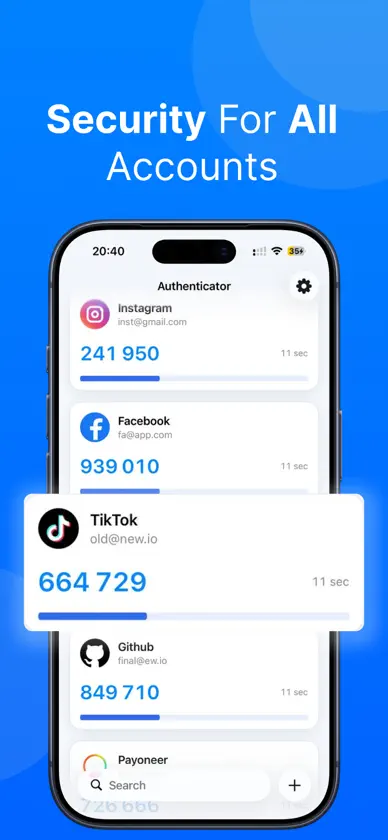
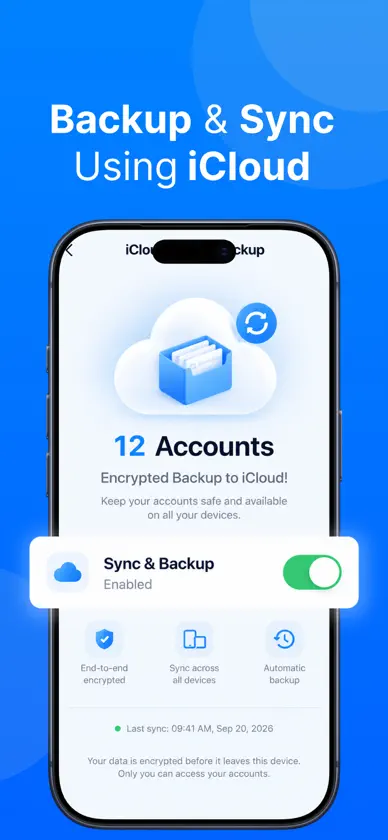
Protect your online accounts with simple and secure two-factor authentication. Auth Code generates one-time verification codes for services that support authenticator-based 2FA. Scan a QR code, import a saved QR image, enter a setup key manually, or transfer your accounts from Google Authenticator. KEY FEATURES • One-Time Verification Codes Generate time-based (TOTP) and counter-based (HOTP) codes for compatible websites and services. Generate your codes without an internet connection. • Easy Account Setup Add accounts by scanning QR codes with your camera, importing QR images from Photos, or entering setup keys manually. • Import from Google Authenticator Transfer accounts using Google Authenticator export QR codes, including exports with multiple QR codes. • Keep Accounts Organized Find accounts with search and mark frequently used accounts as favorites for quick access. • App Lock & Privacy Controls Protect access with Face ID or Touch ID on supported devices, configure automatic locking, and hide codes from view. • Encrypted Backups Export backups encrypted with a password you choose and restore your accounts when needed. Keep your backup file and password safe. • Optional iCloud Sync Sync accounts across your devices. Your accounts are encrypted before being stored in your private iCloud database. • Home Screen Widget View authentication codes from your Home Screen. • Light & Dark Appearance Choose a light theme, a dark theme, or follow your device settings. HOW IT WORKS 1. Enable authenticator-based two-factor authentication on a supported website or service. 2. Add the account to Auth Code using its QR code or setup key. 3. Enter the generated verification code to complete setup. 4. Open Auth Code whenever you need a code to sign in. Two-factor authentication adds an extra layer of protection beyond your password. Auth Code works with services that support standard TOTP or HOTP authentication. PREMIUM FEATURES Premium unlocks unlimited accounts, encrypted iCloud sync, and password-protected backup export. Restoring an existing encrypted backup is available without Premium. Privacy Policy: https://authcode.site/privacy.html Terms of Use: https://www.apple.com/legal/internet-services/itunes/dev/stdeula/
What's new
Version 1.2 · Oct 15, 2026
Performance improvements and bug fixes.
In-app purchases
The most popular purchases on the App Store.
- Premium MonthlySubscription · 3 days free trial฿299.00 / month
- Premium YearlySubscription฿1,490.00 / year
More from Ivanna Koryliak


You might also like
All apps like Auth Code: 2FA Authenticator → Wave - MaritimeBUILD BY TWO & ONE LIMITED
 Prism: Photo & File SearchGopal Sorathiya
 ReadyNow PrepAbram Kai Davis
 Artful NorthAppfinity LLC
 IDFA PocketManuel Knakowski
 2FA iAtomos: AuthenticatorSAMUEL MORENO CONEJERO
 Nearon: Bluetooth FinderGopal Sorathiya
 Wallby: Widgets & WallpapersLevin David Schwab
 Nixly: Clean StorageLevin David Schwab
 TapTik: Sensory Stimming PadAnatoly Makaruk